Computer Structure & Instructi
Cheatsheet Content
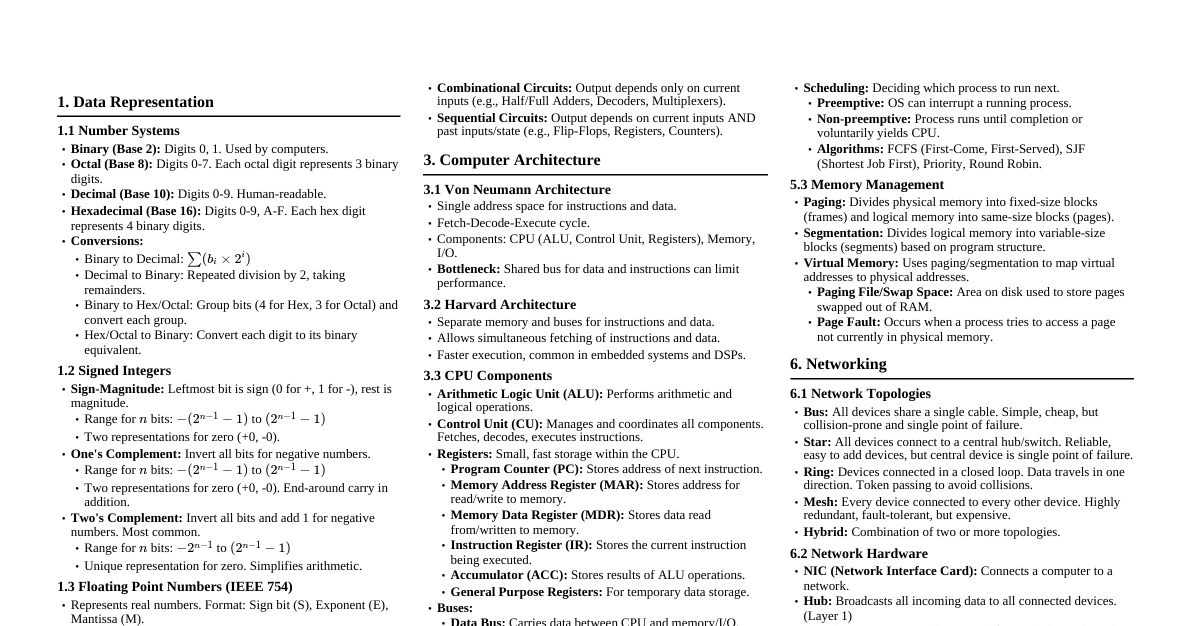
### Computer Types #### Classification by Data Processing - **Analog Computers:** - Process continuous data (voltage, pressure). - Used for simulations (aircraft, weather). - Outputs: Dials, graphs. - *Example:* Speedometer. - **Digital Computers:** - Process discrete binary data (0s and 1s). - Perform arithmetic/logical operations. - Common types: Desktops, laptops, smartphones. - High accuracy & speed. - *Example:* PCs. - **Hybrid Computers:** - Combine analog (continuous data) and digital (logical operations, memory). - Used in specialized fields (e.g., ICUs for vital signs monitoring). #### Classification by Size and Purpose - **Microcomputers (PCs):** - Single microprocessor, individual users. - Versatile: word processing, internet, programming. - *Examples:* Desktops, laptops, tablets. - **Minicomputers (Midrange):** - More powerful than micro, less than mainframe. - Multi-user systems (dozens-hundreds). - Used in medium businesses, labs (database management). - Often serve as servers. - **Mainframe Computers:** - High-performance, handle vast data, support thousands of users. - Used by large organizations (banks, government). - Focus on I/O throughput, exceptional reliability. - **Supercomputers:** - Fastest, most powerful for complex scientific/mathematical problems. - Trillions of calculations/second. - Fields: climate modeling, quantum mechanics. - Use massive parallel processing. #### Classification by Function - **General-Purpose Computers:** - Perform a wide variety of tasks, reprogrammable. - *Examples:* PCs, laptops. - Versatile, software-driven. - **Special-Purpose Computers:** - Built for specific tasks, optimized for dedicated functions. - Not easily reprogrammed. - *Examples:* ATMs, GPS, industrial robots. - Highly reliable, real-time computing. - **Embedded Systems:** - Specialized computing systems integrated into larger devices. - Perform specific control functions with real-time constraints. - *Examples:* Microwave ovens, medical devices, IoT. - Optimized for efficiency, reliability, low power. ### Functional Units A computer system consists of coordinated functional units for input, processing, storage, and output. #### Input Unit - **Function:** Entry point for data and instructions. - **Key Functions:** - Data Acquisition - Conversion (to binary) - Transmission (to memory/processor) - Buffering (temporary hold) - **Common Devices:** Keyboard, Mouse, Scanner, Microphone, Digital Cameras, Sensors. #### Output Unit - **Function:** Communicates processed data to external environment in human-readable form. - **Main Roles:** - Data Conversion (binary to human-readable) - Presentation (display/physical) - Storage & Exporting (permanent record) - **Common Devices:** Monitor, Printer, Speakers, Projectors, Haptic devices. #### Memory Unit - **Function:** Stores data (temporary/permanent). Central to processing activities. - **Memory Hierarchy:** 1. **Primary Memory:** - **RAM (Random Access Memory):** Volatile, active data/instructions. - **ROM (Read-Only Memory):** Non-volatile, boot-up instructions. 2. **Secondary Memory:** - Hard Disk Drives (HDDs), Solid State Drives (SSDs), Optical Disks (CDs/DVDs), USB Drives. 3. **Cache Memory:** - Closer to CPU than RAM. Stores frequently accessed data for speed. 4. **Registers:** - High-speed temporary memory inside CPU. Hold data during instruction execution. - **Functions:** Stores data/instructions, holds intermediate results, saves final output, retains system instructions. #### Arithmetic and Logic Unit (ALU) - **Function:** Core of CPU, performs mathematical and logical operations. - **Operations:** - **Arithmetic:** Addition, subtraction, multiplication, division, increment, decrement, shift. - **Logical:** Comparisons (equal, less, greater), Boolean logic (AND, OR, NOT, XOR). - **Internal Components:** - **Accumulator Register:** Stores results of operations. - **Flag Register:** Maintains status (e.g., zero, overflow, carry). - **Significance:** Receives data/instructions, processes, sends results, essential for decision-making. - **Modern ALUs:** May include Floating Point Units (FPUs) and Vector Processing Units (VPUs). #### Control Unit (CU) - **Function:** Coordinator and manager of the computer system. Directs all operations. - **Primary Responsibilities:** - Instruction Fetching: Retrieves instructions from memory. - Decoding: Interprets instruction type and operands. - Execution Control: Directs ALU, memory, I/O. - Timing and Sequencing: Maintains execution order. - **Key Functions:** Sends control signals, coordinates fetch-decode-execute cycle, manages interrupts, ensures synchronization. - **Types:** - **Hardwired CU:** Fixed logic, faster, less flexible. - **Microprogrammed CU:** Firmware-level control, easier to update. #### Communication Among Units (Buses) - **Function:** Interconnection systems allowing data/control signals to flow between CPU, memory, I/O. - **Types of System Buses:** - **Data Bus:** Transfers actual data. Bidirectional. - **Address Bus:** Carries memory addresses. Unidirectional. - **Control Bus:** Transmits control signals (read/write, interrupt). Bidirectional or mixed. - **Additional Concepts:** - **Bus Width:** Amount of data transferred at once (e.g., 32-bit, 64-bit). - **Clock Signals:** Synchronize data flow. - **Direct Memory Access (DMA):** Allows hardware to access memory directly, bypassing CPU. - **Flow Example:** Input data -> Data Bus -> CU decodes -> ALU performs -> Result stored/output. All synchronized. ### Basic Operational Concepts Principles governing instruction execution and data flow. #### Fetch-Decode-Execute Cycle (Instruction Cycle) The continuous loop driving CPU operation. 1. **Fetch Phase:** - CU retrieves next instruction from RAM. - Program Counter (PC) specifies instruction location. - Instruction transferred to Instruction Register (IR). 2. **Decode Phase:** - CU analyzes instruction in IR. - Identifies operation type, operands, data location. - Sets up control signals for ALU, memory, I/O. 3. **Execute Phase:** - Relevant component (e.g., ALU) performs operation (arithmetic, logical, data transfer). - Results stored in registers or memory. - PC updated to next instruction. 4. **Repeat Cycle:** Continues until program ends or `halt` instruction. #### Data Flow between Units - **Input Unit to Memory:** Raw data (binary) -> RAM. - **Memory to CPU:** CPU fetches instructions/data from RAM. Instructions -> IR; data -> CPU registers/ALU. - **Within CPU:** Data flows between registers, ALU, CU. Processed results -> CPU registers/memory. - **CPU to Memory/Output:** Final results -> memory/Output Unit. #### Instruction Execution Steps Detailed breakdown of the Fetch-Decode-Execute Cycle. 1. **Instruction Fetch:** - PC sends address to memory. - Instruction loaded into IR. 2. **Instruction Decode:** - CU interprets opcode, identifies operation, operand sources, destination. 3. **Operand Fetch (if needed):** - Data fetched from Memory (RAM), Registers, or Input devices. 4. **Execution:** - ALU performs operation (ADD, SUB). - Other components for non-arithmetic instructions (data transfer). 5. **Result Storage:** - Result stored in a register or written to memory. - Output instructions send data to output device. 6. **Update Program Counter:** - PC incremented to next instruction (unless branch/jump). #### Control Signals and Timing Orchestrate activities, ensuring operations happen at the right moment. - **Control Signals:** Binary signals from CU, direct CPU/components. - *Manage operations:* Read/Write, Load, ALU operations, Increment PC, Enable/Disable buses. - *Types:* Internal (data movement within CPU), External (memory/I/O interaction), Status (device condition). - **Timing and Synchronization:** - **Clock Signals:** System clock synchronizes all actions. - **Instruction Timing:** Simple instructions (1 cycle), complex (multiple cycles). - **Synchronous vs. Asynchronous:** Synchronous (clock-timed, modern CPUs), Asynchronous (event-driven, I/O). ### Bus Structures Communication pathways for data and control signals. #### Data Bus, Address Bus, and Control Bus | Bus Type | Function | Direction | Impact | | :------------- | :------------------------------------------ | :------------ | :--------------------------------------- | | **Data Bus** | Carries actual data | Bidirectional | Wider bus = more data per cycle | | **Address Bus** | Carries memory addresses (CPU to memory/I/O) | Unidirectional | Wider bus = more addressable memory (e.g., 32-bit = 4GB) | | **Control Bus** | Transmits control signals | Bidirectional/Mixed | Regulates system operations | #### Single Bus vs. Multiple Bus Organization | Feature | Single Bus Organization | Multiple Bus Organization | | :------------- | :--------------------------------------- | :------------------------------------------- | | **Structure** | All major components share one common bus | Separate buses for different components (e.g., memory bus, I/O bus) | | **Advantages** | Simple design, lower cost, easy to implement in small systems | Parallel data flow, reduced congestion, improved performance/scalability | | **Disadvantages** | Performance bottlenecks (contention), slower data transfer | More complex design, higher cost/power consumption | #### Bus Arbitration and Control Decides which device controls the bus when multiple devices request access. - **Why Needed:** Avoids data collisions, ensures fairness/efficiency, allows multiple masters (CPU, DMA) to share. - **Types:** - **Centralized Arbitration:** Single controller (often CPU) manages access. - *Pros:* Simpler design. - *Cons:* Can be a bottleneck. - **Distributed Arbitration:** All devices participate in decision-making. - *Pros:* Avoids single point of failure. - *Cons:* More complex. - **Techniques:** Fixed Priority, Round-Robin, Dynamic Priority. #### Bus Performance Considerations Factors influencing bus speed and efficiency. - **Bus Width:** Wider buses (e.g., 64-bit) transfer more data per cycle. - **Bus Clock Speed:** Faster clock rates increase data transfer speed. - **Data Transfer Protocol:** Synchronous vs. Asynchronous. - **Bus Contention:** Too many simultaneous requests lead to delays. - **Latency & Throughput:** - **Latency:** Delay between request and transfer. - **Throughput:** Total data volume transferred per unit time. - **Buffers and Caches:** Reduce bus traffic by storing temporary data near CPU. - **Optimization Strategies:** Dedicated buses, DMA, bus multiplexing. ### Instruction Formats Defines how instructions are represented in binary. #### Components of an Instruction - **Opcode (Operation Code):** Specifies the operation (e.g., ADD, SUB, LOAD). - **Operand(s):** Data to be operated on (immediate values, memory addresses, register numbers). - **Addressing Mode:** How to interpret the operand field (direct, indirect, immediate). - **Instruction Length Indicator (optional):** Total bits/bytes used. **Example:** `LOAD R1, 2000` - Opcode: LOAD - Operand 1: R1 (destination register) - Operand 2: 2000 (memory address) #### Opcode and Operand Specification - **Opcode:** Binary code for CPU operation; each operation has a unique code. - **Operand Specification:** Indicates data source, destination, or both. - Can refer to: Registers, Memory addresses, Immediate values. - **Types of Operand Formats:** - **Zero-address:** Uses a stack. - **One-address:** Accumulator-based. - **Two-address:** Source and destination specification. - **Three-address:** Fully specifies both sources and destination. #### Types of Instruction Formats | Format | Characteristics | Advantages | Disadvantages | | :---------------- | :-------------------------------------------- | :------------------------------------------ | :---------------------------------------- | | **Fixed-Length** | All instructions same size (e.g., 32 bits) | Simplifies decoding/pipelining, fast fetch | May waste space | | **Variable-Length** | Instruction size depends on operation/operands | More flexible, space-efficient | Slower decoding, complicates pipeline | | **Hybrid** | Combines fixed and variable types | Flexibility, retains performance for common instructions | (Complexity of implementation) | #### Example of Instruction Representation (32-bit) | Opcode (6 bits) | Reg1 (5 bits) | Reg2 (5 bits) | Address/Immediate (16 bits) | | :-------------- | :------------ | :------------ | :-------------------------- | | 000001 (LOAD) | 00010 (R2) | 00000 (Unused) | 0000000000110100 (52) | Meaning: Load data from memory address 52 into register R2. **Assembly Example:** `ADD R1, R2, R3` - Opcode: ADD - Operands: R2, R3 (sources), R1 (destination) ### Number Representation Computers use binary systems; various representations for data types. #### Binary, Octal, Decimal, and Hexadecimal Systems | System | Base | Digits | Description | | :---------- | :--- | :--------------------- | :----------------------------------------------- | | **Binary** | 2 | 0, 1 | Fundamental to digital computing (each digit = bit) | | **Octal** | 8 | 0-7 | Shorthand for binary (3 bits = 1 octal digit) | | **Decimal** | 10 | 0-9 | Human-readable, not used internally | | **Hexadecimal** | 16 | 0-9, A-F (10-15) | Compact binary representation (4 bits = 1 hex digit) | **Conversions:** - Binary to Decimal: Multiply each bit by $2^{position}$. - Binary to Hex: Group bits in 4s. - Binary to Octal: Group bits in 3s. #### Signed Magnitude Representation - Represents positive and negative numbers. - **MSB (Most Significant Bit):** Reserved for sign (0 = positive, 1 = negative). - Remaining bits: Magnitude (absolute value). - **Example (8-bit):** - $+5 \rightarrow 00000101$ - $-5 \rightarrow 10000101$ - **Pros:** Simple, intuitive. - **Cons:** Complex arithmetic, two representations for zero (+0, -0). #### 1's and 2's Complement Representation ##### 1's Complement - Inverts all bits of the binary number. - MSB indicates sign (0 = positive, 1 = negative). - **Example (8-bit):** - $+5 \rightarrow 00000101$ - $-5 \rightarrow 11111010$ (1's complement of +5) - **Drawbacks:** Two representations for zero, arithmetic needs end-around carry correction. ##### 2's Complement - Take 1's complement and add 1. - Most widely used in modern systems. - **Example (8-bit):** - $+5 \rightarrow 00000101$ - $-5 \rightarrow 11111011$ (2's complement of +5) - **Advantages:** Single representation for zero, simplifies subtraction/addition. #### Floating-Point Representation - Represents real numbers (fractions, very large/small). - **Standard:** IEEE 754 (Single and Double Precision). - **Format (Single Precision):** - Sign Bit (1 bit) - Exponent (8 bits) - Mantissa/Significand (23 bits) - **Value:** $(-1)^{Sign} \times 1.Mantissa \times 2^{(Exponent - Bias)}$ - **Example:** 32-bit representation of 3.14. - **Pros:** Large dynamic range, useful for scientific calculations. - **Cons:** Rounding errors, complex hardware implementation. ### Arithmetic Operations on Signed and Unsigned Data Essential for low-level programming and hardware design. #### Addition and Subtraction - **Unsigned Addition:** Add binary values directly. Carry out if result exceeds bit width. - **Signed Addition (2's Complement):** Use 2's complement for negative numbers. Add normally, interpret result. - **Subtraction:** Achieved by adding the 2's complement of the subtrahend. - *Example (8-bit):* $5 - 3 \rightarrow 5 + (-3) = 2$ #### Overflow and Underflow Conditions - Occurs when result exceeds representable range. - **Overflow (Addition/Subtraction):** - *Unsigned:* Carry out of MSB. - *Signed:* Operands same sign, result opposite sign. - **Underflow (Floating-point):** Result too close to 0 to be represented. - **Detection:** Hardware flags signal conditions. #### Multiplication and Division - **Unsigned Multiplication:** Repeated addition or shift-add algorithms. Result may be double operand size. - **Signed Multiplication:** Operands converted to 2's complement before operation. - **Division:** Repeated subtraction or long division. Includes quotient and remainder. - **Hardware Methods:** Booth's algorithm (signed multiplication), Restoring/Non-restoring division algorithms. #### Arithmetic Logic Unit (ALU) Operations - **Supported Operations:** Addition, Subtraction, Logical AND/OR/NOT/XOR, Comparisons (equal/greater/less), Shifts. - **Flags Set by ALU:** Zero Flag, Sign Flag, Overflow Flag, Carry Flag. ### Memory Locations and Addressing How memory is organized and accessed. #### Concept of Memory Cells and Words - **Memory Cells:** Smallest unit of storage, each with a unique address. - **Word:** Group of bits (e.g., 8, 16, 32, 64 bits). - *Example:* 32-bit word = 4 bytes. - **Memory Word Storage:** Can be byte-addressable or word-addressable. #### Addressing Techniques 1. **Immediate Addressing:** - Operand is part of the instruction. - *Example:* `MOV R1, #5` (Load 5 directly) 2. **Direct Addressing:** - Instruction specifies memory address of operand. - *Example:* `MOV R1, [1000]` 3. **Indirect Addressing:** - Address of operand is stored in a register or memory location. - *Example:* `MOV R1, [R2]` (R2 contains address) #### Register and Indexed Addressing - **Register Addressing:** - Operand in CPU register (fastest access). - *Example:* `ADD R1, R2` - **Indexed Addressing:** - Combines base address and an index value. - Common in array processing. - *Example:* `MOV R1, [Base + Index]` #### Effective Address Calculation - **Effective Address (EA):** Actual memory address used during instruction execution. - `EA = Base Address + Offset (or Index)` - Used in: Indirect/indexed addressing, dynamic memory access, array/pointer operations. ### Memory Read/Write Operations Precise control and timing for data transfer to/from memory. #### Memory Read Cycle 1. CPU places address on address bus. 2. CPU sends Read signal via control bus. 3. Memory places data on data bus. 4. CPU reads data and stores it in a register. #### Memory Write Cycle 1. CPU places address and data on buses. 2. CPU sends Write signal via control bus. 3. Memory writes data to specified location. #### Memory Access Time and Cycle Time - **Memory Access Time:** Time between CPU request and data receipt. - **Memory Cycle Time:** Time between two successive memory operations. - Lower times = faster performance. - *Optimizations:* Caches, pipelining, burst access. #### Cache Memory and Performance - **Cache Memory:** Small, high-speed memory between CPU and main memory. - **Levels of Cache:** - **L1 Cache:** Closest to CPU, fastest, smallest. - **L2 Cache:** Slower, larger. - **L3 Cache:** Shared among cores, even larger. - **Purpose:** Stores frequently used instructions/data, reduces memory access time, increases throughput. - **Cache Strategies:** Write-back vs. write-through, Least Recently Used (LRU) replacement. ### Summary This module covered: - **Computer Classification:** Analog, Digital, Hybrid; Micro, Mini, Mainframe, Supercomputers; General-purpose, Special-purpose, Embedded. - **Functional Units:** Input, Output, Memory, ALU, Control Unit, and their communication via Buses (Data, Address, Control). - **Basic Operations:** Fetch-Decode-Execute Cycle, data flow, instruction execution steps, control signals, and timing. - **Instruction Formats:** Components (Opcode, Operands, Addressing Mode), types (Fixed, Variable, Hybrid). - **Number Representation:** Binary, Octal, Decimal, Hexadecimal; Signed Magnitude, 1's, 2's Complement, Floating-Point. - **Arithmetic Operations:** Addition, Subtraction, Multiplication, Division, Overflow/Underflow. - **Memory Management:** Cells, Words, Addressing Techniques (Immediate, Direct, Indirect, Register, Indexed), Effective Address, Read/Write Cycles, Cache Memory. ### Keywords - **Bus:** Communication system for data transfer. - **Instruction Cycle:** CPU fetches, decodes, executes instructions. - **ALU (Arithmetic Logic Unit):** Digital circuit for arithmetic/logical operations. - **Addressing Mode:** Method to specify operands in instructions. - **Cache Memory:** Small, fast memory for frequently accessed data. - **2's Complement:** Method for representing negative numbers. ### Self-Assessment Questions 1. Differentiate between digital and analog computers with examples. 2. Explain the function of the control unit in instruction execution. 3. What are the main differences between a data bus, address bus, and control bus? 4. Describe the steps involved in the fetch-decode-execute cycle. 5. How is a negative number represented using 2's complement? 6. What are the advantages of using cache memory in computer systems? ### Case Study: Hospital Monitoring System A hospital ICU uses embedded systems with microcontrollers to monitor patient vitals (heart rate, blood pressure, oxygen). Data is processed locally, sent to a central system for storage/alerts. It uses floating-point representation and 2's complement for signal processing. The system has multiple functional units, dedicated bus structure, and robust memory management. #### Questions: 1. Identify and explain the computer types and number representations used. 2. Describe how data flows between different functional units and memory. ### References 1. Mano, M. Morris. *Computer System Architecture.* Pearson Education. 2. Stallings, William. *Computer Organization and Architecture: Designing for Performance.* Pearson. 3. Hamacher, Vranesic, Zaky. *Computer Organization.* McGraw-Hill Education. 4. Patterson, David A., and Hennessy, John L. *Computer Organization and Design.* Morgan Kaufmann. 5. Tanenbaum, Andrew S. *Structured Computer Organization.* Pearson. 6. IEEE Standard 754-2019 for Floating-Point Arithmetic. 7. Hayes, John P. *Computer Architecture and Organization.* McGraw-Hill.