Debian Sysadmin Cheatsheet
Cheatsheet Content
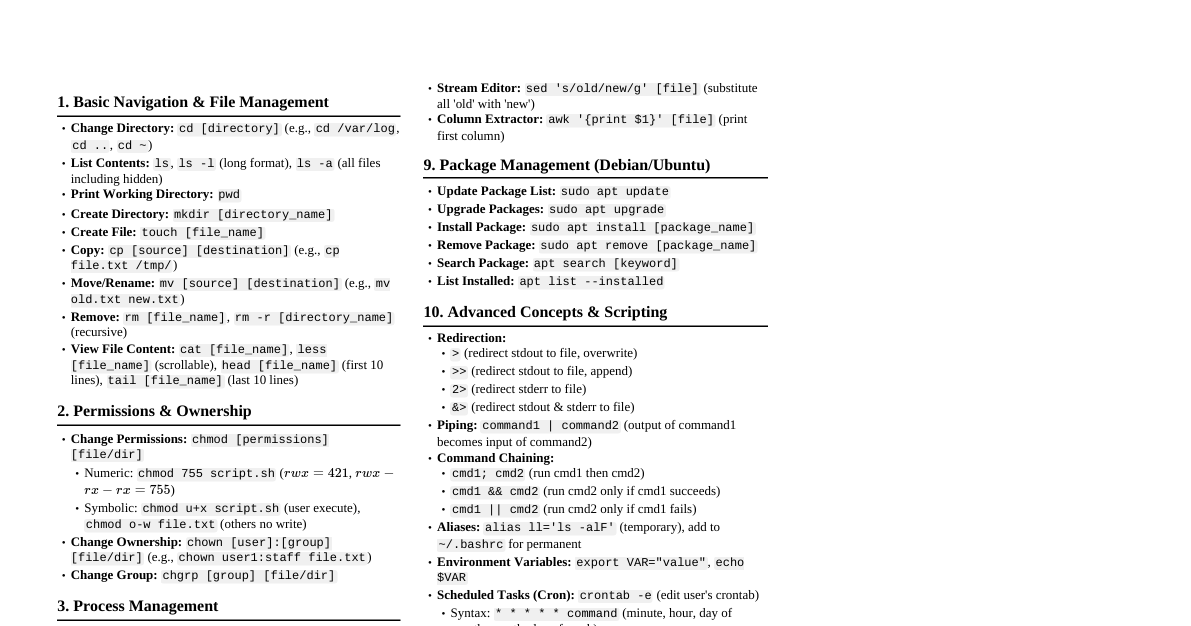
1. System Status & Logs `uptime`: System load, uptime, users. Trigger: Quick system health check. Mistake: Ignoring load average. `dmesg -T`: Kernel messages. Trigger: Hardware issues, boot problems. Mistake: Not using `-T` for human-readable timestamps. `journalctl -xe`: Systemd journal, last 10 entries (verbose). Trigger: Service failure, system errors. Mistake: Not using `-f` for live tailing. `journalctl -u ssh.service`: Logs for a specific service. Trigger: Debugging a service. Mistake: Forgetting service name. `tail -f /var/log/syslog`: General system log. Trigger: Real-time monitoring of system events. Mistake: Not using `-f`. `cat /var/log/auth.log`: Authentication logs. Trigger: Security audit, failed logins. Mistake: Overlooking brute-force attempts. `df -h`: Disk space usage. Trigger: "No space left on device" errors. Mistake: Not checking inode usage (`df -i`). `free -h`: Memory usage. Trigger: Performance issues, OOM errors. Mistake: Misinterpreting 'cached' memory as 'used'. 2. Services (systemd) `systemctl status `: Check service status. Trigger: Verify if a service is running. Mistake: Forgetting `.service` suffix (often optional but good practice). `systemctl start `: Start a service. Trigger: After configuration changes or service crash. Mistake: Not checking status after starting. `systemctl stop `: Stop a service. Trigger: Before configuration changes, troubleshooting. Mistake: Stopping critical services without warning. `systemctl restart `: Restart a service. Trigger: Apply new configuration. Mistake: Using `start` then `stop` instead of `restart`. `systemctl enable `: Enable service to start on boot. Trigger: Make a service persistent. Mistake: Forgetting to enable after installation. `systemctl disable `: Disable service from starting on boot. Trigger: Prevent unwanted services from running. Mistake: Thinking `stop` also disables. `systemctl is-enabled `: Check if service is enabled. Trigger: Verify boot persistence. Mistake: Relying on `status` output alone. `systemctl daemon-reload`: Reload systemd manager config. Trigger: After modifying unit files. Mistake: Forgetting to reload after creating/editing unit files. `systemctl list-units --type=service --state=failed`: List failed services. Trigger: Post-boot checks, incident response. Mistake: Only checking individual service status. 3. Users, Permissions & Sudo `useradd -m -s /bin/bash `: Create new user with home directory and shell. Trigger: Onboarding new user. Mistake: Not using `-m` for home directory. `passwd `: Set/change user password. Trigger: New user, password reset. Mistake: Setting weak passwords. `usermod -aG sudo `: Add user to `sudo` group. Trigger: Granting elevated privileges. Mistake: Granting sudo to unnecessary users. `deluser `: Delete user (keeps home dir). Trigger: Offboarding user. Mistake: Not using `--remove-home` to delete home directory. `chown : `: Change file ownership. Trigger: Fixing permission issues. Mistake: Not using `-R` for recursive changes on directories. `chmod 644 `, `chmod 755 `: Change file/directory permissions. Trigger: Securing files, enabling execution. Mistake: Using `777` indiscriminately. `ls -l `: View file permissions. Trigger: Debugging access issues. Mistake: Not understanding output (e.g., `-rw-r--r--`). `id `: Display user and group IDs. Trigger: Verifying user groups. Mistake: Not seeing all group memberships. `sudo -l`: List allowed `sudo` commands for current user. Trigger: Verifying sudo privileges. Mistake: Trying commands without knowing if allowed. `visudo`: Edit `/etc/sudoers` file. Trigger: Granting fine-grained sudo access. Mistake: Editing `/etc/sudoers` directly with `vi` (can corrupt file). 4. Networking `ip a`: Show IP addresses and network interfaces. Trigger: Network configuration, connectivity issues. Mistake: Only looking for `eth0` or `enpXsX`. `ip r`: Show routing table. Trigger: Connectivity issues, routing problems. Mistake: Not checking default gateway. `ping `: Test network reachability. Trigger: Basic connectivity test. Mistake: Not specifying count (`-c 4`). `ss -tulnp`: List open ports and listening services. Trigger: Firewall checks, service debugging. Mistake: Forgetting `-p` to see process name. `netstat -tulnp` (legacy): Same as `ss`. Trigger: Older systems or preference. Mistake: `ss` is generally faster and preferred. `dig `: DNS lookup utility. Trigger: DNS resolution issues. Mistake: Not specifying `@ ` to test specific DNS servers. `cat /etc/network/interfaces`: View network interface configuration. Trigger: Static IP setup, interface changes. Mistake: Not backing up before editing. `systemctl restart networking`: Restart networking service. Trigger: Apply changes in `/etc/network/interfaces`. Mistake: Using `ifdown/ifup` which can be disruptive. `ufw status verbose`: Check UFW firewall status. Trigger: Firewall debugging, access issues. Mistake: Forgetting to enable UFW after configuration. `ufw allow ssh`: Allow SSH through firewall. Trigger: Opening specific ports. Mistake: Forgetting to deny other unwanted ports. `iptables -L -n -v`: List iptables rules. Trigger: Complex firewall debugging. Mistake: Not understanding chain processing. 5. Package Management (APT) `apt update`: Refresh package lists. Trigger: Before installing or upgrading packages. Mistake: Forgetting to run `update` before `upgrade`. `apt upgrade`: Upgrade all installed packages. Trigger: Regular system maintenance. Mistake: Not reviewing packages to be upgraded. `apt install `: Install a new package. Trigger: Adding new software. Mistake: Not using `sudo`. `apt remove `: Remove a package (keeps config). Trigger: Uninstalling software. Mistake: Not using `purge` if config should also be removed. `apt purge `: Remove package and its configuration files. Trigger: Clean uninstall. Mistake: Purging a package whose config might be needed later. `apt autoremove`: Remove unused dependency packages. Trigger: Cleaning up after uninstallations. Mistake: Not running regularly, leading to disk bloat. `apt search `: Search for packages. Trigger: Finding software. Mistake: Not using `apt-cache search` for more options. `apt show `: Display package details. Trigger: Checking package version, dependencies. Mistake: Not checking source or size before installing. `dpkg -l | grep `: List installed packages (dpkg). Trigger: Verify specific package installation. Mistake: Not using `grep` for filtering. `dpkg -i `: Install local .deb file. Trigger: Installing software not in repos. Mistake: Forgetting dependency resolution (`apt install ./package.deb`). `apt edit-sources`: Edit `/etc/apt/sources.list` and `/etc/apt/sources.list.d/`. Trigger: Adding new repositories. Mistake: Adding untrusted repositories. 6. Disk, Filesystem & Storage `lsblk`: List block devices. Trigger: New disk, partition identification. Mistake: Confusing disk names (`sda`, `nvme0n1`). `fdisk -l`: List partition tables. Trigger: Partitioning disks. Mistake: Running `fdisk` without `-l` on an active disk. `mount /dev/sdb1 /mnt/data`: Mount a filesystem. Trigger: Accessing new partitions, external drives. Mistake: Not creating mount point directory first. `umount /mnt/data`: Unmount a filesystem. Trigger: Removing external drives, before disk operations. Mistake: Forgetting to unmount before removing a disk. `cat /etc/fstab`: View static filesystem table. Trigger: Persistent mounts, boot issues. Mistake: Incorrect entries can prevent boot. `sync`: Flush filesystem buffers. Trigger: Before reboot or power off. Mistake: Losing cached data on sudden power loss. `fsck /dev/sdb1`: Check and repair a filesystem. Trigger: Filesystem corruption. Mistake: Running on a mounted filesystem. `dd if=/dev/zero of=/swapfile bs=1M count=2048`: Create a swap file. Trigger: Adding more swap space. Mistake: Not setting correct permissions (`chmod 600`). `mkfs.ext4 /dev/sdb1`: Format a partition with ext4. Trigger: Preparing new partition. Mistake: Formatting the wrong partition. `resize2fs /dev/sdb1`: Resize an ext2/3/4 filesystem. Trigger: Expanding logical volumes. Mistake: Not resizing the underlying partition first. 7. Processes, CPU & Memory `ps aux | grep `: List processes. Trigger: Finding specific processes. Mistake: Forgetting `aux` for all users and processes. `top`: Interactive process viewer. Trigger: High CPU/memory usage investigation. Mistake: Not sorting by CPU/memory (`P`/`M` keys). `htop`: Enhanced interactive process viewer (install `htop`). Trigger: More detailed process monitoring. Mistake: Forgetting to install it first. `kill `: Terminate a process. Trigger: Stopping misbehaving processes. Mistake: Not trying `SIGTERM` (default) before `SIGKILL` (`kill -9`). `killall `: Terminate processes by name. Trigger: Stopping all instances of a service. Mistake: Accidentally killing too many processes. `nice -n 10 `: Run command with lower priority. Trigger: Running background tasks without impacting foreground. Mistake: Not understanding `nice` values (lower number = higher priority). `uptime`: System load averages. Trigger: Quick check of CPU utilization. Mistake: Interpreting load average incorrectly (e.g., 1.0 on 4-core system). `lsof -i : `: List processes using a specific port. Trigger: "Address already in use" errors. Mistake: Forgetting `sudo`. `lsof `: List processes using a file. Trigger: File lock issues, "Text file busy" errors. Mistake: Not using `sudo` for system files. 8. Security Quick Checks `sudo passwd -l `: Lock a user account. Trigger: Suspected compromise, temporary disabling. Mistake: Not unlocking after investigation. `sudo passwd -u `: Unlock a user account. Trigger: Re-enabling a locked user. Mistake: Forgetting to reset password after unlock. `last`: Show last logged in users. Trigger: Audit log, suspicious activity. Mistake: Not checking `lastb` for failed login attempts. `who`: Show current logged in users. Trigger: See who is on the system. Mistake: Assuming all listed users are legitimate. `w`: Show who is logged on and what they are doing. Trigger: Quick overview of system activity. Mistake: Misinterpreting idle times. `find / -perm /4000 -o -perm /2000 2>/dev/null`: Find SUID/SGID files. Trigger: Identifying potential privilege escalation vectors. Mistake: Not regularly auditing these. `grep -Rn 'PermitRootLogin yes' /etc/ssh/sshd_config`: Check for root SSH login. Trigger: Security hardening. Mistake: Allowing direct root SSH login. `chkrootkit` (install `chkrootkit`): Scan for rootkits. Trigger: Suspected compromise. Mistake: Relying solely on `chkrootkit` for detection. `debsums -c`: Check integrity of installed packages. Trigger: Suspected file tampering. Mistake: Not installing `debsums` package. 9. Boot & Recovery `systemctl get-default`: Get default boot target. Trigger: Changing boot behavior. Mistake: Setting graphical target on a headless server. `systemctl set-default multi-user.target`: Set default to multi-user (CLI). Trigger: Server environment. Mistake: Forgetting to make persistent. `grub-mkconfig -o /boot/grub/grub.cfg`: Update GRUB configuration. Trigger: After kernel updates, adding/removing OS. Mistake: Not running after kernel changes. `reboot`: Restart the system. Trigger: Apply kernel updates, system changes. Mistake: Not saving work before rebooting. `shutdown -h now`: Halt/power off immediately. Trigger: Safely powering down. Mistake: Using `poweroff` without `sync` or proper shutdown. `fsck -f /dev/sda1` (from live CD): Force filesystem check on unmounted root. Trigger: Corrupted filesystem preventing boot. Mistake: Running on mounted partition. `chroot /mnt/root`: Change root directory for recovery. Trigger: Repairing broken boot, forgotten root password. Mistake: Forgetting to bind mount `/dev`, `/proc`, `/sys`. Boot into single-user mode (GRUB menu, append `init=/bin/bash` or `single`): Access root shell without password. Trigger: Forgot root password, system locked out. Mistake: Not knowing how to access GRUB menu. `mount -o remount,rw /`: Remount root filesystem as read-write. Trigger: When in read-only recovery mode. Mistake: Forgetting to remount after boot issues.