Best AI Tools for STEM Research in 2026: Wolfram Alpha, NotebookLM, Elicit, BioRender, and More
Jun 11, 2026
Key Points
The best AI tools for STEM research in 2026 cover four core workflows: computation, paper reading, literature discovery, and figure generation.
Wolfram Alpha, NotebookLM, Elicit, BioRender, Inkscape, and Perplexity each excel in one of these areas.
GPAI is the only all-in-one workspace that combines all four workflows — solve, visualize, summarize, and discover — in a single app.
Most STEM grad students and researchers rely on several AI tools at once, each handling a different part of the workflow. This guide covers the best options in 2026 across the four areas that matter most: solving problems, reading papers, searching literature, and generating figures.
Wolfram Alpha — Computation and Symbolic Math
Wolfram Alpha remains the most reliable tool for formal mathematical computation. It handles calculus, differential equations, matrix operations, unit conversions, and physics equations with high precision, delivering answers alongside step-by-step breakdowns and auto-generated graphs.
It's the tool most STEM students reach for first when they need a quick, verified numerical result or a clean symbolic derivation.
What Wolfram Alpha Does Best
Best for: Math-heavy problem solving, quick numerical verification, symbolic computation
NotebookLM — Reading and Summarizing Research Papers
Google's NotebookLM lets you upload PDFs — papers, textbooks, lecture notes — and ask questions directly against your documents. It summarizes dense material, cross-references multiple sources, and can even generate an audio discussion walking through your uploaded content.
For researchers managing a large reading list, it significantly cuts the time spent extracting key information from individual papers.
What NotebookLM Does Best
Best for: Summarizing papers, querying across multiple documents, building research notes
Elicit — AI-Powered Literature Search
Elicit goes beyond a standard academic search engine. It reads millions of abstracts and extracts structured data — study size, methodology, key findings — into a filterable table. For literature reviews or any research question that requires mapping an entire field, it's the fastest way to build an evidence base.
What Elicit Does Best
Best for: Systematic literature reviews, identifying research trends, extracting study-level data across many papers
BioRender — Scientific Figures for Biology and Medicine
BioRender is the standard tool for publication-quality scientific illustration, especially in biology, medicine, and life sciences. Its template library is extensive, the output is journal-ready, and it's widely recognized in academic publishing.
Researchers in biology and biomedical fields use it to build pathway diagrams, cell illustrations, and experimental schematics without needing design expertise.
What BioRender Does Best
Best for: Biology and biomedical figures, institutional research environments, publication-ready schematics
Inkscape — Free Vector Editing
Inkscape is the open-source standard for vector graphics. It gives researchers full manual control over figure creation and editing, and supports SVG export for publication. It requires more hands-on effort than AI-assisted tools, but offers complete flexibility.
What Inkscape Does Best
Best for: Manual figure refinement, editing AI-generated SVGs, full control over publication graphics
Perplexity — Research-Oriented Q&A
Perplexity functions as a search-backed AI assistant. It answers questions with cited sources, making it useful for quick factual lookups, preliminary research scoping, and staying current on a topic without doing a full literature search.
What Perplexity Does Best
Best for: Quick research questions, cited factual lookups, surface-level topic exploration
GPAI — All Four Workflows in One STEM Workspace
GPAI is built for researchers and students who currently switch between multiple tools to cover different parts of their workflow. Its three core features map directly to the categories above.
Solver
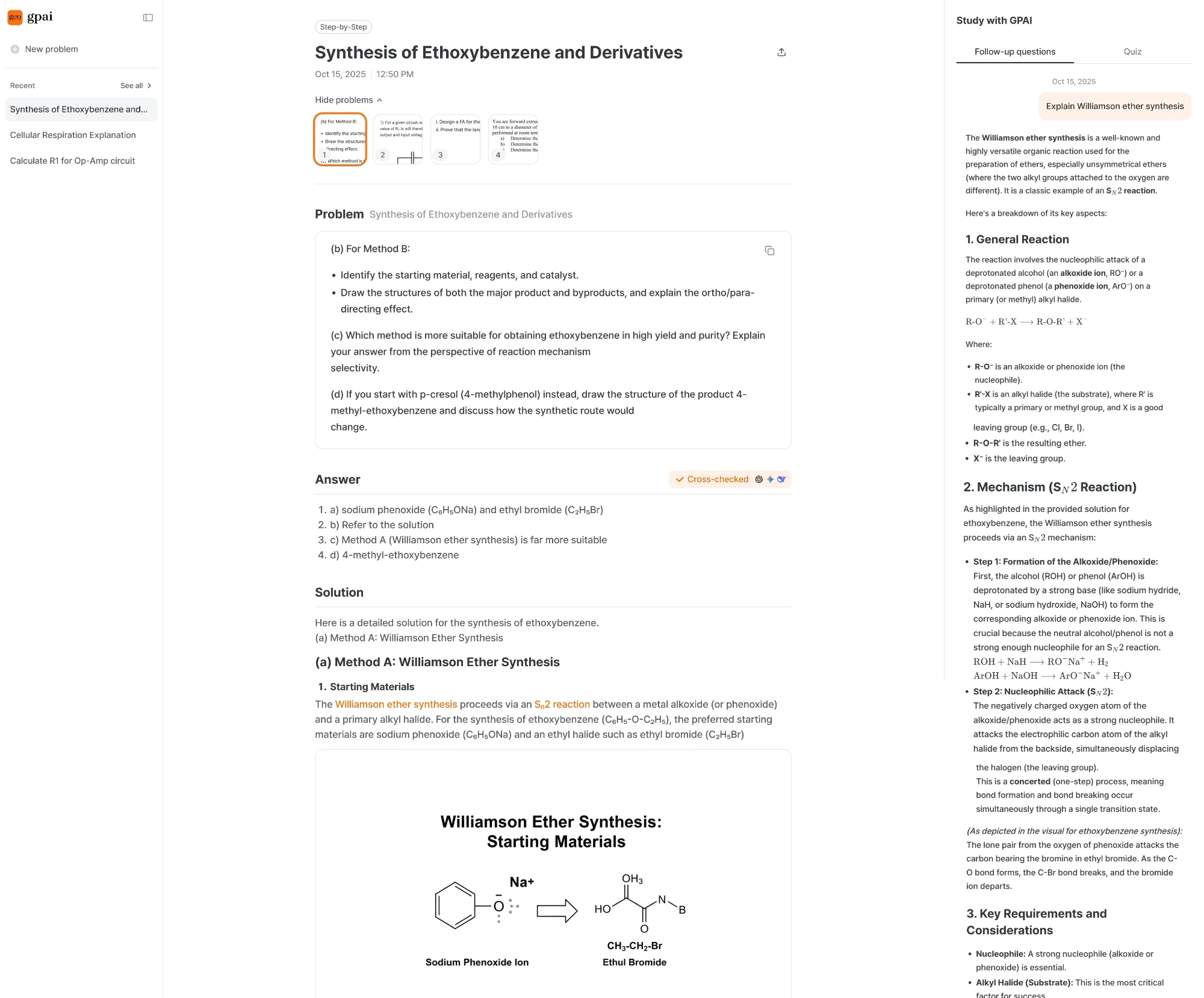
The Solver runs your query through GPT, Claude, and Gemini simultaneously and cross-checks the outputs — flagging discrepancies so you're not left trusting a single model's confident but wrong answer.
Step-by-step solutions written at a learner's level, not just a final answer
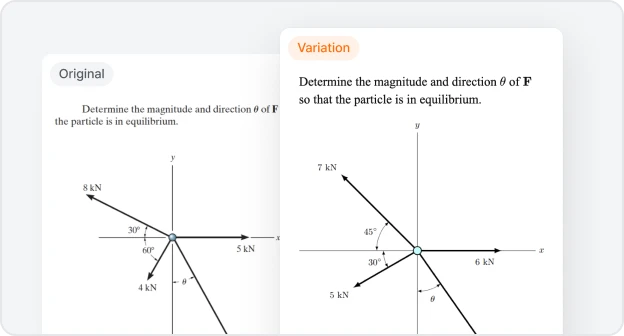
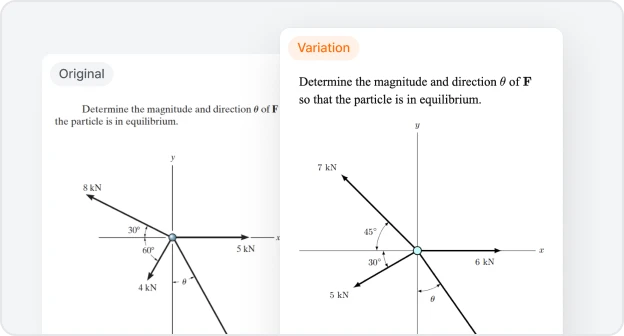
AI-generated diagrams embedded inline where needed — free body diagrams, schematics, circuit diagrams
Particularly strong for physics and engineering problems, and for descriptive multi-step problems where other tools give incomplete explanations
LaTeX renders cleanly throughout
Multiple problems can be solved in a single session, useful for educators building problem sets
Visualizer
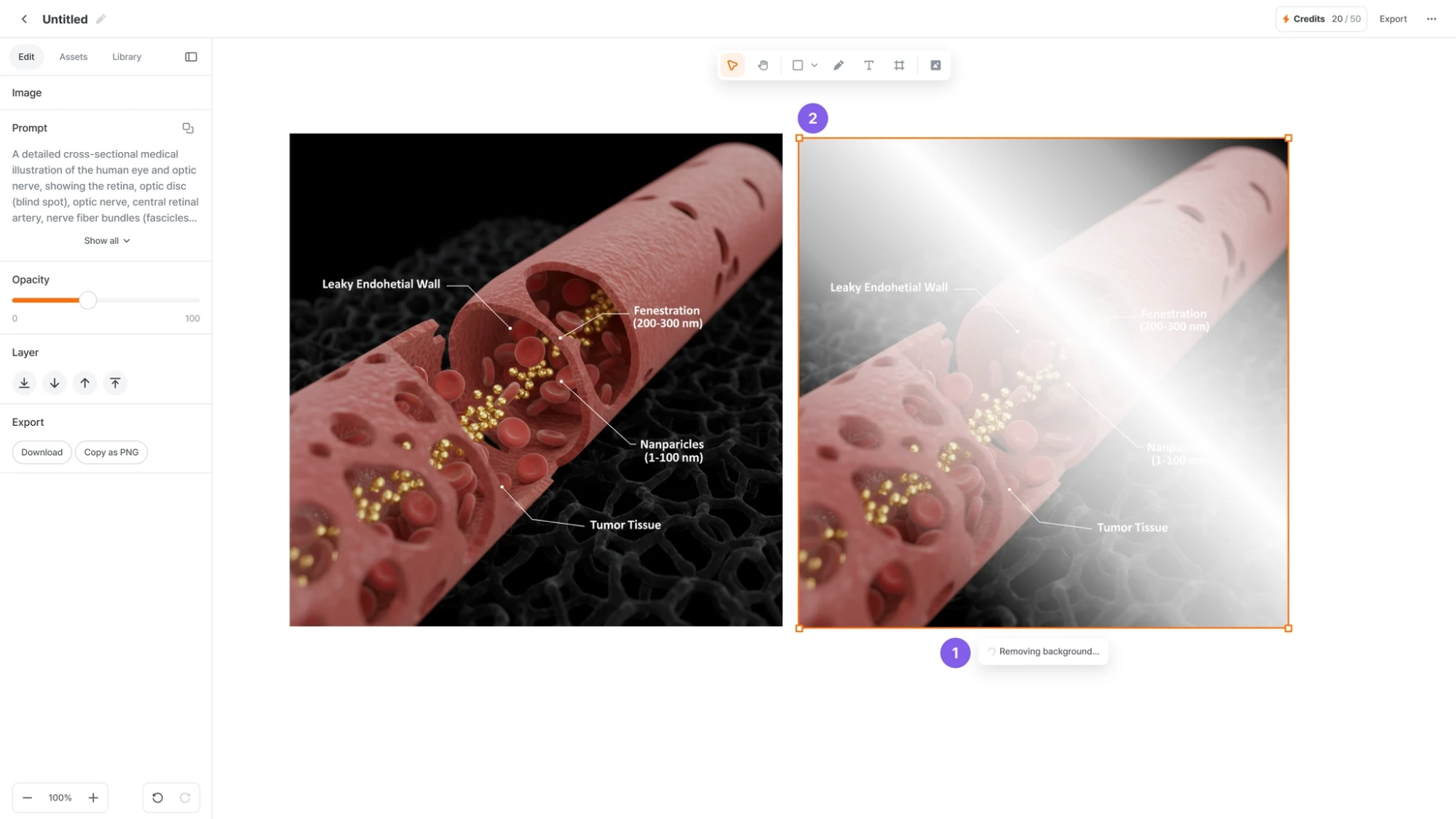
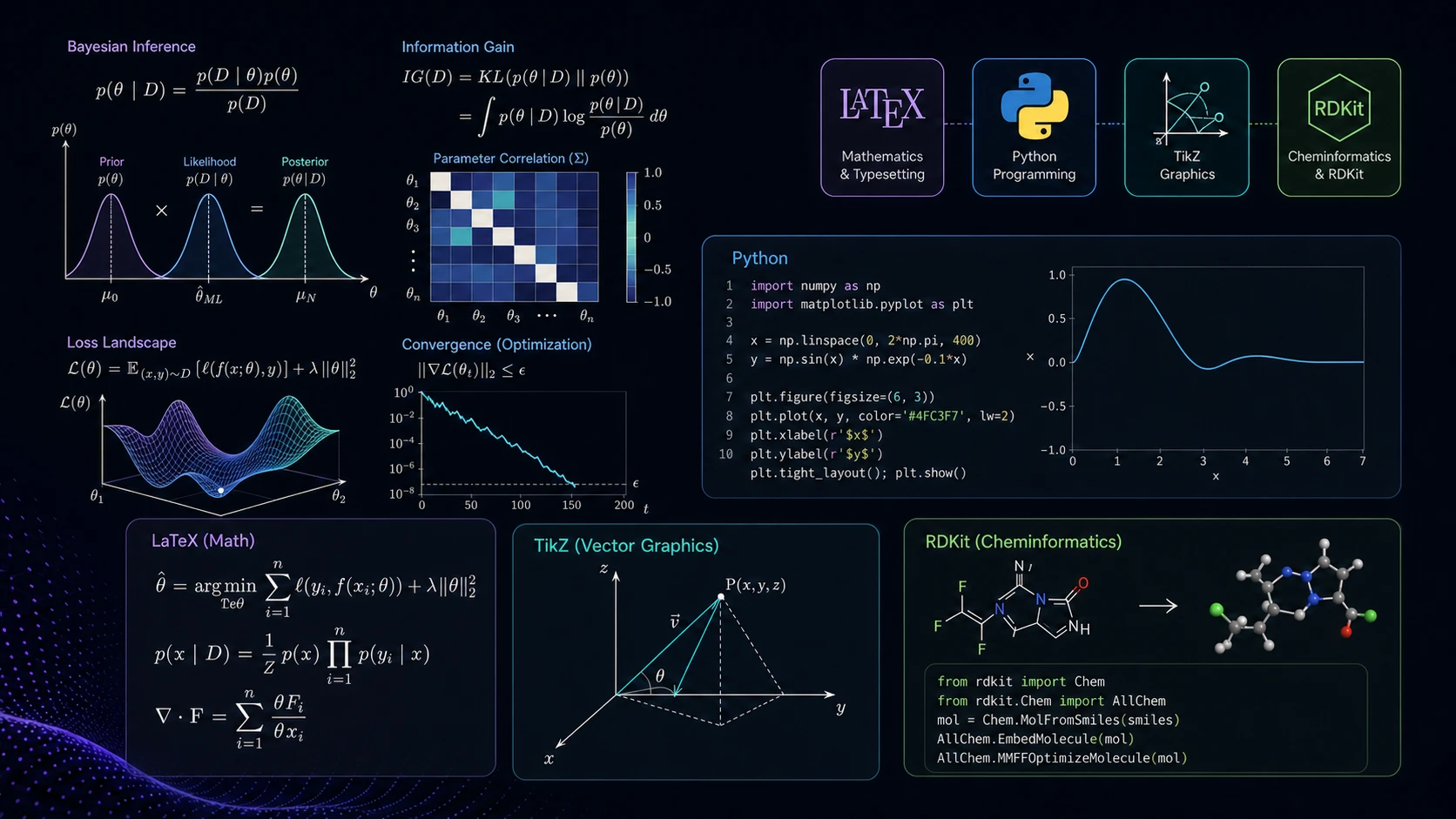
The Visualizer generates publication-quality figures and exports them as editable SVGs — solving the core problem with most AI image tools, which produce outputs that look unpredictable and can't be modified after the fact.
Separate engines by STEM discipline, rather than a single generalist model
AI asks clarifying questions before generating, reducing back-and-forth revisions
Quick to produce an initial structure or draft diagram, which can then be refined
Tasks that previously took 2–3 hours in Inkscape or BioRender typically take 10–15 minutes
Chat
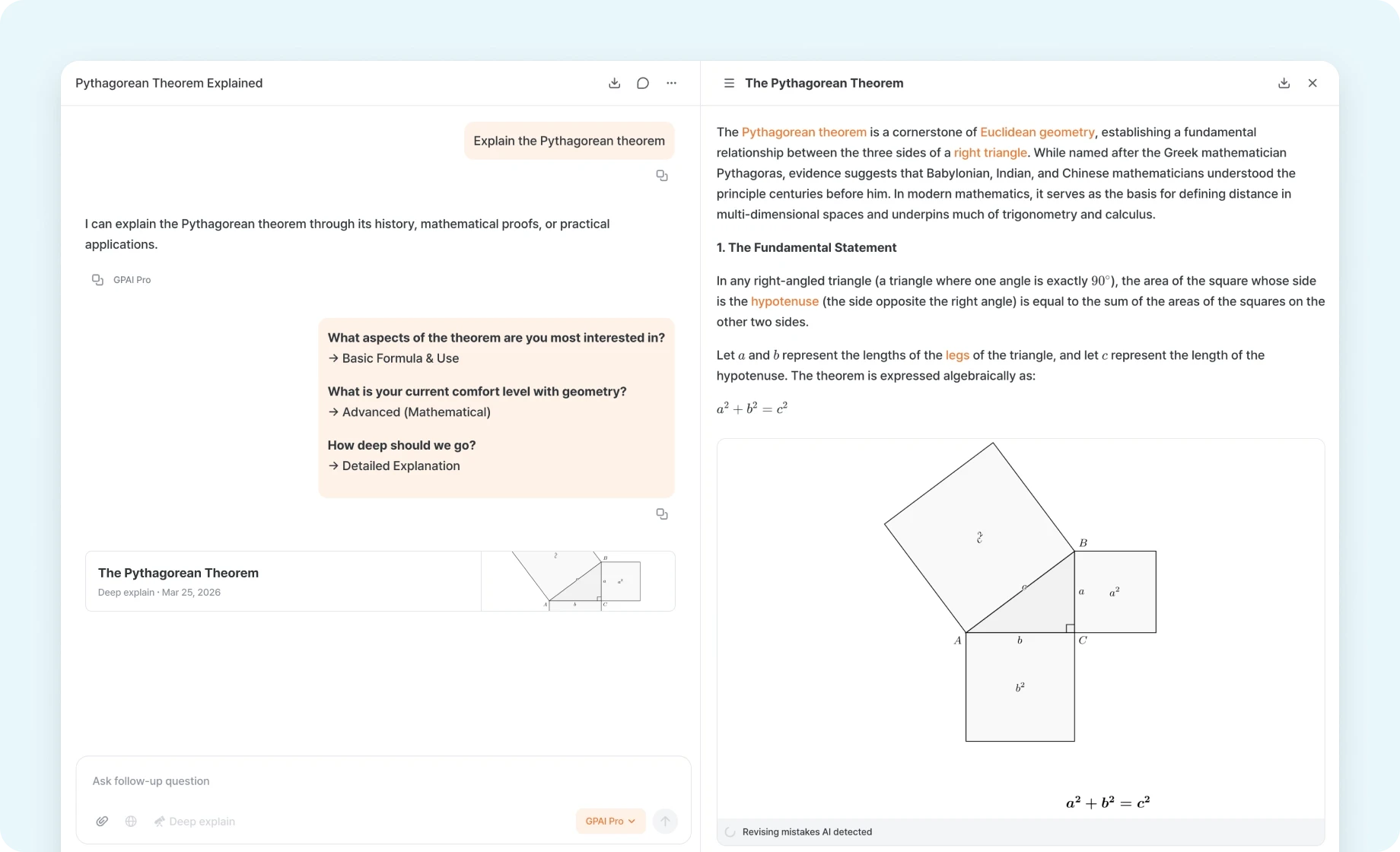
Chat gives you access to leading AI models in one interface, with a STEM-specific persona tuned for researchers and students — responses feel closer to a professor or engineer explaining a concept than a general-purpose assistant.
Deep Explain mode produces detailed, textbook-style breakdowns of complex concepts — useful when you need to actually understand a derivation, not just receive it
Web search built in, so you can explore literature, find recent papers, or verify facts without switching tabs
Personalization prompts let you set your field and level so explanations stay relevant
Versatile enough for daily use — email drafts, quick calculations, general questions — reducing the need for a separate general-purpose AI subscription
Best for: Researchers and grad students who use 3+ AI tools and want a single subscription that covers the full workflow
Quick Comparison
Tool | Problem Solving | Paper Reading | Literature Search | Figure Generation |
|---|---|---|---|---|
Wolfram Alpha | ✅ | ❌ | ❌ | ❌ |
NotebookLM | ❌ | ✅ | ⚠️ | ❌ |
Elicit | ❌ | ⚠️ | ✅ | ❌ |
BioRender | ❌ | ❌ | ❌ | ✅ |
Inkscape | ❌ | ❌ | ❌ | ✅ |
Perplexity | ⚠️ | ⚠️ | ⚠️ | ❌ |
GPAI | ✅ | ✅ | ✅ | ✅ |
✅ Strong support · ⚠️ Partial · ❌ Not supported
Frequently Asked Questions
How do you know when an AI has given you a wrong answer to a STEM problem?
Single models tend to present incorrect answers with high confidence, making errors hard to spot when a result looks plausible. Cross-verification is the most practical safeguard — if GPT, Claude, and Gemini give different answers to the same problem, at least one is wrong, which flags the need for closer review. For physics and engineering problems with long reasoning chains, errors often accumulate across intermediate steps, so reviewing each step individually matters even when using tools that provide step-by-step solutions.
Can AI-generated figures be submitted to academic journals?
Most journals don't prohibit AI-generated images outright, but since 2024 major publishers — including Elsevier, Springer, and Nature Portfolio — have required authors to disclose AI tool usage in the Methods section or author contribution statement. In practice, what matters more is accuracy and editability: a diagram that is factually correct and exported in an editable format like SVG rarely raises issues with reviewers. The safest approach is to check the target journal's Author Guidelines directly for its current AI policy before submission.
Should I use Wolfram Alpha or an AI-based STEM solver?
The two serve different purposes. Wolfram Alpha is a computation engine — it calculates precisely. AI-based solvers explain the reasoning and build understanding. For quickly verifying a differential equation or solving a complex integral symbolically, Wolfram Alpha is the stronger choice. For understanding why a particular method applies or what assumptions underlie a derivation, AI-based step-by-step solvers are more useful. Many researchers use both in the same workflow.
Do AI tools perform differently across STEM disciplines?
Yes. Across AI models generally, math and physics problems see the highest accuracy, while context-dependent reasoning — organic chemistry reaction mechanisms, biological pathways — shows higher error rates. For figure generation, physics and engineering diagrams (circuit schematics, free body diagrams, structural drawings) tend to come out well from AI tools, while cell biology and molecular structures still favor specialized tools like BioRender. GPAI's Solver and Visualizer are designed with this variation in mind: the Solver runs cross-checks specifically to catch discipline-specific errors, and the Visualizer uses separate engines by field rather than a single generalist model.
GPAI is an all-in-one STEM workspace for grad students, researchers, and educators. Solve, visualize, summarize, and discover — all in one app.