What's new

Introducing Figure Generator

Introducing Figure Generator

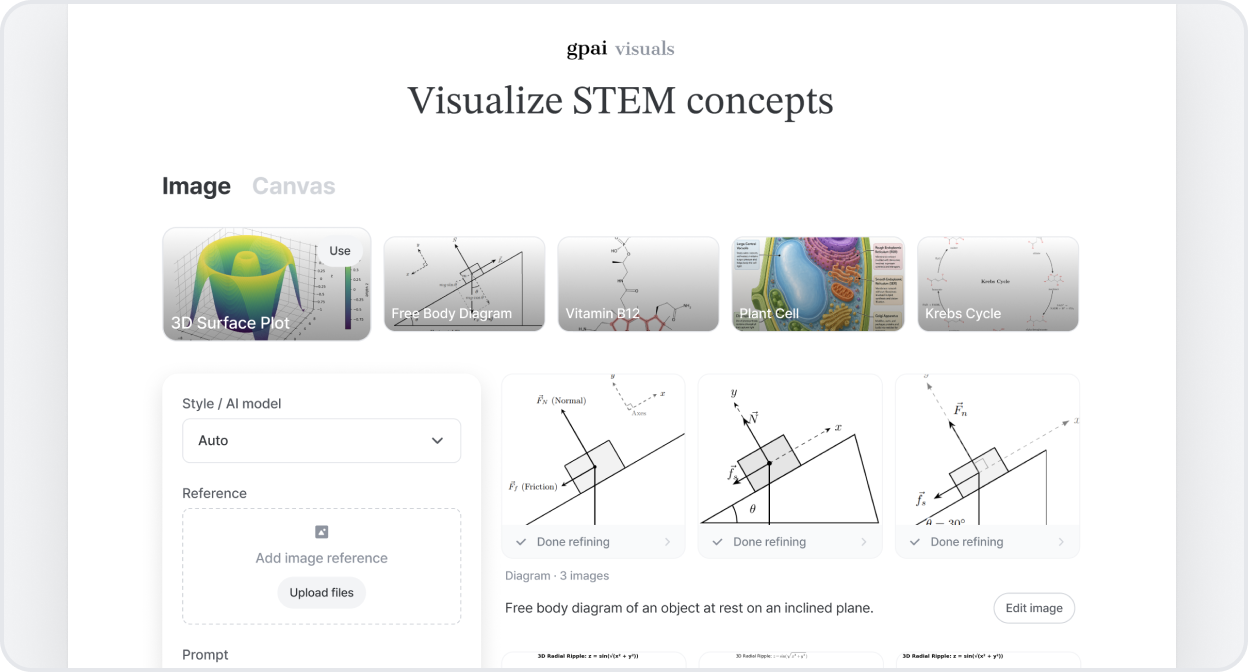
Make STEM visuals faster and simpler Create science visuals in less time — see all your generated images at a glance, and keep following the ones you've edited.

See the agent at work Some images show how they're built. While one is loading, tap it to follow the creation process and check the intermediate steps.


Meet Problems, Visuals, and Chat — GPAI, rebuilt around its core

A few weeks ago we told you we were going all-in on three things. Now they each have their own name and identity: gpai problems, gpai visuals, and gpai chat — and the whole app is built around them.

We reworked the entire interface to be faster and easier to use. You can switch between the three from a single switcher at the top, and each one opens on its own home screen so you can get started right away.

Problems

  • The result page is redesigned around your answer.
  • Ask a follow-up question right under the solution, without leaving the page.
  • Highlight any part of the answer and tap "Ask GPAI" to dig deeper.

Visuals

  • We've upgraded the rendering engine, so everything from circuit and math diagrams to chemical structures comes out far more accurately.
  • Watch it revise in real time as it refines your visual.

Chat

  • Code execution is more reliable, with clearer recovery when something goes wrong.
  • PDF files are read more accurately, so answers stay grounded in your documents.

Focusing on what GPAI does best

Going forward, GPAI is putting all of its energy into three core features: AI Solver, AI Visualizer, and AI Chat.

To build a faster, sharper, and deeper learning experience, we've decided to fully commit to what we do best. As part of this, the features below will be retired over the coming weeks:

  • AI Report Writer
  • AI Cheatsheet Builder
  • AI PDF Notes
  • AI Notebook

If you have anything saved in these features, we recommend exporting or backing it up before they're removed. Thank you for being with us — we'll be back with our core features stronger than ever.

Read our vision →


Meet the Visualizer's new image editor

Meet the Visualizer's new image editor

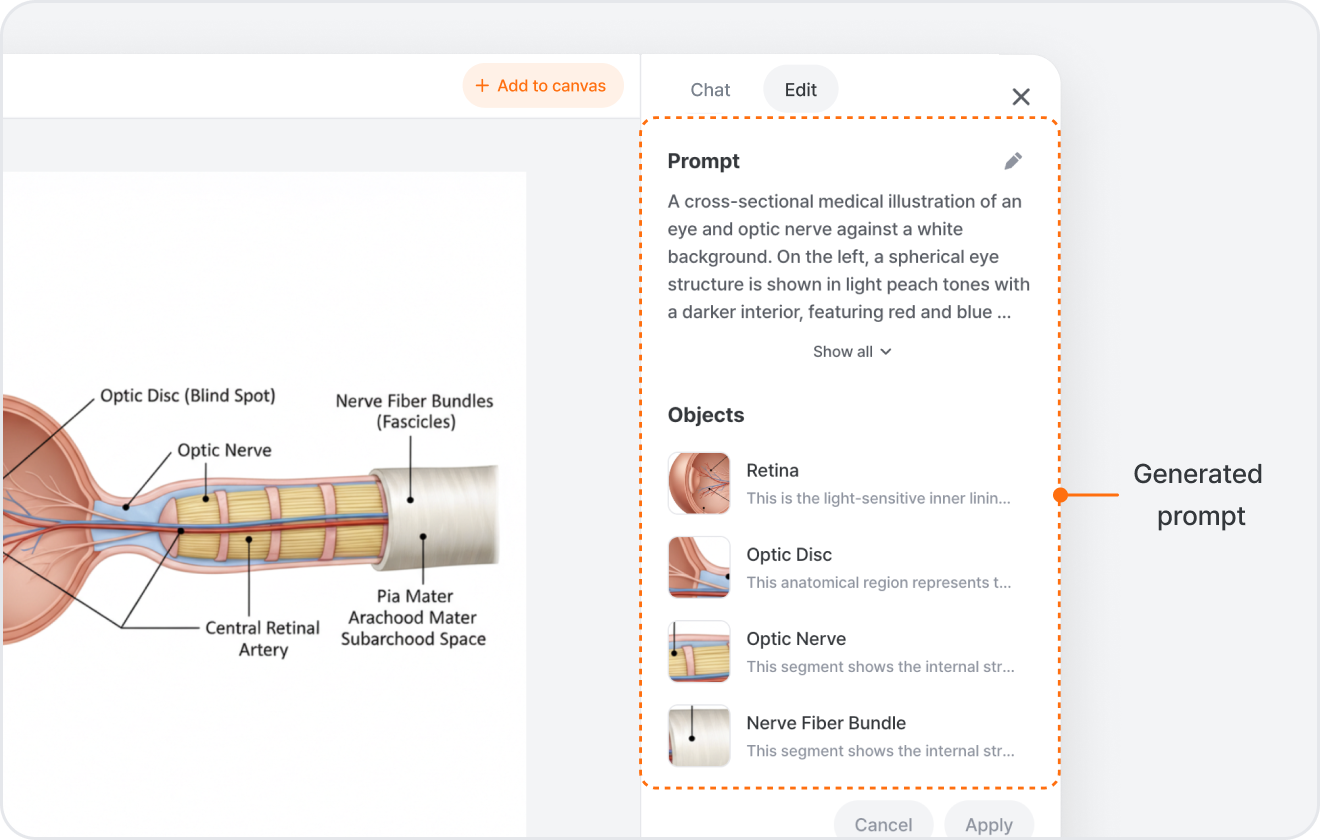
The Visualizer now has a full image editor built right in. Generate an image, select it, and hit Edit Image — it opens with two ways to work.

Chat to edit In the Chat tab, just describe what you want — "make the sky darker", "remove the background", "upscale this" — and it updates the image while keeping the parts you didn't touch.

Or fine-tune in the Edit tab Prefer hands-on control? The Edit tab lets you adjust the prompt behind the image, edit individual objects it detected (tap one and change just that), erase a part by painting over it, remove the background, upscale, or draw a box and leave a note for a precise edit. Hit Apply when you're ready.

Build it up on the canvas Every edit lands as a new version you can compare, and you can add any result back to your canvas to keep working. It all works on images you generate, images you upload, and illustrations from the library — and on desktop, you can even turn a flat image into editable vectors.

AI Chat can now run code and make files for you

Two upgrades to AI Chat this release.

It runs your code now, not just writes it Until now AI Chat could only write code for you to run yourself. Now it actually runs it. Ask it to plot a dataset, clean up a messy CSV, or work through a calculation, and it runs Python or shell commands behind the scenes and shows you the result right in the chat. Any charts or files it makes come back attached to the message.

Preview and download what it makes Files AI Chat creates now open in a side panel next to the chat — code, Office documents, and web pages all show up right there, each with a download button. See exactly what was made, then save it.

New models: GPT-5.5, MiniMax M3 & DeepSeek V4

Four new models just landed across AI Chat and Solver. Open the model picker and you'll find:

  • GPT-5.5 — OpenAI's newest model. In AI Chat and Solver.
  • DeepSeek V4 Flash — fast and light on credits, great for quick back-and-forth. In AI Chat and Solver.
  • MiniMax M3 — a strong all-rounder for everyday questions. In AI Chat.
  • DeepSeek V4 Pro — DeepSeek's most capable model for harder reasoning. In AI Chat.

Just open the model picker and choose the one you want.


Claude Opus 4.8 is here

Claude Opus has been upgraded to 4.8 everywhere you already use it.

Open the model picker in Solver, Visualizer, or AI Chat and you'll find Claude Opus 4.8 right where 4.7 used to be.

It's Anthropic's newest flagship — just pick Claude Opus 4.8 and go. Available on Plus and Pro plans.


Try Gemini 3.5 Flash in Solver and Chat

You can now pick Gemini 3.5 Flash in Solver and AI Chat.

Open the model picker in either Solver or AI Chat. Gemini 3.5 Flash now sits next to Gemini 3.1 Pro and the rest of the Claude, GPT, and Grok lineup, with a 1M-token context window for long inputs.

Faster runs than the heavier Pro models, on the same Gemini 3 generation. Available on Plus and Pro plans.


Pick your model in Visualizer

You can now choose which AI model draws your visualizations.

Tap Style / AI model in the Visualizer input bar. Pick a style — Illustration, Graph, Flowchart, Diagram, Circuit, Chemistry, or Logic — and you'll see the models available for it (Nano Banana, GPT Image, Gemini, Claude, Grok), with a Best tag on the recommended one. Select up to a few at a time and Visualizer renders them side by side so you can compare.

Stick with Auto if you don't care which model runs, or tune the lineup per style to dial in the look you want. Paid plans unlock the full set of models.


Meet a smarter AI Chat

Meet a smarter AI Chat

Live web search

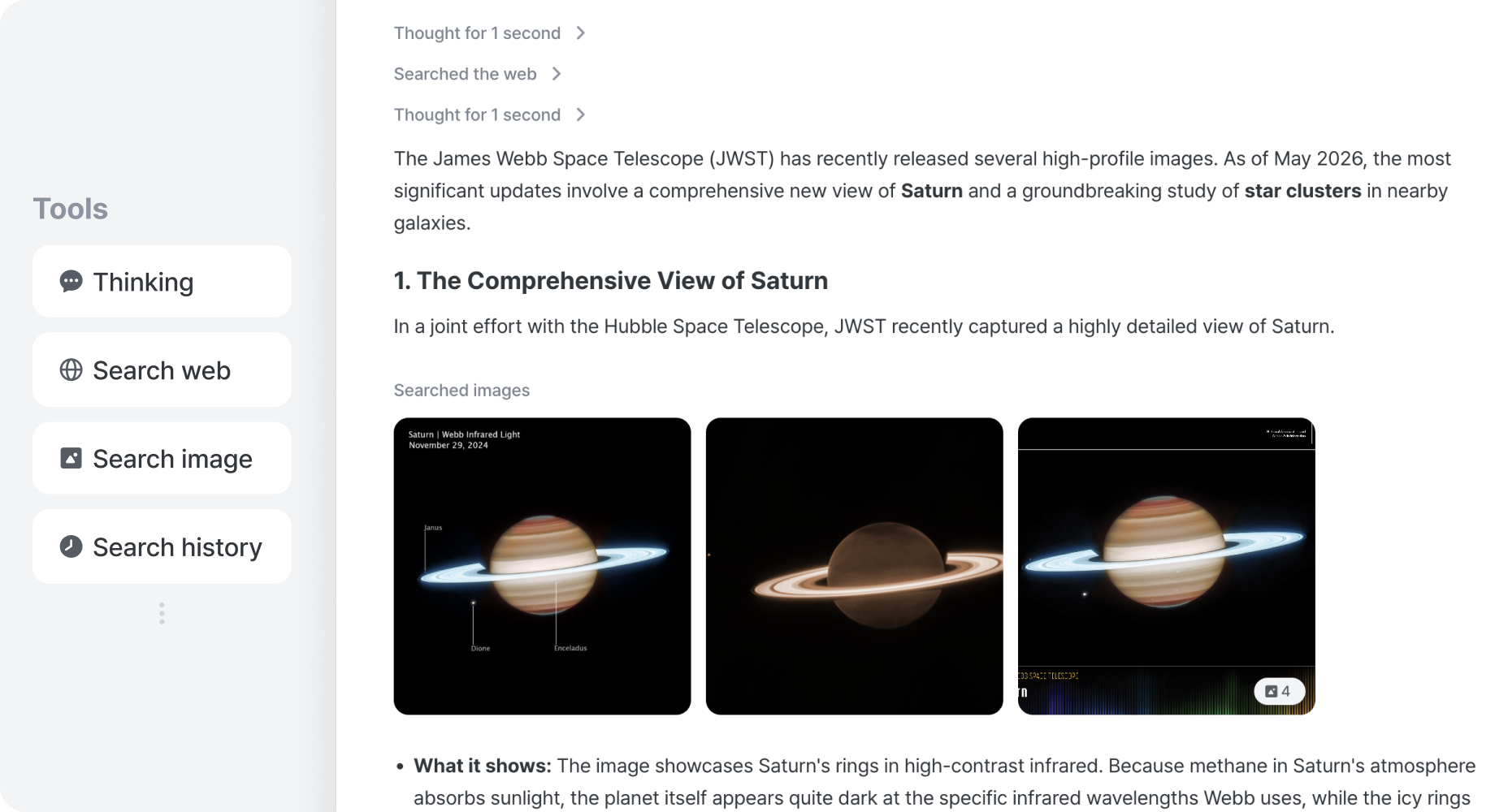
You can now get answers backed by fresh information from the web. When a question depends on recent info — news, prices, schedules, ongoing events — AI Chat searches the web, reads the top results, and cites the sources right alongside its answer. Just ask normally; the search kicks in when current info is needed.

Images alongside answers

You can now get visual references right inside the chat. Ask about a person, a place, a labeled diagram, or any visual subject, and AI Chat pulls relevant images directly into the conversation instead of describing them in words. The picture arrives with the explanation — no more switching tabs to see what it's talking about.

Diagrams, plots, and circuits — drawn on the fly

You can now ask for a chart, a diagram, or a circuit, and AI Chat draws it for you. It picks the right format — plots for data, flowcharts and UML for systems, circuit diagrams for electronics, timing graphs for signals — and embeds the result right in the conversation. The picture lives next to the explanation, so you can see the concept and read the reasoning side by side.


Why we built it: STEM questions often need more than a paragraph of text — they need fresh sources, visual references, and proper diagrams. We rebuilt AI Chat around an extensible tool system so it can pick the right kind of answer on its own, and so we can plug in new tools as we go.


And that's not all

  • Reads links and files you share — paste a URL or attach a file, and AI Chat extracts and reads it before answering.
  • Asks when it's unsure — if your question is ambiguous, it pops a short form to clarify instead of guessing.
  • Chains tools in one turn — search → read → draw — AI Chat strings the steps together without asking you what to do next.

Release notes are here

You can now see every update we ship at GPAI.

Each new feature, improvement, and fix lands on the release notes page the moment it goes live, with a short note on what changed and why we shipped it.

You'll always know what's new — no need to ask, no need to guess.

What's new | GPAI