Cloud Computing Intro
Cheatsheet Content
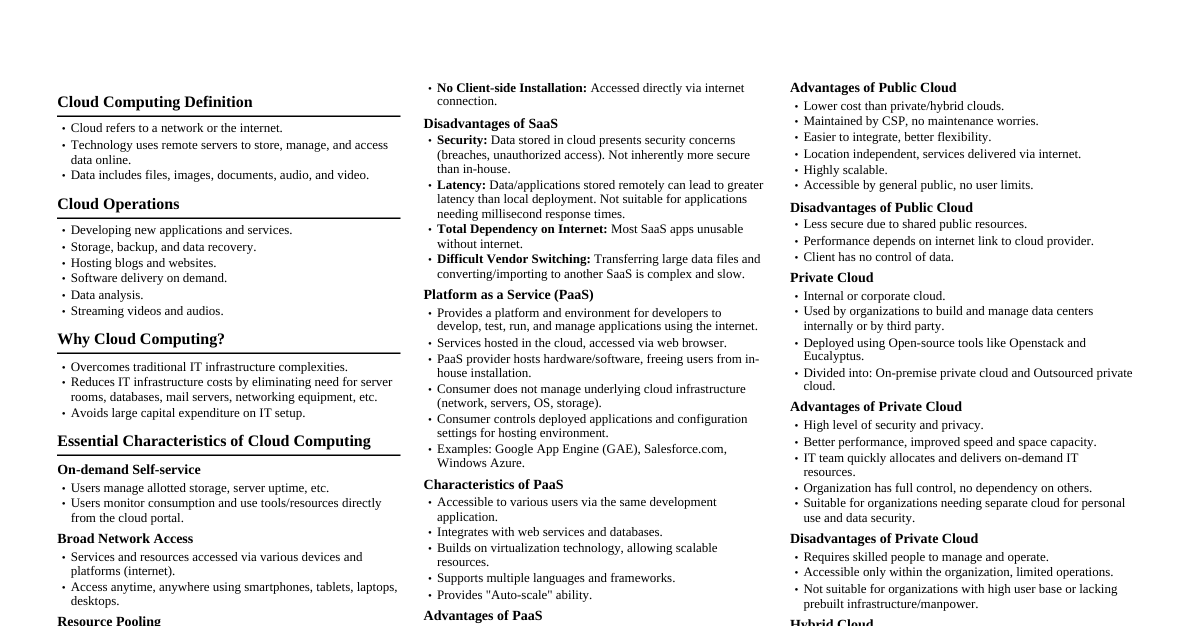
### Introduction to Cloud Computing #### Define Cloud Computing Cloud computing is the on-demand delivery of compute power, database storage, applications, and other IT resources via the internet with pay-as-you-go pricing. #### Characteristics of Cloud Computing - **On-demand self-service:** Provision resources without human interaction. - **Broad network access:** Accessible over the network via standard mechanisms. - **Resource pooling:** Resources are pooled to serve multiple consumers. - **Rapid elasticity:** Capabilities can be rapidly and elastically provisioned. - **Measured service:** Resource usage is monitored, controlled, and reported. #### Advantages and Disadvantages **Advantages:** Cost-effectiveness, scalability, flexibility, high availability, disaster recovery. **Disadvantages:** Security concerns, vendor lock-in, limited control, internet dependency. #### Evolution of Cloud Computing Mainly evolved from: 1. **Mainframe Computing:** Centralized computing. 2. **Distributed Computing:** Multiple computers work together. 3. **Grid Computing:** Distributed computing on a large scale for specific tasks. 4. **Utility Computing:** Pay-per-use model for computing services. 5. **Virtualization:** Creating virtual versions of resources. #### Traditional Computing vs. Cloud Computing | Feature | Traditional Computing | Cloud Computing | |--------------------|------------------------------------|---------------------------------------| | Infrastructure | Owned/managed by user | Managed by cloud provider | | Cost | High upfront, operational overhead | Pay-as-you-go, reduced operational | | Scalability | Limited, time-consuming | Highly scalable, on-demand | | Maintenance | User responsible | Provider responsible | | Resource Access | On-premise | Internet-based | #### Key Components of Cloud Architecture - **Clients:** Web browsers, mobile apps. - **Datacenters:** Physical infrastructure. - **Distributed Servers:** Handle requests. - **Virtualization Layer:** Abstracts hardware. - **Services:** IaaS, PaaS, SaaS. #### Utility Computing A business model where computing resources (like processing power, storage, and applications) are packaged as a metered service, similar to traditional utilities like electricity or water. #### Role of Cloud Service Providers Providers (e.g., AWS, Azure, GCP) own and maintain the network-connected hardware and software required for cloud computing, offering various services to consumers. #### Public Cloud with Example A cloud deployment model where computing services are delivered over the public internet and are available to anyone who wants to purchase them. **Example:** Amazon Web Services (AWS) #### Short Notes - **Grid Computing:** A distributed computing paradigm that combines multiple computers from various administrative domains to reach a common goal, often used for large-scale scientific problems. - **Distributed Computing:** A field of computer science that studies distributed systems. A distributed system is a system whose components are located on different networked computers, which communicate and coordinate their actions by passing messages to one another. - **Edge Computing:** A distributed computing paradigm that brings computation and data storage closer to the sources of data, reducing latency and bandwidth usage. ### Service Models and Deployment Models #### Service Models (Very Important) ##### Explain IaaS, PaaS and SaaS with examples. - **IaaS (Infrastructure as a Service):** Provides virtualized computing resources over the internet. You manage OS, applications, and data. - **Example:** Amazon EC2, Azure VMs, Google Compute Engine. - **PaaS (Platform as a Service):** Provides a platform allowing customers to develop, run, and manage applications without the complexity of building and maintaining infrastructure. - **Example:** Google App Engine, AWS Elastic Beanstalk, Heroku. - **SaaS (Software as a Service):** Delivers software applications over the internet, on-demand, and typically on a subscription basis. - **Example:** Salesforce, Gmail, Microsoft 365, Dropbox. ##### Differentiate between IaaS, PaaS and SaaS. | Feature | IaaS | PaaS | SaaS | |----------------|-----------------------------------------|-----------------------------------------|----------------------------------------------| | What it is | Virtualized infrastructure | Platform for application development | Ready-to-use software application | | Management | OS, applications, data | Applications, data | User configuration | | Control | High | Moderate | Low | | Flexibility | High | Moderate | Low | | Users | Network architects, system admins | Developers | End-users | ##### What is SaaS? Explain its benefits. SaaS is a software distribution model where a third-party provider hosts applications and makes them available to customers over the Internet. **Benefits:** No installation/maintenance, automatic updates, accessibility, cost-effective (subscription-based). ##### What is PaaS? Explain its architecture. PaaS provides a runtime environment for developing, running, and managing applications. **Architecture:** Typically includes operating systems, programming language execution environment, databases, web servers, and development tools, all managed by the cloud provider. ##### What is IaaS? Explain with diagram. IaaS provides the fundamental computing resources, such as virtual machines, storage, networks, and operating systems. ``` +-------------------------------------------------------------+ | YOUR MANAGEMENT | +-------------------------------------------------------------+ | Applications | Data | Runtime | Middleware | OS | +-------------------------------------------------------------+ | PROVIDER MANAGEMENT | +-------------------------------------------------------------+ | Virtualization | Servers | Storage | Networking | +-------------------------------------------------------------+ ``` ##### Compare cloud service models with suitable diagram. ``` +---------------------------------------------------------------------------------------------------------+ | YOU MANAGE | +---------------------------------------------------------------------------------------------------------+ | On-Premise: Applications, Data, Runtime, Middleware, OS, Virtualization, Servers, Storage, Networking | +---------------------------------------------------------------------------------------------------------+ | IaaS: Applications, Data, Runtime, Middleware, OS | +---------------------------------------------------------------------------------------------------------+ | PaaS: Applications, Data | +---------------------------------------------------------------------------------------------------------+ | SaaS: (Nothing - just use the application) | +---------------------------------------------------------------------------------------------------------+ | PROVIDER MANAGES | +---------------------------------------------------------------------------------------------------------+ ``` ##### Examples (Important for Exams) - Amazon Web Services (AWS) – Primarily IaaS (e.g., EC2), but offers PaaS and SaaS as well. - Google Cloud Platform – Offers IaaS (Compute Engine), PaaS (App Engine), and SaaS. - Microsoft Azure – Offers IaaS (VMs), PaaS (.NET, SQL Database), and SaaS. - Salesforce – Pure SaaS (CRM platform). #### Deployment Models (Very Important) ##### Explain Public Cloud. Owned and operated by a third-party cloud service provider, which delivers its computing resources (like servers and storage) over the internet. **Characteristics:** Shared infrastructure, high scalability, pay-as-you-go, accessible to general public. ##### Explain Private Cloud. A cloud computing environment dedicated to a single organization. It can be physically located on the company’s on-site datacenter or hosted by a third-party service provider. **Characteristics:** Exclusive use, high control, enhanced security, higher cost. ##### Explain Hybrid Cloud. A computing environment that combines a public cloud and a private cloud, allowing data and applications to be shared between them. **Characteristics:** Flexibility, optimized costs, data portability, business continuity. ##### Explain Community Cloud. A collaborative effort in which infrastructure is shared between several organizations from a specific community with common concerns (e.g., security, compliance, jurisdiction). **Characteristics:** Shared by specific community, managed by one or more organizations, specific security needs. ##### Differentiate between Public and Private cloud. | Feature | Public Cloud | Private Cloud | |---------------|------------------------------------------|------------------------------------------| | Ownership | Third-party provider | Single organization | | Accessibility | Public internet | Internal network (or secure external) | | Cost | Pay-as-you-go, lower upfront | High upfront, operational costs | | Scalability | Very high | Limited by private infrastructure | | Security | Shared responsibility, provider manages | Organization manages, high control | | Example | AWS, Azure, GCP | On-premise datacenter, dedicated cloud | ##### Write advantages and disadvantages of Hybrid Cloud. **Advantages:** - **Flexibility:** Move workloads between public and private clouds. - **Cost Optimization:** Use public cloud for non-sensitive data/bursts, private for critical data. - **Enhanced Security:** Keep sensitive data on-premise. - **Business Continuity:** Redundancy across environments. **Disadvantages:** - **Complexity:** Managing two distinct environments. - **Compatibility:** Ensuring seamless integration. - **Security Gaps:** Managing security across different platforms. ##### Which deployment model is best for government organizations? Why? **Hybrid Cloud or Private Cloud** is often preferred for government organizations. **Why:** - **Security and Compliance:** Government data is highly sensitive and often subject to strict regulations (e.g., GDPR, HIPAA). Private clouds offer maximum control over data security and compliance. - **Data Sovereignty:** Ensures data remains within national borders or under specific governmental control. - **Control:** Allows for granular control over infrastructure and data management. - **Cost-effectiveness (Hybrid):** A hybrid approach can allow non-sensitive or less critical workloads to run on public cloud for cost savings and scalability, while maintaining critical infrastructure privately. ### Virtualization Concepts #### Define Virtualization Virtualization is the process of creating a software-based (or virtual) representation of something physical, such as virtual applications, servers, storage, and networks. It allows multiple operating systems and applications to run on a single physical machine. #### What is Hypervisor? Explain its types. A hypervisor (or virtual machine monitor, VMM) is software, firmware, or hardware that creates and runs virtual machines (VMs). **Types:** 1. **Type 1 (Bare-metal hypervisor):** Runs directly on the host hardware, controlling the hardware and managing guest operating systems. - **Examples:** VMware ESXi, Microsoft Hyper-V, Xen. 2. **Type 2 (Hosted hypervisor):** Runs on a conventional operating system (OS) just like other computer programs. Guest OSs run as processes on the host OS. - **Examples:** VMware Workstation, Oracle VirtualBox. #### Difference between Type 1 and Type 2 hypervisor. | Feature | Type 1 (Bare-metal) | Type 2 (Hosted) | |---------------|------------------------------------------|---------------------------------------------| | Installation | Directly on hardware | On top of a host OS | | Performance | High, direct access to hardware | Lower, host OS acts as a layer | | Complexity | More complex setup | Easier setup | | Use Case | Enterprise data centers, servers | Desktops, development, testing | | Resources | Dedicated to VMs | Shared with host OS | #### Explain Server Virtualization. Server virtualization is the masking of server resources (including the number and identity of individual physical servers, processors, and operating systems) from server users. It allows multiple virtual servers to run on a single physical server. #### Explain Storage Virtualization. Storage virtualization is the pooling of physical storage from multiple network storage devices into what appears to be a single storage device that is managed from a central console. #### Explain Network Virtualization. Network virtualization is the process of combining hardware and software network resources and network functionality into a single, software-based administrative entity – a virtual network. This can include creating virtual switches, routers, firewalls, and load balancers. #### Advantages and disadvantages of virtualization. **Advantages:** Resource utilization, reduced hardware costs, energy savings, faster provisioning, disaster recovery. **Disadvantages:** Single point of failure (if host fails), performance overhead, licensing costs, security risks (if hypervisor compromised). #### What is Virtual Machine (VM)? A virtual machine is an emulation of a computer system. VMs are based on computer architectures and provide functionality of a physical computer. Their implementations may involve specialized hardware, software, or a combination. #### Difference between Virtual Machine and Container. | Feature | Virtual Machine (VM) | Container | |---------------|------------------------------------------|------------------------------------------| | Isolation | OS-level, full OS per VM | Process-level, shares host OS kernel | | Overhead | High (full OS, hypervisor) | Low (no guest OS) | | Size | Gigabytes | Megabytes | | Boot Time | Minutes | Seconds | | Portability | Less portable (OS dependent) | Highly portable (OS independent) | | Examples | VMware, VirtualBox | Docker, Kubernetes | #### Explain the working of virtualization with diagram. ``` +------------------------------------------------+ | Hardware | +------------------------------------------------+ | Hypervisor | +------------------------------------------------+ | VM 1 | VM 2 | VM 3 | | +-------+ | +-------+ | +-------+ | | Guest | | | Guest | | | Guest | | | OS | | | OS | | | OS | | +-------+ | +-------+ | +-------+ | | Apps | | | Apps | | | Apps | | +-------+ | +-------+ | +-------+ +------------------------------------------------+ ``` The hypervisor sits directly on the hardware (Type 1) or on a host OS (Type 2) and allocates virtualized resources to each VM, allowing them to run their own guest operating systems and applications independently. #### Important Hypervisor Examples - **VMware ESXi:** Type 1 hypervisor, widely used in enterprise environments. - **Microsoft Hyper-V:** Type 1 hypervisor, integrated with Windows Server and Windows OS. - **Xen Project:** Open-source Type 1 hypervisor. - **Oracle Corporation VirtualBox:** Type 2 hypervisor, popular for desktop use. ### Most Important 5 Marks / 10 Marks Questions #### Explain cloud service models with neat diagram. (Refer to the "Compare cloud service models with suitable diagram" section under Service Models for the diagram and explanations of IaaS, PaaS, and SaaS.) #### Explain deployment models with comparison table. (Refer to the "Differentiate between Public and Private cloud" and explanations of Public, Private, Hybrid, and Community Cloud under Deployment Models for the table and explanations.) #### What is virtualization? Explain types with diagram. (Refer to the "Define Virtualization", "What is Hypervisor? Explain its types.", and "Explain the working of virtualization with diagram" sections under Virtualization Concepts.) #### Explain advantages of cloud computing. (Refer to the "Advantages and Disadvantages" section under Introduction to Cloud Computing, focusing on the advantages.) #### Compare traditional IT Infrastructure and Cloud Computing. (Refer to the "Traditional Computing vs. Cloud Computing" section under Introduction to Cloud Computing.)