Java Programming Basics
Shared 4/2/2026•170 views
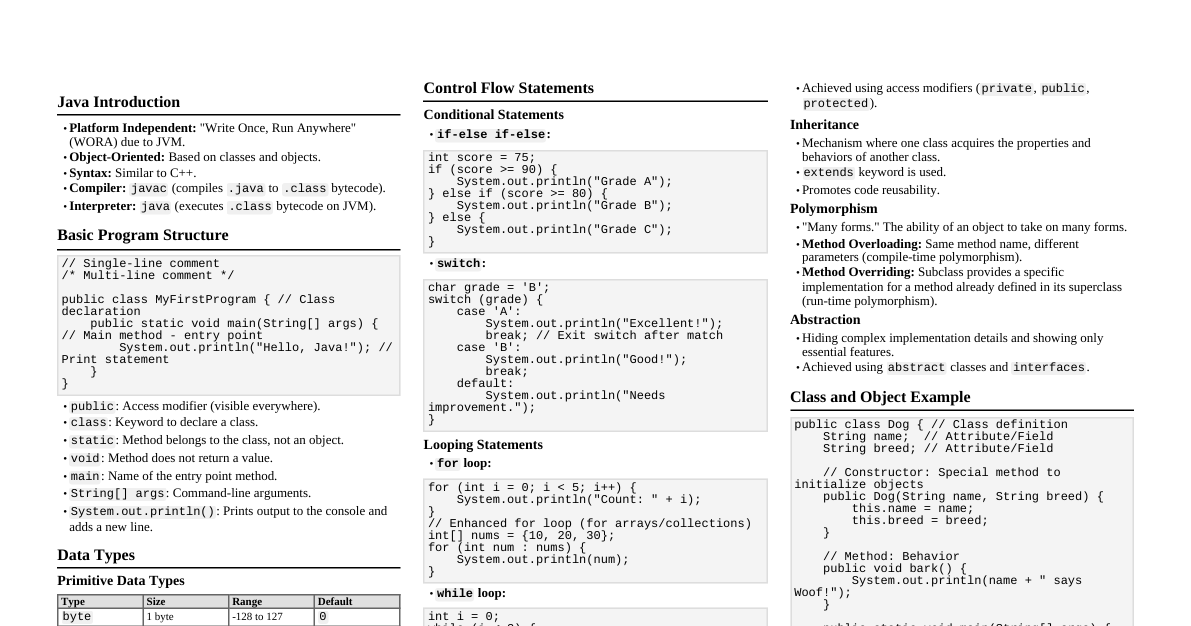
### Introduction to Java Java is a powerful, **object-oriented**, **class-based**, and **platform-independent** programming language. It's used for everything from mobile apps (Android) to large enterprise systems and web applications. **Key Characteristics:** * **Platform Independent:** Write Once, Run Anywhere (WORA). Java code is compiled into bytecode, which can run on any device with a Java Virtual Machine (JVM). * **Object-Oriented:** Organizes software design around data, or objects, rather than functions and logic. * **High-Level:** Closer to human language, making it easier to read and write. * **Robust:** Strong memory management and error handling reduce crashes. * **Secure:** Built-in security features make it suitable for network applications. ### Java History Overview Java's journey began in 1991 as "The Green Project" by Sun Microsystems, aimed at consumer electronics. It evolved significantly, eventually becoming a cornerstone of internet development. * **1991: The Green Project:** Led by James Gosling, Mike Sheridan, and Patrick Naughton at Sun Microsystems. * **Original Purpose:** To create a language for interactive TVs and other consumer devices. * **Design Choice:** Opted for a simpler, platform-independent language instead of C++ due to resource constraints. * **1994-1995: Shift to the Internet:** The rise of the World Wide Web provided a new direction. * **Web Adoption:** Java's platform independence ("Write Once, Run Anywhere") was ideal for the diverse internet. * **HotJava Browser:** A Java-enabled browser demonstrated how small Java programs (Applets) could run within web pages. * **1995: Official Launch & Naming:** * **Name Evolution:** Started as "Greentalk," then "Oak," and finally "Java" (inspired by coffee). * **Java 1.0:** Officially released in May 1995, with Netscape Navigator announcing support. * **1995-2006: Public Release and Growth:** Java grew rapidly, leading to different editions: * **J2SE (Standard Edition):** For desktop applications. * **J2EE (Enterprise Edition):** For large-scale server-side applications. * **J2ME (Micro Edition):** For mobile and embedded devices. * **2006-Present: Open Source and Oracle:** * **2006: Open Source:** Sun released Java's source code under GNU GPL. * **2010: Oracle Acquisition:** Oracle acquired Sun Microsystems, taking over Java's stewardship. * **Modern Cadence:** After Java 9, a six-month release cycle ensures continuous evolution. Today, Java powers billions of devices, from Android phones to banking systems. ### Java Architecture Java's platform independence is achieved through a layered framework consisting of three core components: JVM, JRE, and JDK. #### JVM (Java Virtual Machine) The JVM is an abstract machine that acts as Java's core execution engine. It converts Java bytecode into machine-specific code, making Java platform-independent. Each operating system has its own JVM implementation. * **Role:** Converts Java bytecode (`.class` files) into machine-specific code. * **Key Feature:** Ensures **platform independence**; code written once runs anywhere a JVM exists. * **Functions:** Loads, verifies, executes code, and provides a runtime environment (including memory management/garbage collection). **Internal Components of JVM:** * **Class Loader Subsystem:** Dynamically loads, links, and initializes class files. * **Runtime Data Areas:** Memory areas for program execution (Heap for objects, Stack for method calls, Method Area for class data). * **Execution Engine:** Executes bytecode. Includes: * **Interpreter:** Executes bytecode line by line. * **JIT (Just-In-Time) Compiler:** Compiles frequently used bytecode into optimized native machine code for better performance. * **Garbage Collector:** Automatically manages memory by reclaiming unused objects. * **Java Native Interface (JNI):** Allows Java code to interact with native libraries (C/C++). #### JRE (Java Runtime Environment) The JRE is a software package providing the minimum requirements to *run* a Java application. It includes the JVM and necessary libraries. * **Contents:** JVM + supporting libraries (`rt.jar`) and other files needed at runtime. * **User Perspective:** If you only want to run Java programs (e.g., a game), you only need the JRE. * **Formula:** `JRE = JVM + Library Files` #### JDK (Java Development Kit) The JDK is a full-featured software development kit required to *develop* Java applications. It includes the JRE and development tools. * **Contents:** JRE + development tools like: * `javac`: The Java compiler (translates `.java` source code into `.class` bytecode). * `jar`: Archiving tool for JAR files. * `javadoc`: Documentation generator. * `jdb`: The debugger. * **Developer Perspective:** If you are writing and compiling Java code, you must install the JDK. * **Formula:** `JDK = JRE + Development Tools` #### Java Program Execution Flow 1. **Write Code:** Developer writes human-readable `.java` source code. 2. **Compile:** The `javac` compiler (part of JDK) converts `.java` files into platform-independent `.class` bytecode files. 3. **Load and Execute:** When the program runs, the JRE's class loader loads the bytecode into the JVM. The JVM's execution engine (Interpreter or JIT Compiler) then translates it into native machine code, which the operating system executes. This separation of compilation and execution is what makes Java platform-independent. #### Summary: JVM, JRE, JDK | Feature | JVM | JRE | JDK | | :----------- | :----------------------- | :--------------------------- | :----------------------------- | | **Full Form** | Java Virtual Machine | Java Runtime Environment | Java Development Kit | | **Main Purpose** | Executes bytecode | Runs Java applications | Develops Java applications | | **Component of** | Part of JRE | Part of JDK | Superset of all | | **Contains** | Execution engine | JVM + Libraries | JRE + Tools (Compiler, Debugger) | | **Platform** | Platform Dependent | Platform Dependent | Platform Dependent | Visual Representation: `[ JDK [ JRE [ JVM ]]]` * **JDK:** For Developers. * **JRE:** For Users. * **JVM:** For Execution. ### Java: Compiled or Interpreted? (Hybrid Language) Java is often described as a **hybrid language** because it uses both a compiler and an interpreter to execute programs. This two-stage process is key to its "Write Once, Run Anywhere" (WORA) capability. #### 1. Compilation Stage (Compile Time) * **Happens:** Before the program runs. * **Process:** The Java compiler (`javac`) takes human-readable `.java` source code. * **Output:** It translates the source code into platform-independent **bytecode** (`.class` files). * **Platform Independence:** Bytecode is not specific to any particular processor or OS; it's a set of instructions for the JVM. #### 2. Interpretation Stage (Run Time) * **Happens:** When you execute the program using the `java` command. * **Process:** The JVM loads the `.class` files. Since hardware can't directly understand bytecode, the JVM's **Interpreter** reads the bytecode and translates it line-by-line into machine-specific code (binary). * **Environment:** This allows the same `.class` file to run on any OS (Windows, Mac, Linux) as long as it has a JVM. #### 3. The Role of JIT (Just-In-Time) Compilation To improve performance, modern JVMs use a **JIT Compiler** during runtime. * **How it works:** While the interpreter runs the program, the JIT compiler monitors "hotspots" (frequently executed code sections, like loops). * **Optimization:** It compiles these hotspots into **native machine code** and stores them. The next time that code is needed, the native version runs directly at high speed, skipping interpretation. #### Summary: Compilation vs. Interpretation | Feature | Compilation (`javac`) | Interpretation (JVM) | | :------------- | :-------------------------- | :------------------------------------ | | **When it happens** | Before execution (Ahead-of-time) | During execution (Runtime) | | **Input** | `.java` Source Code | `.class` Bytecode | | **Output** | `.class` Bytecode | Machine Code (executed immediately) | | **Tool used** | JDK Compiler | JVM Interpreter & JIT Compiler | ### Features of Java Java is popular due to its robust set of features: * **Object-Oriented:** Everything is an object, promoting modular and reusable code. * **Simple:** Easy to learn and implement, especially if you have a C++ background. * **Secured:** Designed with security in mind, suitable for network applications. * **Platform Independent:** Write Once, Run Anywhere (WORA) capability. * **Portable:** Java code can be used on any platform. * **Architecture Neutral:** Primitive types have fixed sizes, preventing architecture-specific issues. * **Robust:** Strong error handling, type checking, and automatic memory management (Garbage Collection). * **Interpreted:** Bytecode is interpreted by the JVM, enabling platform independence. * **Distributed:** Facilitates building distributed applications across networks. * **Dynamic:** Adapts to evolving systems. * **Multi-thread:** Supports concurrent execution of multiple parts of a program, crucial for web applications. * **High Performance:** Achieved through the use of JIT compilers. ### OOP Concepts in Java Object-Oriented Programming (OOP) is a paradigm based on "objects," which combine data (attributes) and code (methods). Its goal is to structure programs into reusable, modular pieces. Java is built on four main pillars of OOP. #### The Two Building Blocks 1. **Class** * **Definition:** A blueprint or template for creating objects. It defines the data (variables) and behaviors (methods) that objects created from it will have. * **Example:** A `Car` class defines what a car *is* (color, model) and what it *does* (drive, brake). ```java class Car { String color; // Field (attribute) String model; // Field (attribute) void drive() { // Method (behavior) System.out.println(color + " " + model + " is driving."); } } ``` 2. **Object** * **Definition:** An instance of a class. When a class is defined, no memory is allocated until an object is created from it. * **Example:** A specific "Red Tesla" is an object created from the `Car` blueprint. ```java Car myCar = new Car(); // Creating an object (instance) of the Car class myCar.color = "Red"; myCar.model = "Tesla"; myCar.drive(); // Calling a method on the object // Output: Red Tesla is driving. ``` #### The Four Pillars of OOP 1. **Abstraction** * **Core Idea:** Hiding complex implementation details and showing only essential features. It reduces complexity. * **Real-world Example:** When you drive a car, you use the steering wheel and pedals without needing to know the engine's internal workings. * **In Java:** Achieved using `abstract` classes and `interface`s. You define *what* an object does, not *how* it does it. 2. **Encapsulation** * **Core Idea:** Bundling data (variables) and methods that operate on the data into a single unit (a class) and restricting direct access to some components. * **How it works:** You make class variables `private` and provide `public` getter and setter methods to access/modify them. * **Benefit:** Protects data from unauthorized access or accidental modification. * **Real-world Example:** A medical capsule contains medicine (data) and protects it until it reaches the target. ```java class BankAccount { private double balance; // Private data (encapsulated) public double getBalance() { // Public getter method return balance; } public void deposit(double amount) { // Public setter method if (amount > 0) { balance += amount; } } } ``` 3. **Inheritance** * **Core Idea:** Allows one class (child/subclass) to acquire properties and behaviors of another class (parent/superclass). * **Benefit:** Promotes **code reusability**. You don't rewrite code already defined in the parent class. * **Real-world Example:** A `Vehicle` class might have a `startEngine()` method. `Car` and `Truck` classes can inherit this method without rewriting it. * **Keyword:** `extends` ```java class Vehicle { // Parent class void startEngine() { System.out.println("Engine started."); } } class Car extends Vehicle { // Child class inherits from Vehicle void accelerate() { System.out.println("Car accelerating."); } } ``` 4. **Polymorphism** * **Core Idea:** "Many forms." Allows a single action to behave differently depending on the object it acts upon. * **Types:** * **Compile-time Polymorphism (Method Overloading):** Multiple methods in the same class have the same name but different parameters (number, type, or order). ```java class Calculator { int add(int a, int b) { return a + b; } double add(double a, double b) { return a + b; } // Overloaded method } ``` * **Runtime Polymorphism (Method Overriding):** A child class provides a specific implementation of a method already defined in its parent class. ```java class Animal { void makeSound() { System.out.println("Animal makes a sound."); } } class Dog extends Animal { @Override // Overriding the parent method void makeSound() { System.out.println("Dog barks."); } } ``` * **Real-world Example:** A `speak()` method could result in "Bark" for a `Dog` object and "Meow" for a `Cat` object. #### Summary of OOP Pillars | Feature | Core Idea | Main Benefit | | :------------- | :------------------------ | :---------------------- | | **Abstraction** | Hide internal details | Reduces complexity | | **Encapsulation** | Wrap data and code together | Data security/control | | **Inheritance** | Derive a class from another | Code reusability | | **Polymorphism** | One interface, multiple actions | Flexibility and extensibility | ### Java Syntax Java syntax defines the rules for writing and interpreting Java programs. Let's break down a "Hello World" program. #### The Basic Code ```java public class HelloWorld { public static void main(String[] args) { System.out.println("Hello, World!"); } } ``` #### Step-by-Step Explanation 1. **The Class Declaration (`public class HelloWorld`)** * `public`: An **access modifier** meaning this class is accessible from any other class. * `class`: A keyword used to declare a class. All code in Java must reside inside a class. * `HelloWorld`: The **identifier** (name) of the class. * **Rule:** The class name must exactly match the `.java` file name (e.g., `HelloWorld.java`). * **Convention:** Class names start with an Uppercase letter (PascalCase). 2. **The Braces (`{ }`)** * Curly braces define the **scope** or boundary of a block of code. Everything inside the first set of braces belongs to the `HelloWorld` class. 3. **The Main Method (`public static void main(String[] args)`)** * This line is the **entry point** of every Java application. The JVM looks for this specific line to start execution. * `public`: Makes the method accessible to the JVM. * `static`: Allows the method to run without creating an object of the class. * `void`: The **return type**. `void` means this method performs an action but doesn't return any data. * `main`: The reserved name for the starting method. * `(String[] args)`: A **parameter** that allows the program to accept a list of strings as input from the command line. 4. **The Output Statement (`System.out.println`)** * `System`: A built-in Java class with useful tools for interacting with the computer. * `out`: A member of the `System` class that handles output. * `println()`: Short for "print line." This method prints the text inside the parentheses to the console and then moves to a new line. * `"Hello, World!"`: Text inside double quotes is called a **String literal**. 5. **The Semicolon (`;`)** * In Java, every "statement" (a complete instruction) must end with a semicolon. It acts like a period at the end of a sentence. #### Key Java Syntax Rules to Remember 1. **Case Sensitivity:** Java is case-sensitive (`myClass` and `myclass` are different). 2. **Comments:** Non-executable statements for humans. * Single-line: `// This is a single-line comment.` * Multi-line: `/* This is a multi-line comment. */` * Documentation: `/** This is a documentation comment. */` (used for Javadoc HTML). 3. **Naming Conventions:** * Classes: `MyExampleClass` (PascalCase). * Methods/Variables: `myVariableName` (camelCase). 4. **Identifiers:** Names can contain letters, digits, underscores (`_`), and dollar signs (`$`), but cannot start with a digit or contain spaces. ### Class Fundamentals In Java, a `class` is the fundamental building block. It acts as a **blueprint** or template for creating objects. A class defines a new data type, specifying the data it contains and the code that operates on that data. #### 1. Key Components of a Class * **Fields (Attributes/Instance Variables):** Variables declared within the class that represent the "state" or data of an object. Each object has its own copy of these variables. ```java class Dog { String breed; // Field int age; // Field } ``` * **Methods (Behaviors):** Functions defined within the class that describe what the object can do. They typically manipulate the data stored in the fields. ```java class Dog { // ... fields ... void bark() { // Method System.out.println("Woof!"); } } ``` * **Constructors:** A special block of code automatically called when a new object is created. Its primary purpose is to **initialize** the fields of the object. If you don't write one, Java provides a default constructor. ```java class Dog { String breed; int age; // Constructor public Dog(String breed, int age) { this.breed = breed; // 'this' refers to the current object's field this.age = age; } } ``` #### 2. Creating Objects (Instances) A class is a logical template; an object is a physical entity that occupies memory. Creating an object uses the `new` keyword: 1. **Declaration:** `Dog myDog;` (Creates a reference variable). 2. **Instantiation/Initialization:** `myDog = new Dog("Poodle", 3);` (Allocates memory and calls the constructor). #### 3. Access Modifiers Control the visibility of classes and their members: * `public`: Accessible from any other class in any package. * `private`: Accessible only within its own class (used for encapsulation). * `protected`: Accessible within the same package and by subclasses. * `Default (no modifier)`: Accessible only within its own package. #### 4. Important Keywords * `this`: A reference to the current object inside a class. Used to resolve name conflicts between field names and method parameters. * `static`: Indicates a member (variable or method) belongs to the class itself, not to any specific object. Static members are shared by all instances. #### Basic Code Example ```java // Basic Code Example public class Student { // Fields (State) private String name; private int id; // Constructor (Initialization) public Student(String name, int id) { this.name = name; // 'this' refers to the field, name refers to parameter this.id = id; } // Method (Behavior) public void study() { System.out.println(name + " is studying."); } public static void main(String[] args) { // Creating an object (instance) of the Student class Student student1 = new Student("Alice", 101); student1.study(); // Output: Alice is studying. } } ``` #### Summary: Class vs. Object | Feature | Class | Object | | :------------- | :--------------------------- | :------------------------------ | | **Definition** | A logical blueprint/template | A physical instance/entity | | **Memory** | Does not occupy memory for data | Occupies memory to store state | | **Existence** | Defined once in the source code | Created multiple times at runtime | **Instances in Java:** An instance is a specific, concrete object created from a class. If a class is the "blueprint," the instance is the actual "building" constructed from that blueprint. When you create an instance, you allocate memory for that object's specific data. **Key Characteristics of Instances:** * **Unique Identity:** Even if two instances have the exact same data, they are distinct entities stored in different memory locations. * **Independent State:** Changing a value in one instance does not affect another. * **Life Cycle:** Created with `new`, destroyed by the Garbage Collector when no longer in use. **Instance Members vs. Static Members:** * **Instance Variables/Methods:** Belong to a specific instance. You need an object to use them. * **Static Variables/Methods:** Belong to the class itself. They are shared by *all* instances of the class. ### Literals in Java In Java, a **literal** is a fixed value that appears directly in your source code without any calculation. While a variable is a "container," a literal is the actual "data" you put inside that container. Example: `int age = 25;` Here, `25` is an integer literal. Java has several types of literals: #### 1. Integer Literals Whole numbers. Can be expressed in different number systems: * **Decimal (Base 10):** `100`, `-50` * **Binary (Base 2):** Starts with `0b` or `0B`. Example: `0b1010` (which is 10). * **Octal (Base 8):** Starts with `0`. Example: `012` (which is 10). * **Hexadecimal (Base 16):** Starts with `0x` or `0X`. Example: `0xFF`. * **Long Literals:** Add an `L` suffix (e.g., `9999999999L`). * **Readability:** Use underscores for readability (e.g., `1_000_000`). #### 2. Floating-Point Literals Numbers with fractional parts (decimals). * **Double:** Default type. Example: `12.5`, `3.14159`. * **Float:** Must end with `f` or `F`. Example: `12.5f`. * **Scientific Notation:** Example: `1.23e4` (which is $1.23 \times 10^4$). #### 3. Character Literals A single character enclosed in single quotes. * **Examples:** `'A'`, `'7'`, `'$'`. * **Unicode:** `'\u0041'` (which is 'A'). * **Escape Sequences:** * `\n` (New line) * `\t` (Tab) * `\\` (Backslash) #### 4. String Literals A sequence of characters enclosed in double quotes. * **Example:** `"Hello Java"`, `"12345"`. * String literals are treated as objects and are stored in the **String Constant Pool** for efficiency. #### 5. Boolean Literals Represent logical states. * `true` * `false` #### 6. The Null Literal * `null`: Represents a reference that does not point to any object. * Can be assigned to any reference variable (like Strings or Objects) but not to primitive types (like `int` or `boolean`). ### Variables, Comments and Separators in Java #### 1. Variables A variable is a container that holds data which can be changed during program execution. Every variable must be declared with a specific **data type**. * **Declaration:** Specifying the type and name (e.g., `int age;`). * **Initialization:** Assigning a value using the `=` operator (e.g., `age = 25;`). * **Memory:** A specific amount of memory is allocated based on its data type. **Types of Variables:** 1. **Local Variables:** * Declared inside a method, constructor, or a block. * Can only be used within that specific block. ```java void exampleMethod() { int x = 10; // Local variable // x can only be used within exampleMethod() } ``` 2. **Instance Variables:** * Declared inside a class but outside any method. * Belong to the object (each object has its own copy). ```java class MyClass { String name; // Instance variable // ... } ``` 3. **Static Variables:** * Declared with the `static` keyword inside a class. * Belong to the class itself, not to any specific object. Shared by all instances. ```java class MyClass { static int count; // Static variable // ... } ``` #### 2. Comments Non-executable statements ignored by the Java compiler, used for human readability. * **Single-line Comment:** Starts with `//`. ```java int x = 10; // This is a single-line comment ``` * **Multi-line Comment:** Starts with `/*` and ends with `*/`. Can span multiple lines. ```java /* This is a multi-line comment that spans two lines. */ ``` * **Documentation Comment:** Starts with `/**` and ends with `*/`. Used to generate HTML documentation (Javadoc). ```java /** * This method adds two numbers. * @param a The first number * @param b The second number * @return The sum of a and b */ int add(int a, int b) { return a + b; } ``` #### 3. Separators Symbols that inform the Java compiler how code is grouped or separated. | Symbol | Name | Purpose | | :----- | :---------- | :---------------------------------------------------------------------- | | `()` | Parentheses | Contain parameter lists in methods, define precedence in expressions. | | `{}` | Braces | Contain bodies of classes, methods, and local scopes (like loops). | | `[]` | Brackets | Declare array types, dereference array values. | | `;` | Semicolon | Terminates a statement. | | `,` | Comma | Separates identifiers in declarations, parameters in methods. | | `.` | Period (Dot)| Separates package names, accesses variables/methods of an object. | **Summary Code Example:** ```java public class Example { // Braces are separators public static void main(String[] args) { // Parentheses and Brackets // This is a comment int count = 5; // 'count' is a variable; semicolon is a separator System.out.println(count); // Dot is a separator } } ``` ### Scope and Lifetime of Variables in Java **Scope** and **Lifetime** are fundamental concepts that determine where a variable can be accessed and how long it stays in memory. #### 1. Scope of a Variable * **Definition:** The visibility of a variable; the specific region of the program where a variable is accessible by its name. * **Rule of Thumb:** A variable is only visible within the curly braces `{}` in which it is declared. * **Nested Scope:** A variable declared in an outer block is visible to inner blocks, but a variable in an inner block is not visible to the outer block. #### 2. Lifetime of a Variable * **Definition:** The duration for which a variable occupies a specific memory location. Starts when created, ends when destroyed. * **Creation:** When program execution enters the block where the variable is declared. * **Destruction:** When execution leaves that block, the variable becomes eligible for **Garbage Collection** (for objects) or is removed from the stack (for primitives/local variables). #### 3. Types of Variables and Their Behavior The scope and lifetime depend on where the variable is declared: A. **Local Variables** * **Declared:** Inside a method, constructor, or a block (e.g., a `for` loop). * **Scope:** From the point of declaration to the end of the closing brace `}` of that specific block. * **Lifetime:** Exist only while the method or block is executing. They are wiped from the **Stack memory** when the block finishes. ```java void myMethod() { int x = 10; // x is a local variable if (true) { String message = "Hello"; // message is a local variable to this if-block System.out.println(message); } // message is destroyed here // System.out.println(message); // ERROR: message is out of scope System.out.println(x); } // x is destroyed here ``` B. **Instance Variables (Non-static Fields)** * **Declared:** Inside a class but outside any method. * **Scope:** Throughout the entire class (except in static methods). Can be accessed via an object reference. * **Lifetime:** Created when an object is instantiated using `new` and live as long as the object stays in the **Heap memory**. They are destroyed when the object is garbage collected. ```java class MyClass { int instanceVar; // Instance variable void method1() { this.instanceVar = 5; // Accessible } } ``` C. **Class Variables (Static Fields)** * **Declared:** With the `static` keyword inside a class. * **Scope:** Similar to instance variables, but also accessible inside static methods and directly via the class name. * **Lifetime:** Have the longest lifetime. Created when the class is loaded and stay in memory (Method Area/Static Pool) until the program terminates. ```java class MyClass { static int staticVar; // Static variable static void method2() { staticVar = 10; // Accessible directly } } ``` #### Summary Table: Variable Scope & Lifetime | Variable Type | Scope (Visibility) | Lifetime (Duration) | Memory Location | | :------------ | :----------------------------------------------- | :----------------------------------- | :------------------- | | **Local** | Inside the declared block/method | Until the block execution ends | Stack | | **Instance** | Inside the class (all non-static methods) | As long as the object exists | Heap | | **Class (Static)**| Entire Class | Until the program ends | Method Area (Static Pool) | **Common Error: "Variable out of scope"** Trying to access a variable outside its curly braces will result in a compile-time error. ```java void myMethod() { if (true) { int x = 10; // Declared inside if-block } // x goes out of scope here // System.out.println(x); // ERROR: Cannot find symbol 'x' (Out of scope) } ``` ### Datatypes in Java Data types specify the size and type of values a variable can store. Java is a **statically-typed language**, meaning all variables must be declared with a data type before use. Data types are broadly classified into two categories: **Primitive** and **Non-Primitive**. #### 1. Primitive Data Types Predefined by the language, they are the building blocks for data manipulation and do not share state with other objects. There are 8 primitive data types: A. **Numeric - Integer Types** (for whole numbers without decimals) * `byte`: 8-bit. Range: -128 to 127. Memory efficient. * `short`: 16-bit. Range: -32,768 to 32,767. * `int`: 32-bit. Range: approx -2 billion to 2 billion. **Default type** for whole numbers. * `long`: 64-bit. Used when `int` is not large enough. Must end with `L` (e.g., `5000L`). B. **Numeric - Floating Point Types** (for numbers with fractional parts/decimals) * `float`: 32-bit. Precision: ~6-7 decimal digits. Must end with `f` (e.g., `3.14f`). * `double`: 64-bit. Precision: ~15 decimal digits. **Default type** for decimal numbers. C. **Character Type** * `char`: 16-bit. Stores a single Unicode character. Uses single quotes (e.g., `'A'`, `'\u0041'`). D. **Logical Type** * `boolean`: Represents only two values: `true` or `false`. Used for conditional flags. #### 2. Non-Primitive (Reference) Data Types Created by the programmer (except `String`). They are called "reference types" because they store the **memory address** of the data (the object) rather than the data itself. * **Strings:** A sequence of characters (e.g., `"Hello"`). Although built-in, it's a class in Java. * **Arrays:** A collection of similar types of elements. * **Classes:** User-defined blueprints for objects. * **Interfaces:** Abstract types specifying behavior. #### Key Differences Summary: Primitive vs. Non-Primitive | Feature | Primitive Types | Non-Primitive Types | | :------------- | :--------------------------- | :----------------------------------- | | **Definition** | Predefined by Java | Created by the programmer | | **Value** | Always has a value (cannot be `null`) | Can be `null` | | **Size** | Depends on the data type (fixed) | All reference variables have the same size | | **Memory** | Stored directly on the Stack | Reference on Stack, object on Heap | | **Methods** | Cannot be used to call methods | Can be used to call methods | #### Default Values If a class-level variable (field) is not explicitly initialized, Java provides a default value: * `int`, `byte`, `short`, `long`: `0` (or `0L` for long) * `float`: `0.0f` * `double`: `0.0d` * `char`: `'\u0000'` (null character) * `boolean`: `false` * All Reference types: `null` ### Type Conversion and Type Casting in Java These refer to converting a value of one data type into another, necessary when performing operations with different types. #### 1. Widening Type Conversion (Implicit) * **Definition:** Automatic conversion of a **smaller** data type to a **larger** data type. No data loss risk. * **When it happens:** Automatically by the Java compiler. * **Direction:** `byte` → `short` → `char` → `int` → `long` → `float` → `double`. * **Condition:** Types must be compatible (e.g., numeric to numeric). * **Example:** ```java int myInt = 9; double myDouble = myInt; // Automatic conversion: int to double System.out.println(myInt); // Outputs 9 System.out.println(myDouble); // Outputs 9.0 ``` #### 2. Narrowing Type Casting (Explicit) * **Definition:** Manual conversion of a **larger** data type to a **smaller** data type. Risk of data loss (truncation or overflow). * **When it happens:** Manually by the programmer using parentheses `()`. * **Direction:** `double` → `float` → `long` → `int` → `char` → `short` → `byte`. * **Syntax:** `target_type variable = (target_type) original_value;` * **Example:** ```java double myDouble = 9.78d; int myInt = (int) myDouble; // Manual casting: double to int System.out.println(myDouble); // Outputs 9.78 System.out.println(myInt); // Outputs 9 (The decimal part is lost) ``` #### 3. Type Promotion in Expressions When an expression contains different data types, Java automatically promotes each operand to a common, larger type. * **Rules for Promotion:** 1. If one operand is `double`, the expression becomes `double`. 2. Else if one is `float`, it becomes `float`. 3. Else if one is `long`, it becomes `long`. 4. Otherwise (for `byte`, `short`, `char`), all operands are promoted to `int` by default. * **Example of Promotion Error:** ```java byte b = 42; // b = b * 2; // ERROR: b * 2 promotes to int, cannot store int in byte b = (byte)(b * 2); // Correct: Explicit cast back to byte ``` #### Summary Table: Widening vs. Narrowing | Feature | Widening (Conversion) | Narrowing (Casting) | | :------------- | :--------------------------- | :--------------------------- | | **Size Change** | Small to Large | Large to Small | | **How it's done** | Automatically (Implicit) | Manually (Explicit) | | **Data Loss** | No loss of data | Possible loss of data | | **Complexity** | Safe and simple | Requires caution | **Note on Boolean:** The `boolean` type is not compatible with any other data type. You cannot cast a `boolean` to an `int` or vice versa. ### Operators in Java Operators are special symbols used to perform operations on variables and values. Java provides a rich set of operators for mathematical calculations, logical comparisons, and bitwise manipulations. The values operators act upon are called **operands**. #### 1. Arithmetic Operators Used for basic mathematical operations. | Operator | Name | Description | Example (`x=10`, `y=3`) | | :------- | :----------- | :----------------------- | :--------------------- | | `+` | Addition | Adds two values | `x + y` = 13 | | `-` | Subtraction | Subtracts one value | `x - y` = 7 | | `*` | Multiplication | Multiplies two values | `x * y` = 30 | | `/` | Division | Divides one value | `x / y` = 3 (integer division) | | `%` | Modulo | Returns division remainder | `x % y` = 1 | | `++` | Increment | Increases value by 1 | `++x` = 11 | | `--` | Decrement | Decreases value by 1 | `--x` = 9 | #### 2. Assignment Operators Used to assign values to variables. The most common is `=`. * **Simple Assignment:** `x = 10;` * **Compound Assignments:** Combine an arithmetic operator with assignment. * `x += 3;` (Same as `x = x + 3;`) * `x -= 3;` (Same as `x = x - 3;`) * `x *= 3;` (Same as `x = x * 3;`) #### 3. Comparison (Relational) Operators Compare two values and always return a `boolean` value (`true` or `false`). | Operator | Name | Example (`x=5`) | | :------- | :-------------------- | :------------- | | `==` | Equal to | `x == 5` (true) | | `!=` | Not equal | `x != 5` (false) | | `>` | Greater than | `x > 3` (true) | | ` =` | Greater than or equal to | `x >= 5` (true) | | ` >` (Right Shift) #### 6. The Ternary Operator A shorthand for an `if-else` statement. It's the only operator in Java that takes three operands. * **Syntax:** `variable = (condition) ? expressionTrue : expressionFalse;` * **Example:** ```java int age = 20; String result = (age >= 18) ? "Adult" : "Minor"; // result will be "Adult" ``` ### Operator Precedence When multiple operators appear in an expression, Java executes them based on a specific order of importance (Precedence). For example, multiplication is performed before addition. | Category | Operators | | :---------------- | :------------------------- | | **Postfix** | `expr++`, `expr--` | | **Unary** | `++expr`, `--expr`, `+`, `-`, `!`, `~` | | **Multiplicative** | `*`, `/`, `%` | | **Additive** | `+`, `-` | | **Relational** | ` `, ` =`, `instanceof` | | **Equality** | `==`, `!=` | | **Logical AND** | `&&` | | **Logical OR** | `||` | | **Assignment** | `=`, `+=`, `-=`, `*=`, `/=`, `%=` | ### Conclusion Java's enduring popularity comes from its highly structured, secure, and "write once, run anywhere" philosophy. #### Summary of Key Learnings * **The Architecture:** Java is a platform, not just a language. The JDK is for development, JRE for running, and JVM is the execution engine. * **The Hybrid Nature:** Java combines compilation (to Bytecode) and interpretation (by JVM, with JIT for performance) for portability. * **The Syntax & Structure:** Java enforces strict rules, from case sensitivity and separators to the requirement that all code lives within a Class. * **Data Management:** Java handles information through Primitive and Reference data types, with Scope and Lifetime dictating how long a variable lives in memory (Stack vs. Heap). * **The OOP Foundation:** Java is built on Abstraction, Encapsulation, Inheritance, and Polymorphism, allowing for the modeling of complex real-world systems into reusable, modular code. #### Final Thought Java's "disciplined" nature, with its strictness (like mandatory type declaration and class structures), is precisely what makes Java applications incredibly stable and scalable for large-scale enterprise systems and Android development.