Python Programming Basics
Cheatsheet Content
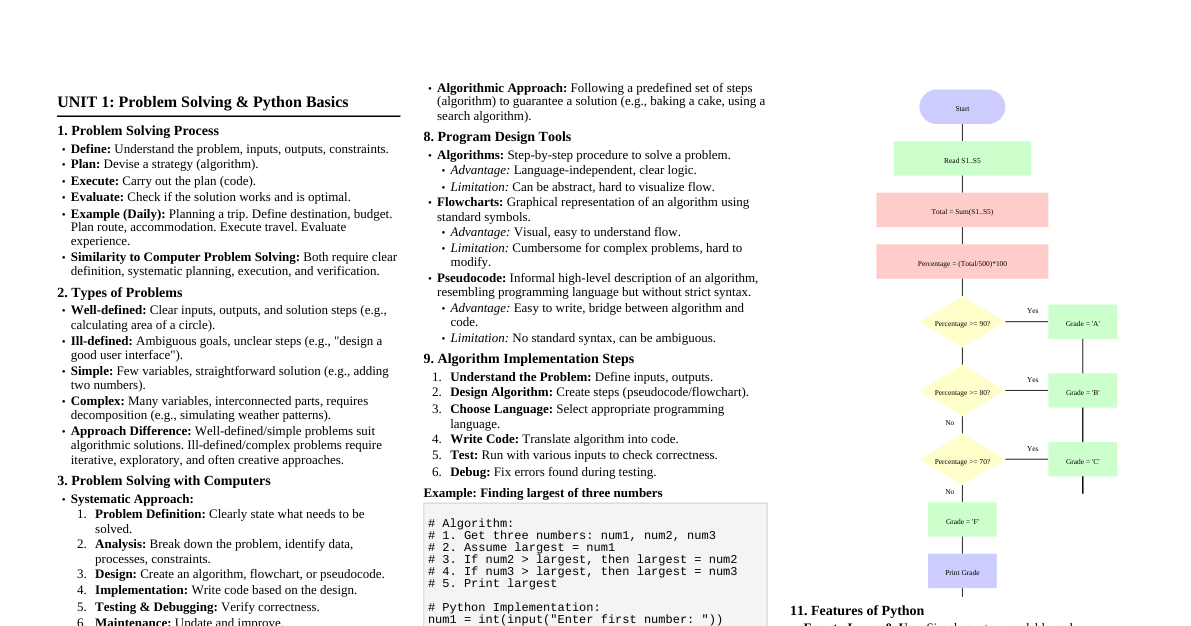
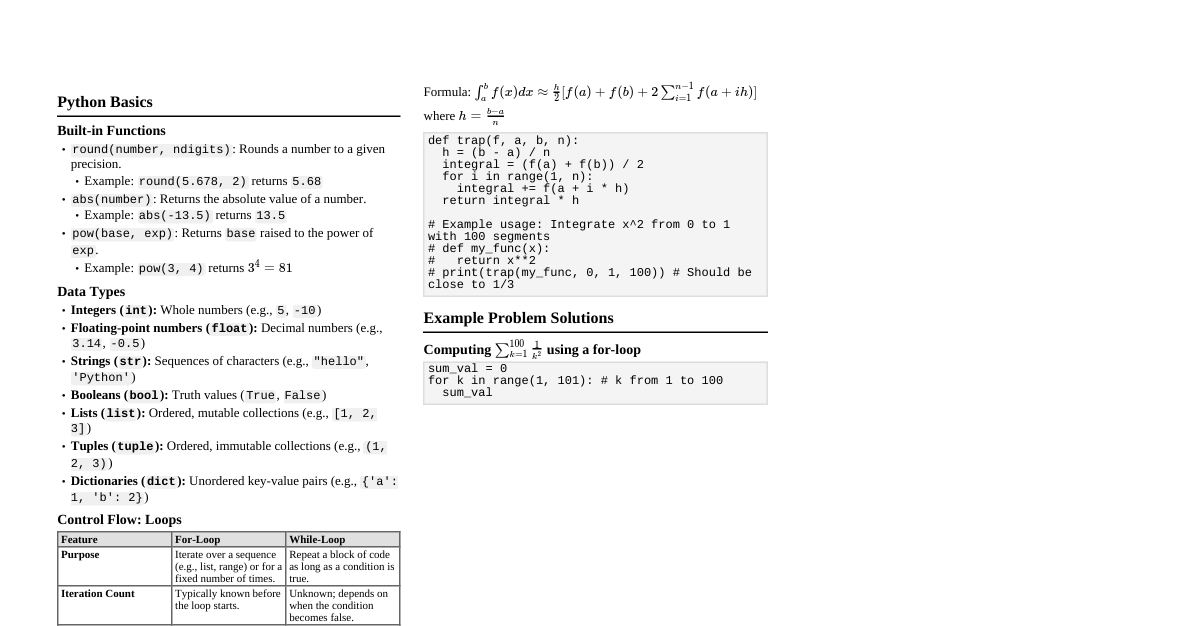
### Course Outline - **Introduction to Programming:** Role of programming languages. - **Python Basics:** Installation, variables, data types, basic operations. - **Control Structures:** Conditional statements (`if`, `else`, `elif`), loops (`for`, `while`), iteration. - **Functions and Modules:** Defining and using functions. - **Data Structures:** Manipulating and accessing data structures. - **File Handling:** Reading from and writing to files. - **Basic Libraries and Tools:** Introduction to standard libraries (e.g., `math`, `datetime`). - **Practical Applications:** Solving basic programming challenges and exercises. - **Coding Best Practices:** Writing clean, readable, and maintainable code. ### Course Info - **Grading:** - 5% - Quizzes - 10% - Assignments - 15% - Laboratory works - 30% - Mid-term exam - 40% - Final exam - **Course Organization:** - Repeating pattern: One week lectures, one week lab sessions. - Lectures: Two per lecture week. - Laboratories: Two lab sessions per lab week, hands-on coding practice. - Assessments: Bi-weekly homework assignments. - Quizzes: Pop-up quizzes during lecture weeks. - **Course Policies:** - **Plagiarism:** Code similarity program on all tasks. - **Extensions:** No extensions for assignments/lab reports. Late submissions incur penalties. - **Instructors:** For assignments and lab works will be introduced in the next lecture. ### Introduction to Computation - **What a Computer Does:** - Fundamentally performs calculations (billions per second). - Remembers results (hundreds of gigabytes of storage). - Computers only know what you tell them. - **Types of Knowledge:** - **Declarative Knowledge:** Statements of fact (e.g., "The Earth orbits the Sun," "Water boils at 100°C"). - **Imperative Knowledge:** Instructions or "how-to" steps (e.g., assembling furniture, baking a cake, writing a program). - **Computer Basics:** - **Programmed Computers:** Designed to do any job a program tells them to. - **Program:** A set of instructions a computer follows to perform a task (also known as **Software**). - **Programmer:** A person who designs, creates, and tests computer programs (also known as a **software developer**). ### Hardware and Software - **Hardware:** Physical devices that make up a computer system. - **Typical Major Components:** - Central Processing Unit (CPU) - Main Memory (RAM) - Secondary Storage Devices - Input and Output Devices - **CPU (Central Processing Unit):** - Most important component, runs programs. - Without it, software cannot run. - Microprocessors: CPUs located on small chips. - **Main Memory (RAM - Random Access Memory):** - Stores programs and data while a program is running. - CPU can quickly access data in RAM. - Volatile memory: temporary storage, contents erased when computer is off. - **Secondary Storage Devices:** - Hold data for long periods of time. - Programs stored here and loaded into main memory when needed. - **Types:** Disk drive (magnetic), Solid state drive (faster, no moving parts), Flash memory (portable). - **Input Devices:** - Collect data from people and other devices. - Examples: keyboard, mouse, touchscreen, scanner, camera. - Disk drives can also be input devices (load programs). - **Output Devices:** - Produce data for people or other devices (text, image, audio, bit stream). - Examples: video display, printer, speakers. - Disk drives and USB drives can be output devices (data sent to them to be saved). - **Software:** Everything the computer does is controlled by software. - **General Categories:** - **Application Software:** Programs making a computer useful for everyday tasks (e.g., word processors, email, games, web browsers, design software). - **System Software:** Programs controlling and managing basic operations. - **Operating System (OS):** Controls hardware components and resources (e.g., Windows, macOS, Linux, Android, iOS). Responsibilities include managing memory, CPU usage, I/O devices, files, and storage. - **Utility Programs:** Perform specific tasks to improve performance or protect data (e.g., antivirus, disk cleanup, backup, file compression, system monitoring). - **Software Development Tools:** Used by programmers to create, modify, and test software (e.g., code editors, compilers/interpreters, debuggers, version control systems). ### How Computers Store Data - All data is stored in sequences of 0s and 1s. - Computers only understand two states: 0 (off) and 1 (on), represented by electrical signals. - **Bit (Binary Digit):** Smallest unit of data, either 0 or 1, acts like an on/off switch. - **Byte:** A group of 8 bits, typically enough to store one letter, a small number, or a symbol. - Example byte: `01000001` - **How a Byte Represents Data:** The pattern of 0s and 1s inside a byte represents the actual data (e.g., `01000001` -> 'A', `00110001` -> '1'). ### How a Program Works - **CPU Operations:** CPU performs simple operations: reading data, adding, subtracting, multiplying, dividing. - **Machine Language:** CPU understands instructions written in machine language (binary). Each CPU brand has its own instruction set. - **Fetch-Decode-Execute Cycle:** 1. **Fetch:** CPU reads the next instruction from memory into the CPU. 2. **Decode:** CPU decodes the instruction to determine the operation and data needed. 3. **Execute:** CPU performs the operation (e.g., adds two numbers) and stores the result. - This cycle repeats billions of times per second. - **Program Execution Flow:** - Programs are stored on secondary memory (HDD, SSD). - CPU cannot execute directly from disk. - Program is copied from storage into RAM (main memory) when it runs. - CPU then reads instructions from RAM (faster than disk). ### Language Levels - **Machine Language:** Binary (0s and 1s) that the CPU directly understands. - Difficult, slow, error-prone, and hard to debug for humans. - **Assembly Language:** Uses short words (mnemonics) instead of binary numbers. - Easier for programmers to work with. - **Assembler:** Translates assembly language into machine language. - **High-Level Language:** Allows simple creation of powerful and complex programs. - More intuitive to understand, no need to know CPU specifics or write many instructions. - **Compilers and Interpreters:** Programs written in high-level languages must be translated into machine language. - **Compiler:** Translates an entire high-level program into a separate machine language program (executable file) before execution. Errors are reported after compilation. - **Interpreter:** Translates and executes high-level language instructions one at a time. No separate machine language program is created. Python uses an interpreter. ### Python Program Basics - **What is a Program?** A sequence of instructions that tells a computer what to do. - **Components of a Python Program:** - **Definitions:** Introduce names and objects (e.g., variables, functions, classes). They bind names to values or behavior. - Example: `x = 10`, `name = "Ali"` - **Commands (Statements):** Tell Python to perform an action. - Examples: `print(x + y)`, `x = x + 1`. Each line is typically a command. - **Python Interpreter:** - Python uses an interpreter to run programs. - Reads one line at a time, executes instructions immediately, displays results or errors. - Python is an interpreted language. - **Python Shell:** - An interactive environment where you type Python commands. - Examples: Python terminal, Jupyter Notebook, Spyder console. - Executes commands as soon as you press Enter. - **Python Script Files:** - Python programs can be saved in files with a `.py` extension. - Contains a sequence of definitions and commands. - Run by the interpreter using `python program.py`. - **Shell vs. Script:** - **Shell:** Interactive, immediate feedback, used for testing. - **Script:** Stored program, reusable, executed as a whole. ### Objects and Types - **What Are Objects?** - Programs work with and change data objects. - An object is a piece of data that: has a value, has a type, and can be manipulated by a program. - Objects are the basic building blocks of every program. - **Programs Manipulate Data Objects:** - Examples: Numbers, Text, Logical values, Collections of values. - Programs read, modify, store, and display objects. - **Objects Have Types:** - Every object has a type that defines what the object represents and what operations can be performed on it. - Types help Python understand how to store data, know allowed operations, and prevent invalid operations. - Example: `5 + 3` (valid), `"5" + "3"` (valid), `"5" + 3` (invalid). - **Categories of Objects:** - **Scalar Objects:** Represent a single value, cannot be subdivided, have no internal structure. Simplest data type. - Examples: Integer (`int`), Float (`float`), Boolean (`bool`), NoneType (`None`). - Scalar objects occupy a single memory location. - Support simple operations (addition, multiplication, power). - **Non-Scalar Objects (Composite Objects):** Have internal structure, can store multiple values, can be subdivided, can be accessed piece by piece. - Examples: Lists, Strings, Tuples, Dictionaries. - Essential for engineering programs working with sensor data, signal samples, image pixels, measurement arrays, etc. - **Main Scalar Data Types in Python:** | Type | Meaning | |-----------|-----------------| | `int` | Integer numbers | | `float` | Real numbers | | `bool` | Logical values | | `NoneType`| Empty value | - **Checking Object Type:** Use `type()` function. - `type(5)` -> `int` - `type(3.14)` -> `float` - `type(True)` -> `bool` - `type(None)` -> `NoneType` - **Type Conversion:** Converting an object from one type to another (e.g., `int()`, `float()`, `str()`). Useful in engineering calculations. - `int(3.9)` -> `3` - `float(3)` -> `3.0` - `int("10")` -> `10` ### Expressions and Operators - **Expressions:** Combine objects and operators to form expressions. They have a value and a type. - Syntax: ` ` - **Operators in Expressions:** | Operator | Meaning | |----------|----------------| | `+` | Addition | | `-` | Subtraction | | `*` | Multiplication | | `/` | Division | | `**` | Power | - **Operators on `int` and `float`:** - `i + j`: Addition. Result is `int` if both are `int`, `float` if either is `float`. - `i - j`: Subtraction. Result is `int` if both are `int`, `float` if either is `float`. - `i * j`: Multiplication. - `i / j`: Division (result is always `float`). - `i % j`: Remainder (modulo). - `i ** j`: Power. - **Simple Operations & Operator Precedence:** - Parentheses `()` control order of operations. - **Operator Precedence (without parentheses):** - `**` (Power) - `*`, `/`, `%` (Multiplication, Division, Modulo) - `+`, `-` (Addition, Subtraction) - Operations at the same precedence level are executed left to right. ### Variables and Bindings - **What is a Variable?** A name that refers to a value stored in computer memory. - Think of it as a label attached to a value. - The value is stored in memory, and the variable points to it. - **Binding:** Associating a name with a value. - Example: `x = 10` binds the name `x` to the value `10`. - **Binding Variables and Values:** - The equal sign `=` is an assignment operator. - `pi = 3.14159` - The value is stored in computer memory. - An assignment binds a name to a value. - Retrieve value by invoking the name (e.g., `print(pi)`). - **Abstracting Expressions:** - Give names to values of expressions for reuse and easier code changes. - Example: ```python pi = 3.14159 radius = 2.2 area = pi * (radius**2) ``` - **Changing Bindings (Rebinding):** - Re-bind variable names using new assignment statements. - Example: ```python x = 10 x = 25 # x is now bound to 25 ``` - The previous value (10) may still exist in memory but is no longer referenced by `x` (becomes unreachable). Python's memory management handles its removal. ### Printing and Strings - **Printing to Console:** - Use `print()` function to output text or other values. - Displays information, debugs code, provides feedback. - `print("Hello, world!")` - Printing variables: `temperature = 36.5; print("Temperature:", temperature)` - Printing calculations: `x=5; y=3; print(x+y)` - **Strings:** - A sequence of characters enclosed in single (`''`) or double (`""`) quotes. - Fundamental data type for textual data. - **Defining strings:** ```python single_quoted_string = 'Hello, world!' double_quoted_string = "Python is awesome" multiline_string = '''This is a multiline string''' ``` - **Accessing characters:** ```python first_character = single_quoted_string[0] # 'H' last_character = single_quoted_string[-1] # '!' ``` - **String Concatenation:** - Use `+` operator to join strings. - Example: `full_greeting = greeting + ", " + name` - Implicit string literal concatenation: `my_str = 'one' 'two' 'three'` results in `onetwothree`. - **String Methods:** - `name.upper()` -> uppercase - `greeting.lower()` -> lowercase - `name.capitalize()` -> capitalize first letter - `len(string)` -> length of string - **String Formatting:** - `.format()` method: `formatted_string = "My name is {} and I am {} years old".format(name, 30)` - f-strings (formatted string literals): `f_string = f"My name is {name} and I am 30 years old"` - **String Slicing:** Extract a portion of a string. - `substring = single_quoted_string[7:12]` -> `"world"` ### Input/Output - **`print()` function:** Used to output text or other values to the console. - Example: `print("Hello, world!")` - **`input()` function:** Used to get input from the user. - Displays a prompt, waits for user to type and press Enter. - Binds the input value to a variable. - Input is always read as a **string**. - Must cast to another type (e.g., `int()`, `float()`) if working with numbers. - Example: ```python text = input("Type anything... ") print(5 * text) # This will repeat the string 5 times num = int(input("Type a number... ")) print(5 * num) # This will multiply the number by 5 ``` ### Programming Errors - **Introduction to Programming Errors:** - Errors are a natural part of programming. - Understanding different types of errors helps debug faster and write better code. - **Main Categories of Programming Errors:** 1. Syntactic Errors 2. Static Semantic Errors 3. Runtime Errors 4. Logical Errors - **1. Syntactic Errors:** - **Definition:** Violations of the grammar rules of a programming language. - **Characteristics:** Common, easily caught, detected before program execution, prevent program from running, must be fixed before execution. - **Causes:** Misspellings of keywords/variable names, missing punctuation (parentheses, commas, colons), incorrect indentation, incomplete statements. - **Examples (Python):** ```python print(3+2 # missing parenthesis if x == 5: # missing colon prin("Hello") # misspelled print ``` - **2. Static Semantic Errors:** - **Definition:** Violate the meaning rules of the language. Syntax is correct, but program logic or data usage is incorrect. - **Characteristics:** Detected before or during execution, program may still run, produces incorrect/unexpected results, harder to detect than syntax errors. - **Causes:** Using variables before assignment, wrong data type operations, incorrect number of function arguments, incorrect variable scope. - **Examples (Python):** ```python x = y + 5 # y not defined x = "5" + 3 # mixing string and integer pow(2) # missing argument ``` - **3. Runtime Errors:** - **Definition:** Program starts running but crashes during execution. - **Detected:** During execution. - **Common Causes:** Division by zero, accessing invalid index, file not found, invalid input. - **Examples (Python):** ```python x = 10 / 0 # Error: ZeroDivisionError numbers = [1, 2, 3] print(numbers[5]) # Error: IndexError ``` - **4. Logical Errors:** - **Definition:** Program runs without crashing but produces the wrong result. - **Detected:** Only by testing and checking results. - **Common Causes:** Wrong formula, incorrect conditions, mistakes in algorithm logic. - **Example (Python):** ```python length = 10; width = 5 area = length + width # Wrong formula, should be multiplication print(area) # Output: 15 (wrong) # Correct version: area = length * width, Output: 50 ``` - **Why Errors Matter in Engineering:** - Can cause incorrect calculations, system failures, unsafe designs, financial loss. - Engineers must write reliable and correct programs. - **Debugging Process:** 1. Read the error message. 2. Identify the error type. 3. Locate the line number. 4. Fix the mistake. 5. Test again. - **Common Beginner Mistakes:** Forgetting parentheses, incorrect indentation, mixing data types, using undefined variables. ### Boolean Expressions and Relational Operators - **Boolean Expression:** An expression tested by an `if` statement to determine if it's `True` or `False`. - **Relational Operators:** Determine if a specific relationship exists between two values. - **`>` (greater than):** `a > b` is `True` if `a` is greater than `b`. - **` =` (greater than or equal to):** `a >= b` is `True` if `a` is greater than or equal to `b`. - **` y` | Is `x` greater than `y`? | | `x = y` | Is `x` greater than or equal to `y`? | | `x ### Logical Operators - **Logical Operators:** Used to create complex Boolean expressions. - **`and` operator:** Binary operator, creates a compound Boolean expression that is `True` only if **both** sub-expressions are `True`. - Truth table for `and`: | Expression | Value | |-----------------|----------| | `false and false` | `false` | | `false and true` | `false` | | `true and false` | `false` | | `true and true` | `true` | - Example: `if x >= 10 and x 20:` (checks if x is outside range [10, 20]) - **`not` operator:** Unary operator, reverses the truth of its Boolean operand. - Truth table for `not`: | Expression | Value | |------------|----------| | `not true` | `false` | | `not false` | `true` | - Useful for negating conditions, often with `if` statements. - Example: `if not temperature > 30:` (checks if temperature is NOT greater than 30) ### Conditional Statements - **The `if` Statement:** - Checks a single condition and executes an indented code block if the condition is `True`. - **Syntax:** ```python if condition: statement statement ``` - Example: ```python x = 10 if x > 5: print("x is greater than 5") ``` - **The `if-else` Statement:** - Provides two possible paths of execution. One is taken if the condition is `True`, the other if it's `False`. - **Syntax:** ```python if condition: statements else: other statements ``` - `if` and `else` clauses must be aligned. Statements must be consistently indented. - Example: ```python x = 3 if x > 5: print("x is greater than 5") else: print("x is not greater than 5") ``` - **The `if-elif-else` Statement:** - Checks multiple conditions in sequence. Executes the first block of code where the condition is `True` and skips the rest. - **Syntax:** ```python if condition_1: statement(s) elif condition_2: statement(s) elif condition_3: statement(s) else: statement(s) ``` - Starts with `if`, then checks each `elif` in order. If none are `True`, the `else` block is executed. - Example: ```python x = 7 if x > 10: print("x is greater than 10") elif x > 5: print("x is greater than 5 but not greater than 10") else: print("x is not greater than 5") ``` - **Nested Decision Structures:** - A decision structure can be nested inside another. - Example: Checking if someone qualifies for a loan (salary >= $30,000 AND yearsOnJob >= 2). ### Loops - **`while` Loops:** - A control flow structure that repeatedly executes a block of code as long as a specified condition remains `True`. - Used when you don't know the exact number of iterations, but you know the stopping condition. - **Syntax:** ```python while : ... ``` - ` ` evaluates to a Boolean. If `True`, steps inside the loop are executed. Loop continues until ` ` is `False`. - Example (counting down): ```python count = 5 while count > 0: print(count) count -= 1 ``` - Example (sum of numbers): ```python total = 0 num = 1 while num : while : break # Exits loop only ``` - Example (`for` loop): ```python for i in range(5): if i == 3: print("Breaking the loop at i =", i) break print(i) # Prints 0, 1, 2, then "Breaking..." ``` - Example (`while` loop): ```python num = 1 while num ### Miscellaneous - **Breaking Long Statements into Multiple Lines:** - Use the multiline continuation character `\` (backslash) to break a statement into multiple lines. - Python treats it as one single statement. - Example: ```python result = var1 * 2 + var2 * 3 + \ var3 * 4 + var4 * 5 ``` - Alternatively, any part of a statement enclosed in parentheses `()` can be broken without `\`. - Example: ```python total = (value1 + value2 + value3 + value4 + value5 + value6) ```