Computer Fundamentals & C Programming
Cheatsheet Content
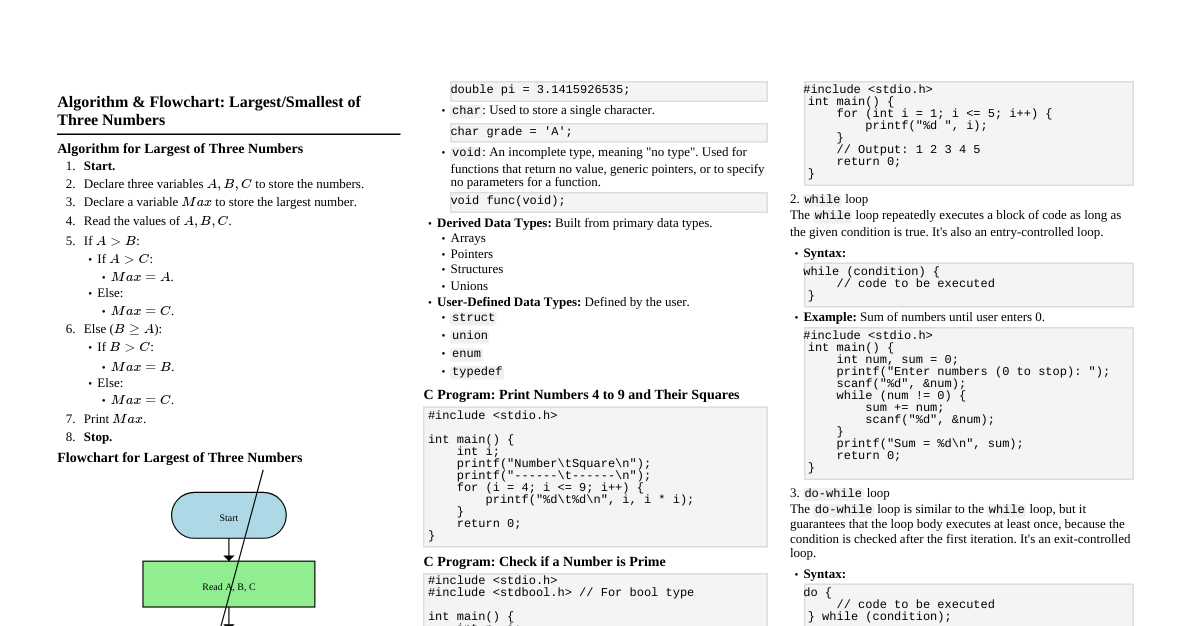
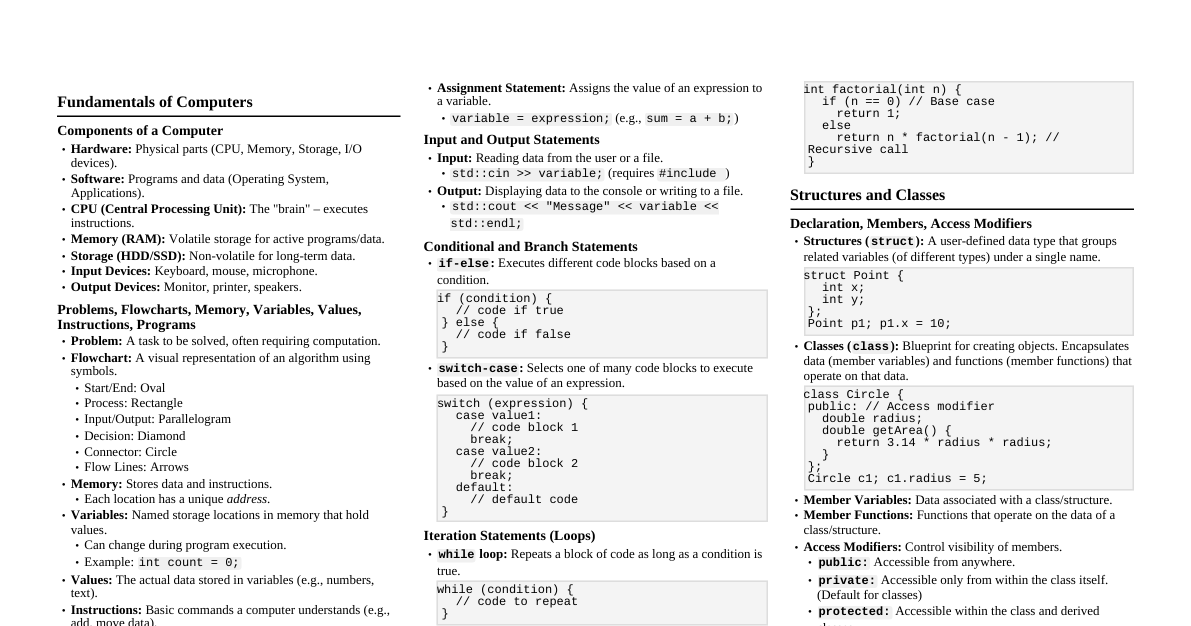
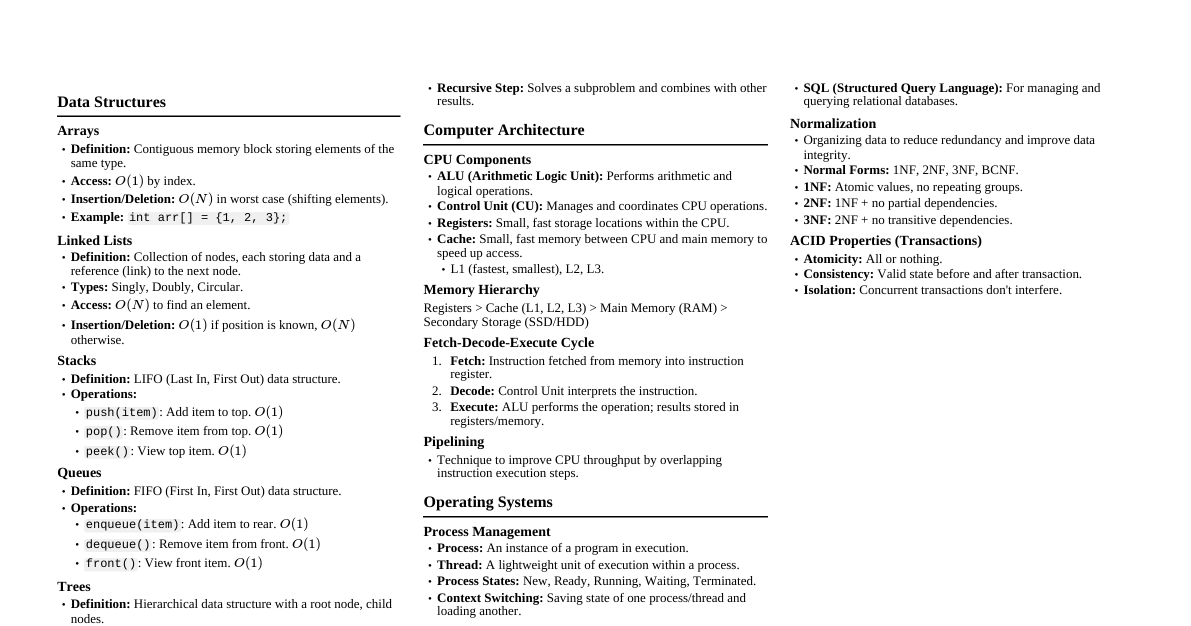
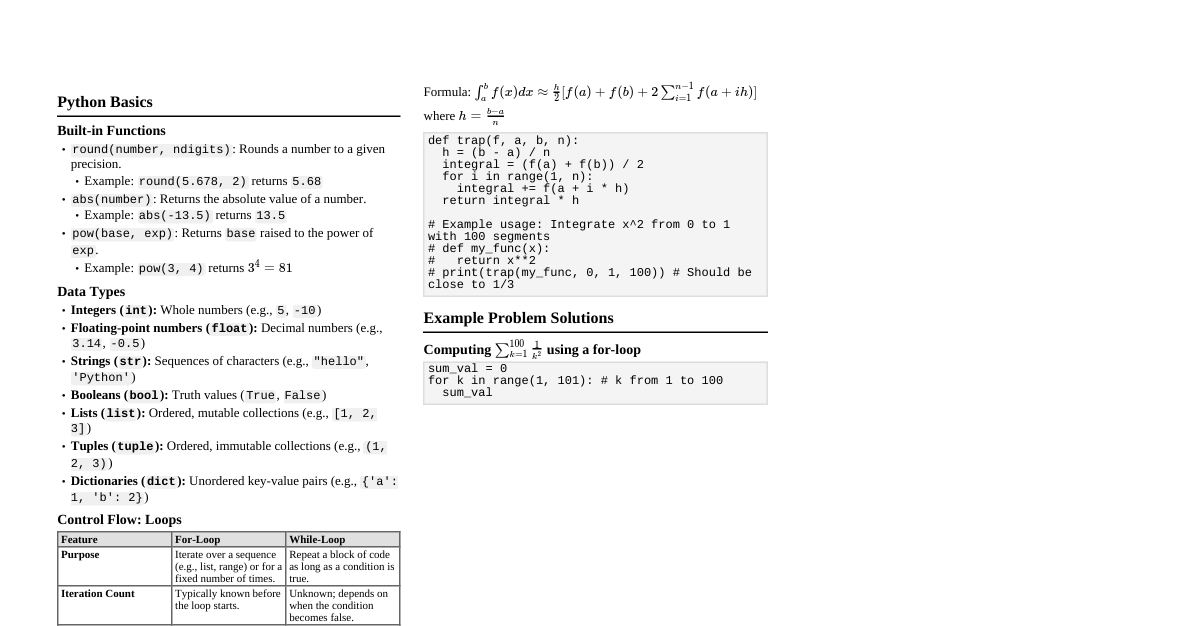
Unit 1: Computer Fundamentals Computer Generations 1st Gen (1940-1956): Vacuum Tubes Features: Huge size, slow, expensive, generated much heat. Adv: First electronic computers. Drawbacks: High power consumption, unreliable. 2nd Gen (1956-1963): Transistors Features: Smaller, faster, cheaper, less heat than 1st gen. Adv: More reliable, assembly language introduced. Drawbacks: Still relatively expensive, required cooling. 3rd Gen (1964-1971): Integrated Circuits (ICs) Features: Smaller, more powerful, efficient, high-level languages. Adv: Increased speed & reliability, lower cost. Drawbacks: Sophisticated technology for IC manufacturing. 4th Gen (1971-Present): Microprocessors (VLSI) Features: Personal computers (PCs), networking, GUI. Adv: Very powerful, affordable, compact. Drawbacks: Complex design and manufacturing. 5th Gen (Present & Future): AI / Parallel Processing Features: AI, machine learning, natural language processing. Adv: Enhanced problem-solving capabilities. Drawbacks: Still developing, ethical concerns. Advantages & Disadvantages of Computers Advantages: Speed, Accuracy, Reliability, Storage Capacity, Versatility, Automation, Communication. Disadvantages: Health issues, Data security risks, Cybercrime, Environmental impact (e-waste), Unemployment in some sectors, Lack of human touch. Characteristics of Computers Speed: Perform calculations at very high speeds. Accuracy: Produce accurate results if input is correct. Diligence: Can perform tasks repeatedly without getting tired or losing concentration. Versatility: Can perform various tasks with equal ease. Reliability: Consistent performance. Storage Capacity: Can store vast amounts of data. Automation: Can operate automatically without manual intervention. Memory Hierarchy Organized by speed, cost, and capacity (fastest/costliest/smallest at top). Registers: Fastest, smallest, inside CPU. Cache Memory: Faster than main memory, smaller, stores frequently used data/instructions. Main Memory (RAM): Volatile, random access, faster than secondary. RAM (Random Access Memory): Volatile, read/write. ROM (Read Only Memory): Non-volatile, stores boot-up instructions (BIOS). Secondary Storage: Non-volatile, larger capacity, slower (HDD, SSD, USB). Von Neumann Architecture (Block Diagram) Input Unit Output Unit Memory Unit Control Unit (CU) ALU Central Processing Unit (CPU) Input Unit: Receives data/instructions. Output Unit: Presents processed data. Memory Unit: Stores data and instructions. CPU (Central Processing Unit): ALU (Arithmetic Logic Unit): Performs arithmetic & logical operations. Control Unit (CU): Manages and coordinates all components. Unit System Conversions Binary (Base 2): Digits 0, 1. Octal (Base 8): Digits 0-7. Decimal (Base 10): Digits 0-9. Hexadecimal (Base 16): Digits 0-9, A-F. Decimal to Binary: Divide by 2, collect remainders. Binary to Decimal: Sum of (digit * $2^n$). E.g., $101_2 = 1*2^2 + 0*2^1 + 1*2^0 = 4+0+1 = 5_{10}$. Decimal to Octal: Divide by 8, collect remainders. Octal to Decimal: Sum of (digit * $8^n$). E.g., $23_8 = 2*8^1 + 3*8^0 = 16+3 = 19_{10}$. Binary to Octal: Group binary digits in 3s from right. E.g., $110101_2 \rightarrow 110 \ 101 \rightarrow 65_8$. Octal to Binary: Convert each octal digit to 3 binary digits. E.g., $65_8 \rightarrow 110 \ 101 \rightarrow 110101_2$. Unit 2: Software & Program Execution Translators & Linkers Assembler: Translates assembly language to machine code. Compiler: Translates high-level language (e.g., C) into machine code all at once. Generates an executable file. Checks for syntax and semantic errors. Interpreter: Translates and executes high-level language code line by line. No executable file generated. Slower than compiled code. Linker: Combines object files (from compiler) and library files into a single executable program. Loader: Loads the executable program into main memory for execution. Syntactical vs. Logical Errors Syntactical Errors (Compile-time errors): Violations of the programming language's grammar rules. Detected by the compiler. E.g., missing semicolon, misspelled keyword. Program will not compile. Logical Errors (Run-time errors): Program compiles and runs, but produces incorrect output. Occur due to incorrect logic in the algorithm. E.g., wrong formula, infinite loop. Harder to detect, requires debugging. Files Generated in C Program Execution Source Code (.c): Written by programmer. E.g., `program.c` Preprocessed Code (.i): After preprocessor directives (e.g., `#include`, `#define`) are handled. E.g., `program.i` Assembly Code (.s): After compilation to assembly language. E.g., `program.s` Object Code (.o / .obj): Machine code for the specific source file. Not yet executable. E.g., `program.o` Executable File (.exe): After linking all object files and libraries. Can be run. E.g., `a.out` (Linux) or `program.exe` (Windows). Algorithm & Flowchart Algorithm: A step-by-step procedure to solve a given problem. Characteristics: Unambiguous, finite, effective, input, output. Flowchart: A graphical representation of an algorithm using standard symbols. Symbols: Oval (Start/End), Rectangle (Process), Parallelogram (Input/Output), Diamond (Decision), Arrows (Flow lines). Unit 3: C Programming Basics Decision Making & Branching if statement: if (condition) { // code if condition is true } if-else statement: if (condition) { // code if true } else { // code if false } else-if ladder: if (condition1) { // code if condition1 true } else if (condition2) { // code if condition2 true } else { // code if no condition true } switch statement: switch (expression) { case value1: // code block break; case value2: // code block break; default: // default code } Loops for loop: For known number of iterations. for (initialization; condition; increment/decrement) { // code to be executed } while loop: For unknown number of iterations, condition checked at start. while (condition) { // code to be executed } do-while loop: For unknown number of iterations, condition checked at end (executes at least once). do { // code to be executed } while (condition); break : Terminates the loop. continue : Skips current iteration, proceeds to next. Arrays Collection of elements of the same data type stored at contiguous memory locations. Declaration: dataType arrayName[size]; Example: int numbers[5]; Initialization: int arr[3] = {10, 20, 30}; Accessing elements: arrayName[index] (index starts from 0). Example: numbers[0] = 100; Multi-dimensional Arrays: int matrix[3][3]; Strings An array of characters, terminated by a null character ('\0'). Declaration: char str[50]; or char str[] = "Hello"; Input/Output: scanf("%s", str); , printf("%s", str); gets() , puts() for strings with spaces. String Functions (from <string.h> ): strlen(str) : Length of string. strcpy(dest, src) : Copies src to dest . strcat(dest, src) : Concatenates src to dest . strcmp(str1, str2) : Compares two strings. Returns 0 if equal. C Fundamentals Character Set: Letters (A-Z, a-z), Digits (0-9), Special characters (+, -, *, etc.), Whitespace. Tokens: Smallest individual units in a program. Keywords, identifiers, constants, strings, operators, special symbols. Keywords: Reserved words with fixed meanings (e.g., int , if , while ). Data Types: Primary: int , char , float , double , void . Derived: Arrays, pointers, functions. User-defined: Structures, unions, enums. Header Files: Contain function declarations and macros. Included using `#include`. <stdio.h> : Standard Input/Output. <math.h> : Mathematical functions. <stdlib.h> : General utilities (memory allocation). <string.h> : String manipulation functions. Search & Sort Programs Linear Search: Checks each element sequentially until match is found or end of array. Time Complexity: $O(n)$. Binary Search: Requires sorted array. Repeatedly divides search interval in half. Time Complexity: $O(\log n)$. Bubble Sort: Repeatedly steps through list, compares adjacent elements and swaps if in wrong order. Time Complexity: $O(n^2)$. Unit 4: Advanced C Concepts Structures & Unions Structures ( struct ): Collection of variables of different data types under a single name. struct Student { char name[50]; int roll_no; float marks; }; // Declaration: struct Student s1; Unions ( union ): Similar to struct, but all members share the same memory location. Only one member can hold a value at any given time. union Data { int i; float f; char str[20]; }; // Declaration: union Data d1; Functions Block of code that performs a specific task. returnType functionName(parameterType param1, ...) { // function body return value; // if returnType is not void } Call by Value: Copies actual parameter values to formal parameters. Changes to formal parameters do not affect actual parameters. Call by Reference: Passes addresses of actual parameters to formal parameters (pointers). Changes to formal parameters directly affect actual parameters. Dynamic Memory Allocation malloc() : Allocates a block of memory of specified size (in bytes) and returns a void pointer to the first byte. int *ptr; ptr = (int*) malloc(5 * sizeof(int)); // Allocates space for 5 integers calloc() : Allocates memory for an array of elements, initializes all bytes to zero, and returns a void pointer. int *ptr; ptr = (int*) calloc(5, sizeof(int)); // Allocates space for 5 integers, initialized to 0 realloc() : Changes the size of the memory block pointed to by ptr . free() : Deallocates the memory previously allocated by malloc() or calloc() . free(ptr); File Operations Performed using FILE pointer. FILE *fptr; Opening a file: fptr = fopen("filename.txt", "mode"); Modes: "r" (read), "w" (write, creates/overwrites), "a" (append), "rb" (read binary), etc. Closing a file: fclose(fptr); Writing to file: fputc(char, fptr) fputs(string, fptr) fprintf(fptr, "format", var) Reading from file: fgetc(fptr) fgets(string, size, fptr) fscanf(fptr, "format", &var) Pointers Variable that stores the memory address of another variable. Declaration: dataType *pointerName; Example: int *ip; Address-of operator ( & ): Gives the address of a variable. Example: ip = &myVar; Dereference operator ( * ): Accesses the value at the address stored in a pointer. Example: *ip = 10; (assigns 10 to myVar ) Pointer Arithmetic: Can add/subtract integers from pointers (moves by size of data type). Pointers and Arrays: Array name itself acts as a pointer to its first element. arr[i] is equivalent to *(arr + i) . Common Programs Factorial: Product of all positive integers up to a given number. int factorial(int n) { if (n == 0) return 1; return n * factorial(n - 1); } Fibonacci Series: Each number is the sum of the two preceding ones, starting from 0 and 1. int fibonacci(int n) { if (n <= 1) return n; return fibonacci(n - 1) + fibonacci(n - 2); }