Java Basics (Class 12)
Shared 3/23/2026•108 views
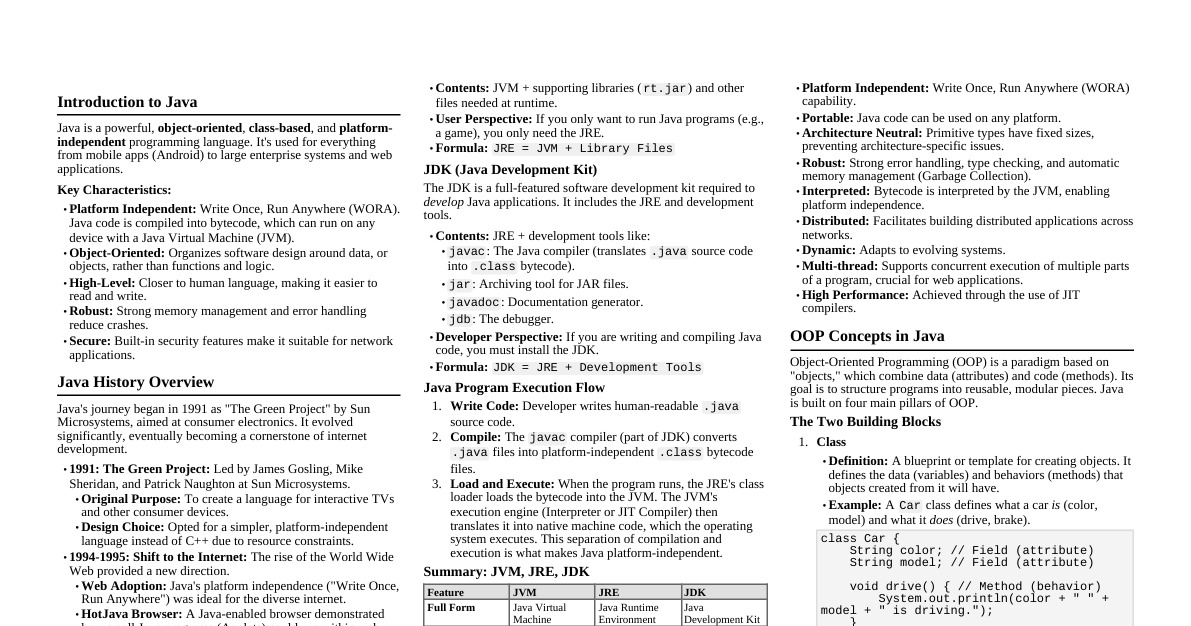
### Java Introduction - **Platform Independent:** "Write Once, Run Anywhere" (WORA) due to JVM. - **Object-Oriented:** Based on classes and objects. - **Syntax:** Similar to C++. - **Compiler:** `javac` (compiles `.java` to `.class` bytecode). - **Interpreter:** `java` (executes `.class` bytecode on JVM). ### Basic Program Structure ```java // Single-line comment /* Multi-line comment */ public class MyFirstProgram { // Class declaration public static void main(String[] args) { // Main method - entry point System.out.println("Hello, Java!"); // Print statement } } ``` - `public`: Access modifier (visible everywhere). - `class`: Keyword to declare a class. - `static`: Method belongs to the class, not an object. - `void`: Method does not return a value. - `main`: Name of the entry point method. - `String[] args`: Command-line arguments. - `System.out.println()`: Prints output to the console and adds a new line. ### Data Types #### Primitive Data Types | Type | Size | Range | Default | |---------|---------|---------------------------------------|-------------| | `byte` | 1 byte | -128 to 127 | `0` | | `short` | 2 bytes | -32,768 to 32,767 | `0` | | `int` | 4 bytes | $\approx \pm 2 \times 10^9$ | `0` | | `long` | 8 bytes | $\approx \pm 9 \times 10^{18}$ | `0L` | | `float` | 4 bytes | $\approx \pm 3.4 \times 10^{38}$ | `0.0f` | | `double`| 8 bytes | $\approx \pm 1.8 \times 10^{308}$ | `0.0d` | | `boolean`| 1 bit | `true` or `false` | `false` | | `char` | 2 bytes | Unicode character (0 to 65,535) | `'\u0000'` | #### Non-Primitive Data Types (Reference Types) - **Strings:** `String name = "Java";` (immutable sequence of characters). - **Arrays:** `int[] numbers = {1, 2, 3};` - **Classes, Interfaces:** User-defined types. ### Variables and Operators #### Variable Declaration & Initialization ```java int age = 30; double price = 19.99; char grade = 'A'; boolean isActive = true; String message = "Hello"; ``` - **Constants:** Use `final` keyword. `final double PI = 3.14159;` #### Operators - **Arithmetic:** `+`, `-`, `*`, `/`, `%` (modulo). - **Assignment:** `=`, `+=`, `-=`, `*=`, `/=`, `%=`. - **Comparison:** `==`, `!=`, `>`, ` =`, ` ### Input/Output #### Console Output - `System.out.println("Message");` (with newline) - `System.out.print("Message");` (without newline) - `System.out.printf("Name: %s, Age: %d\n", name, age);` (formatted output) #### Console Input (using `Scanner` class) ```java import java.util.Scanner; // Import Scanner class public class InputExample { public static void main(String[] args) { Scanner sc = new Scanner(System.in); // Create Scanner object System.out.print("Enter your name: "); String name = sc.nextLine(); // Read string input System.out.print("Enter your age: "); int age = sc.nextInt(); // Read integer input System.out.println("Hello, " + name + "! You are " + age + " years old."); sc.close(); // Close the scanner } } ``` - **`sc.next()`:** Reads a single word (token). - **`sc.nextLine()`:** Reads the entire line until newline character. - **`sc.nextInt()`:** Reads an integer. - **`sc.nextDouble()`:** Reads a double. ### Control Flow Statements #### Conditional Statements - **`if-else if-else`:** ```java int score = 75; if (score >= 90) { System.out.println("Grade A"); } else if (score >= 80) { System.out.println("Grade B"); } else { System.out.println("Grade C"); } ``` - **`switch`:** ```java char grade = 'B'; switch (grade) { case 'A': System.out.println("Excellent!"); break; // Exit switch after match case 'B': System.out.println("Good!"); break; default: System.out.println("Needs improvement."); } ``` #### Looping Statements - **`for` loop:** ```java for (int i = 0; i ### Arrays - **Definition:** A collection of fixed-size, homogeneous elements. - **Declaration:** ```java int[] numbers; // Declare an array reference numbers = new int[5]; // Initialize with size 5 (default values 0) // Or declare and initialize int[] scores = {90, 85, 78, 92}; ``` - **Accessing elements:** `scores[0]` (first element), `scores[scores.length - 1]` (last element). - **Length:** `scores.length` (returns the number of elements). - **Multi-dimensional Arrays:** ```java int[][] matrix = { {1, 2, 3}, {4, 5, 6} }; System.out.println(matrix[0][1]); // Output: 2 ``` ### Methods - **Definition:** A block of code that performs a specific task. - **Syntax:** ```java public static int add(int a, int b) { // Method signature int sum = a + b; // Method body return sum; // Return statement } // Calling a method int result = add(5, 3); // result will be 8 ``` - `public`: Access modifier. - `static`: Belongs to the class (can be called without creating an object). - `int`: Return type (type of value the method sends back). `void` if no return. - `add`: Method name. - `(int a, int b)`: Parameters (input values). ### OOPs - Introduction #### Class - A blueprint or template for creating objects. - Defines properties (attributes/fields) and behaviors (methods). #### Object - An instance of a class. - Has state (values of its attributes) and behavior (actions it can perform). #### Encapsulation - Bundling data (attributes) and methods that operate on the data within a single unit (class). - Hiding the internal state and requiring all interaction through an object's methods. - Achieved using access modifiers (`private`, `public`, `protected`). #### Inheritance - Mechanism where one class acquires the properties and behaviors of another class. - `extends` keyword is used. - Promotes code reusability. #### Polymorphism - "Many forms." The ability of an object to take on many forms. - **Method Overloading:** Same method name, different parameters (compile-time polymorphism). - **Method Overriding:** Subclass provides a specific implementation for a method already defined in its superclass (run-time polymorphism). #### Abstraction - Hiding complex implementation details and showing only essential features. - Achieved using `abstract` classes and `interfaces`. ### Class and Object Example ```java public class Dog { // Class definition String name; // Attribute/Field String breed; // Attribute/Field // Constructor: Special method to initialize objects public Dog(String name, String breed) { this.name = name; this.breed = breed; } // Method: Behavior public void bark() { System.out.println(name + " says Woof!"); } public static void main(String[] args) { // Creating objects (instantiation) Dog myDog = new Dog("Buddy", "Golden Retriever"); // Object 1 Dog anotherDog = new Dog("Lucy", "Labrador"); // Object 2 System.out.println(myDog.name + " is a " + myDog.breed); myDog.bark(); // Calling object's method System.out.println(anotherDog.name + " is a " + anotherDog.breed); anotherDog.bark(); } } ```