CBSE Class 12 CS SQL Cheatsheet
Cheatsheet Content
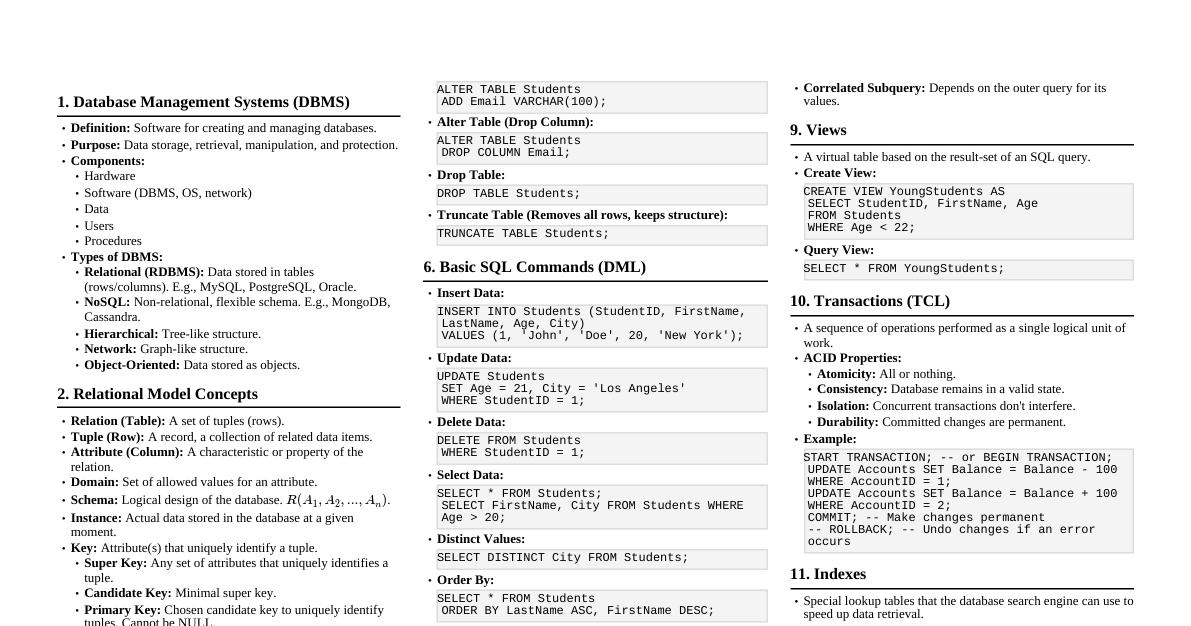
1. Introduction to SQL SQL: Structured Query Language Used for managing and manipulating relational databases. RDBMS: Relational Database Management System (e.g., MySQL, Oracle, SQL Server) 2. Data Definition Language (DDL) Commands CREATE DATABASE Creates a new database. Syntax: CREATE DATABASE database_name; Example: CREATE DATABASE SchoolDB; USE DATABASE Selects a database for use. Syntax: USE database_name; Example: USE SchoolDB; CREATE TABLE Creates a new table in the database. Syntax: CREATE TABLE table_name ( column1 datatype [constraints], column2 datatype [constraints], ... PRIMARY KEY (column_name) ); Example: CREATE TABLE Students ( RollNo INT PRIMARY KEY, Name VARCHAR(50), Class INT, DOB DATE ); Common Data Types: INT : Integer VARCHAR(size) : Variable-length string CHAR(size) : Fixed-length string DATE : Date (YYYY-MM-DD) DECIMAL(p,s) : Fixed-point number FLOAT , DOUBLE : Floating-point numbers Common Constraints: PRIMARY KEY : Unique identifier, cannot be NULL. NOT NULL : Column cannot have NULL values. UNIQUE : All values in the column must be distinct. DEFAULT value : Sets a default value if none is specified. CHECK (condition) : Ensures all values satisfy a condition. ALTER TABLE Modifies an existing table structure. Add a column: ALTER TABLE table_name ADD column_name datatype [constraints]; Modify column datatype: ALTER TABLE table_name MODIFY column_name new_datatype; Drop a column: ALTER TABLE table_name DROP COLUMN column_name; Example: ALTER TABLE Students ADD Email VARCHAR(100); ALTER TABLE Students MODIFY Class VARCHAR(10); ALTER TABLE Students DROP COLUMN DOB; DROP TABLE Deletes an existing table. Syntax: DROP TABLE table_name; Example: DROP TABLE Students; DROP DATABASE Deletes an existing database. Syntax: DROP DATABASE database_name; Example: DROP DATABASE SchoolDB; 3. Data Manipulation Language (DML) Commands INSERT INTO Adds new rows (records) to a table. Full syntax: INSERT INTO table_name (column1, column2, ...) VALUES (value1, value2, ...); All columns: INSERT INTO table_name VALUES (value1, value2, ...); Example: INSERT INTO Students (RollNo, Name, Class) VALUES (1, 'Alice', 12); INSERT INTO Students VALUES (2, 'Bob', 11, 'bob@example.com'); SELECT Retrieves data from one or more tables. Basic syntax: SELECT column1, column2, ... FROM table_name [WHERE condition] [ORDER BY column [ASC|DESC]]; Select all columns: SELECT * FROM table_name; Example: SELECT Name, Class FROM Students; SELECT * FROM Students WHERE Class = 12; SELECT Name, Class FROM Students ORDER BY Name ASC; SELECT Name, Class FROM Students WHERE Class = 12 ORDER BY Name DESC; DISTINCT: Returns only unique values. SELECT DISTINCT Class FROM Students; WHERE Clause Operators: Comparison: $=, , =, <>, !=$ Logical: AND , OR , NOT Range: BETWEEN value1 AND value2 Membership: IN (value1, value2, ...) Pattern matching: LIKE 'pattern' Null check: IS NULL , IS NOT NULL LIKE Operator Wildcards: % : Represents zero or more characters. _ : Represents a single character. Example with WHERE: SELECT * FROM Students WHERE Class BETWEEN 10 AND 12; SELECT * FROM Students WHERE Name IN ('Alice', 'Charlie'); SELECT * FROM Students WHERE Name LIKE 'A%'; -- Starts with 'A' SELECT * FROM Students WHERE Name LIKE '%a'; -- Ends with 'a' SELECT * FROM Students WHERE Name LIKE '_o%'; -- Second letter is 'o' SELECT * FROM Students WHERE Email IS NULL; UPDATE Modifies existing records in a table. Syntax: UPDATE table_name SET column1 = value1, column2 = value2, ... WHERE condition; Example: UPDATE Students SET Class = 12 WHERE RollNo = 1; UPDATE Students SET Email = 'alice@example.com' WHERE Name = 'Alice'; DELETE FROM Deletes existing records from a table. Syntax: DELETE FROM table_name WHERE condition; Delete all records: DELETE FROM table_name; (Use with caution!) Example: DELETE FROM Students WHERE RollNo = 2; DELETE FROM Students WHERE Class = 10; 4. Aggregate Functions Perform calculations on a set of rows and return a single value. COUNT(*) : Number of rows. COUNT(column_name) : Number of non-NULL values in a column. SUM(column_name) : Sum of values in a column. AVG(column_name) : Average of values in a column. MAX(column_name) : Maximum value in a column. MIN(column_name) : Minimum value in a column. Example: SELECT COUNT(*) FROM Students; SELECT AVG(Class) FROM Students; SELECT MAX(RollNo) FROM Students; 5. GROUP BY and HAVING GROUP BY Groups rows that have the same values in specified columns into summary rows. Used with aggregate functions. Syntax: SELECT column_name, aggregate_function(column_name) FROM table_name GROUP BY column_name; Example: SELECT Class, COUNT(*) FROM Students GROUP BY Class; SELECT Class, AVG(RollNo) FROM Students GROUP BY Class; HAVING Filters groups based on a specified condition (similar to WHERE but for groups). Used after GROUP BY . Syntax: SELECT ... FROM ... GROUP BY ... HAVING condition; Example: SELECT Class, COUNT(*) FROM Students GROUP BY Class HAVING COUNT(*) > 2; SELECT Class, AVG(RollNo) FROM Students GROUP BY Class HAVING AVG(RollNo) 6. ORDER BY Sorts the result-set in ascending ( ASC , default) or descending ( DESC ) order. Syntax: SELECT ... FROM ... ORDER BY column1 [ASC|DESC], column2 [ASC|DESC]; Example: SELECT Name, Class FROM Students ORDER BY Class ASC, Name DESC; 7. Joins (Basic) Combines rows from two or more tables based on a related column between them. INNER JOIN: Returns records that have matching values in both tables. Syntax: SELECT columns FROM table1 INNER JOIN table2 ON table1.column_name = table2.column_name; Example (assuming a 'Courses' table with 'CourseID' and 'RollNo'): SELECT Students.Name, Courses.CourseName FROM Students INNER JOIN Courses ON Students.RollNo = Courses.RollNo; 8. SQL Functions (Common) Numeric Functions ABS(n) : Absolute value. POWER(m, n) : $m^n$. ROUND(n, d) : Rounds $n$ to $d$ decimal places. TRUNCATE(n, d) : Truncates $n$ to $d$ decimal places. MOD(n, m) : Remainder of $n/m$. SQRT(n) : Square root of $n$. SIGN(n) : Sign of $n$ (-1, 0, 1). String Functions UCASE(s) / UPPER(s) : Converts string to uppercase. LCASE(s) / LOWER(s) : Converts string to lowercase. LENGTH(s) : Length of string. SUBSTR(s, pos, len) / MID(s, pos, len) : Extracts substring. INSTR(s, sub) : Position of first occurrence of substring. LTRIM(s) : Removes leading spaces. RTRIM(s) : Removes trailing spaces. TRIM(s) : Removes leading and trailing spaces. CONCAT(s1, s2, ...) : Concatenates strings. LEFT(s, n) : Returns leftmost $n$ characters. RIGHT(s, n) : Returns rightmost $n$ characters. Date/Time Functions NOW() / SYSDATE() : Current date and time. CURDATE() : Current date. CURTIME() : Current time. YEAR(date) : Extracts year from date. MONTH(date) : Extracts month from date. DAY(date) : Extracts day from date. DATEDIFF(date1, date2) : Difference in days between two dates. Example Usage: SELECT UPPER(Name), LENGTH(Name) FROM Students; SELECT CONCAT(Name, ' (Class ', Class, ')') AS StudentInfo FROM Students; SELECT Name, YEAR(DOB) AS BirthYear FROM Students;