C Programming & Fundamentals
Cheatsheet Content
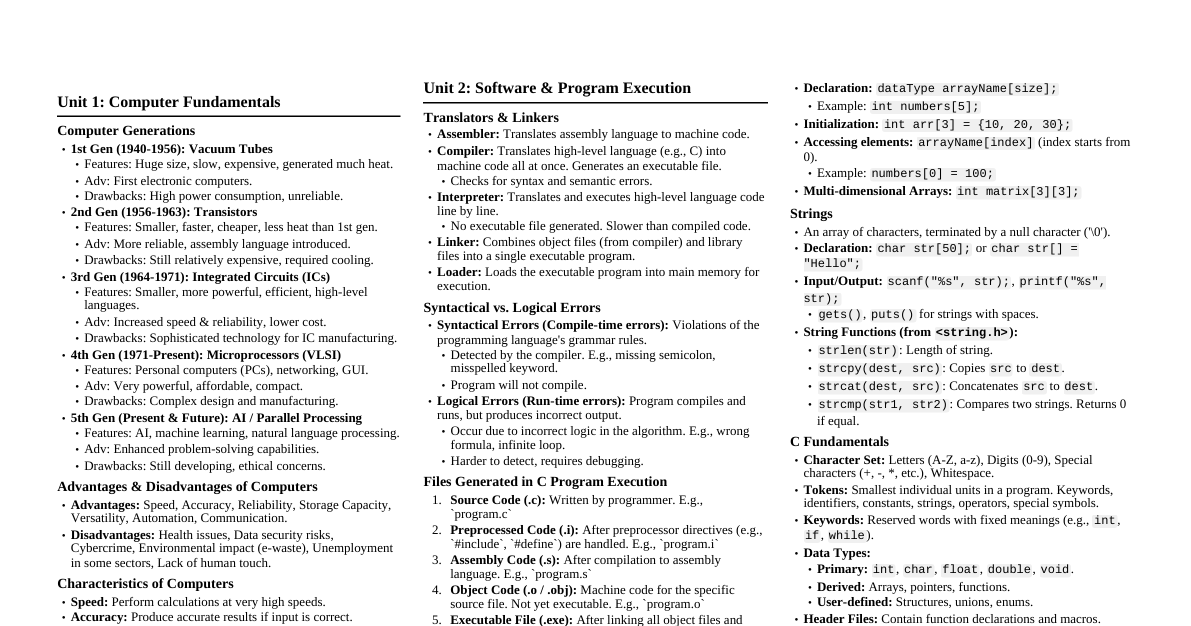
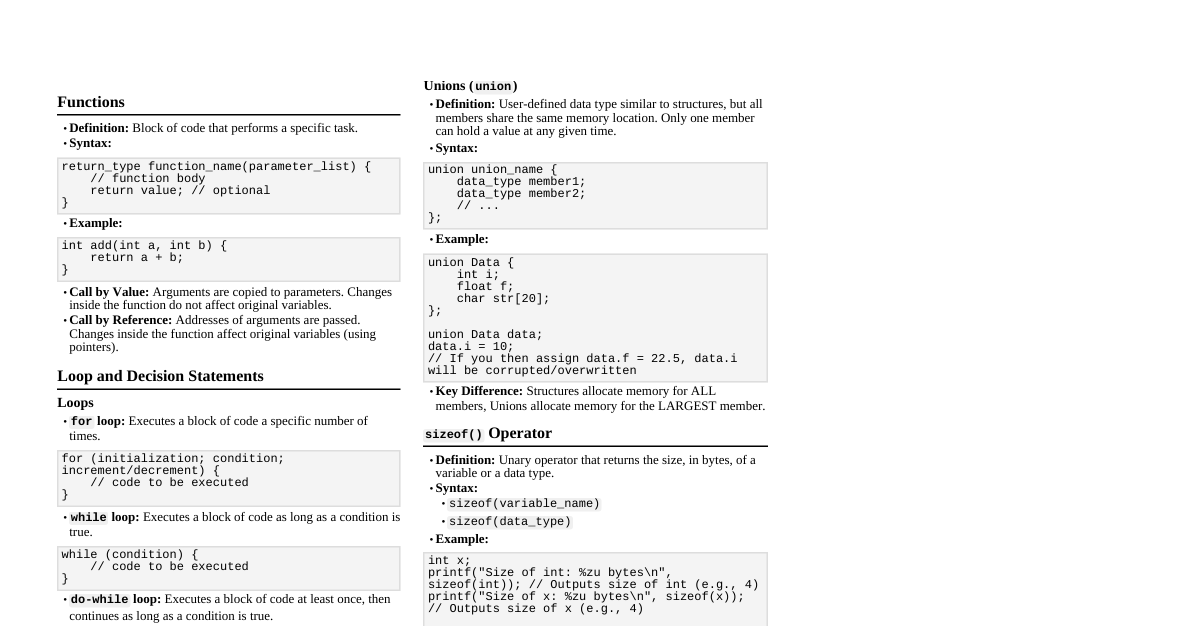
Algorithm & Flowchart: Largest/Smallest of Three Numbers Algorithm for Largest of Three Numbers Start. Declare three variables $A, B, C$ to store the numbers. Declare a variable $Max$ to store the largest number. Read the values of $A, B, C$. If $A > B$: If $A > C$: $Max = A$. Else: $Max = C$. Else ($B \ge A$): If $B > C$: $Max = B$. Else: $Max = C$. Print $Max$. Stop. Flowchart for Largest of Three Numbers Start Read A, B, C A > B? Yes No B (Yes) --> A > C? Yes No C (Yes) --> Max = A C (No) --> Max = C B (No) --> B > C? Yes No C (Yes) --> Max = B C (No) --> Max = C Print Max Stop Algorithm for Smallest of Three Numbers Start. Declare three variables $A, B, C$ to store the numbers. Declare a variable $Min$ to store the smallest number. Read the values of $A, B, C$. If $A If $A $Min = A$. Else: $Min = C$. Else ($B \le A$): If $B $Min = B$. Else: $Min = C$. Print $Min$. Stop. Data Types & Basic Programs What is a Data Type? A data type specifies the type of data a variable can store, such as integers, floating-point numbers, characters, etc. It also determines the size of memory to be allocated for the variable and the range of values it can hold. Different Data Types in C Primary (Built-in) Data Types: int : Used to store integer values (whole numbers). int age = 30; float : Used to store single-precision floating-point numbers. float price = 19.99f; double : Used to store double-precision floating-point numbers (more precision than float). double pi = 3.1415926535; char : Used to store a single character. char grade = 'A'; void : An incomplete type, meaning "no type". Used for functions that return no value, generic pointers, or to specify no parameters for a function. void func(void); Derived Data Types: Built from primary data types. Arrays Pointers Structures Unions User-Defined Data Types: Defined by the user. struct union enum typedef C Program: Print Numbers 4 to 9 and Their Squares #include <stdio.h> int main() { int i; printf("Number\tSquare\n"); printf("------\t------\n"); for (i = 4; i <= 9; i++) { printf("%d\t%d\n", i, i * i); } return 0; } C Program: Check if a Number is Prime #include <stdio.h> #include <stdbool.h> // For bool type int main() { int n, i; bool is_prime = true; printf("Enter a positive integer: "); scanf("%d", &n); if (n == 0 || n == 1) { is_prime = false; } else { for (i = 2; i <= n / 2; ++i) { if (n % i == 0) { is_prime = false; break; } } } if (is_prime) printf("%d is a prime number.\n", n); else printf("%d is not a prime number.\n", n); return 0; } C Program: Student Grade using Switch-Case #include <stdio.h> int main() { int score; char grade; printf("Enter student's score (0-100): "); scanf("%d", &score); if (score < 0 || score > 100) { printf("Invalid score.\n"); return 1; } switch (score / 10) { case 10: case 9: grade = 'A'; break; case 8: grade = 'B'; break; case 7: grade = 'C'; break; case 6: grade = 'D'; break; default: grade = 'F'; break; } printf("The student's grade is: %c\n", grade); return 0; } Loops & Control Structures Different Types of Loops in C Loops are used to execute a block of code repeatedly as long as a specified condition is true. C provides three types of loops: 1. for loop The for loop is used to iterate a block of code a specific number of times. It's an entry-controlled loop. Syntax: for (initialization; condition; increment/decrement) { // code to be executed } Example: Print numbers from 1 to 5. #include <stdio.h> int main() { for (int i = 1; i <= 5; i++) { printf("%d ", i); } // Output: 1 2 3 4 5 return 0; } 2. while loop The while loop repeatedly executes a block of code as long as the given condition is true. It's also an entry-controlled loop. Syntax: while (condition) { // code to be executed } Example: Sum of numbers until user enters 0. #include <stdio.h> int main() { int num, sum = 0; printf("Enter numbers (0 to stop): "); scanf("%d", &num); while (num != 0) { sum += num; scanf("%d", &num); } printf("Sum = %d\n", sum); return 0; } 3. do-while loop The do-while loop is similar to the while loop, but it guarantees that the loop body executes at least once, because the condition is checked after the first iteration. It's an exit-controlled loop. Syntax: do { // code to be executed } while (condition); Example: Read input until a positive number is entered. #include <stdio.h> int main() { int num; do { printf("Enter a positive number: "); scanf("%d", &num); } while (num <= 0); printf("You entered: %d\n", num); return 0; } Arrays (1D & 2D) What is an Array? An array is a collection of elements of the same data type stored at contiguous memory locations. It allows storing multiple values of the same type under a single variable name. Declaration: dataType arrayName[arraySize]; Example: int numbers[5]; declares an integer array named numbers that can hold 5 integer values. C Program: Mean and Median using 1D Arrays #include <stdio.h> #include <stdlib.h> // For qsort #include <string.h> // For memcpy (optional, for safety) // Comparison function for qsort int compare(const void *a, const void *b) { return (*(int*)a - *(int*)b); } int main() { int n, i; printf("Enter the number of elements: "); scanf("%d", &n); int arr[n]; // C99 VLA long long sum = 0; double mean, median; printf("Enter %d integers:\n", n); for (i = 0; i < n; i++) { scanf("%d", &arr[i]); sum += arr[i]; } // Calculate Mean mean = (double)sum / n; // Calculate Median (requires sorting) qsort(arr, n, sizeof(int), compare); // Sort the array if (n % 2 == 1) { median = arr[n / 2]; } else { median = (double)(arr[n / 2 - 1] + arr[n / 2]) / 2.0; } printf("Array elements: "); for (i = 0; i < n; i++) { printf("%d ", arr[i]); } printf("\n"); printf("Mean = %.2f\n", mean); printf("Median = %.2f\n", median); return 0; } C Program: Sum of Elements in a 1D Array #include <stdio.h> int main() { int n, i; printf("Enter the number of elements: "); scanf("%d", &n); int arr[n]; // C99 VLA long long sum = 0; // Use long long for sum to prevent overflow printf("Enter %d integers:\n", n); for (i = 0; i < n; i++) { scanf("%d", &arr[i]); sum += arr[i]; } printf("Sum of all elements in the array: %lld\n", sum); return 0; } C Program: Add Two Matrices using a 2D Array #include <stdio.h> int main() { int rows, cols; printf("Enter number of rows: "); scanf("%d", &rows); printf("Enter number of columns: "); scanf("%d", &cols); int matrix1[rows][cols], matrix2[rows][cols], sumMatrix[rows][cols]; int i, j; printf("Enter elements of first matrix (%d x %d):\n", rows, cols); for (i = 0; i < rows; i++) { for (j = 0; j < cols; j++) { printf("Enter element matrix1[%d][%d]: ", i, j); scanf("%d", &matrix1[i][j]); } } printf("Enter elements of second matrix (%d x %d):\n", rows, cols); for (i = 0; i < rows; i++) { for (j = 0; j < cols; j++) { printf("Enter element matrix2[%d][%d]: ", i, j); scanf("%d", &matrix2[i][j]); } } // Adding two matrices for (i = 0; i < rows; i++) { for (j = 0; j < cols; j++) { sumMatrix[i][j] = matrix1[i][j] + matrix2[i][j]; } } // Displaying the sum matrix printf("\nSum of two matrices:\n"); for (i = 0; i < rows; i++) { for (j = 0; j < cols; j++) { printf("%d\t", sumMatrix[i][j]); } printf("\n"); } return 0; } C Program: Search an Element from an Array #include <stdio.h> int main() { int n, i, search_element; int found_at_index = -1; // Initialize with -1 to indicate not found printf("Enter the number of elements in the array: "); scanf("%d", &n); int arr[n]; // C99 VLA printf("Enter %d integers:\n", n); for (i = 0; i < n; i++) { scanf("%d", &arr[i]); } printf("Enter the element to search: "); scanf("%d", &search_element); for (i = 0; i < n; i++) { if (arr[i] == search_element) { found_at_index = i; break; // Element found, exit loop } } if (found_at_index != -1) { printf("Element %d found at position %d (0-indexed).\n", search_element, found_at_index); } else { printf("Element %d not found in the array.\n", search_element); } return 0; } Structures What is a Structure? A structure in C is a user-defined data type that allows you to combine items of different data types under a single name. It's a way to create a record of different but related data types. Syntax: struct StructureName { dataType member1; dataType member2; // ... }; Example: struct Student { int roll_no; char name[50]; float marks; char grade; }; Difference between Arrays and Structures Feature Array Structure Data Types Stores elements of the same data type. Stores elements of different data types. Accessing Elements Elements are accessed using an index (e.g., arr[0] ). Members are accessed using a dot operator ( . ) (e.g., student.name ). Memory Allocation Elements are stored in contiguous memory locations. Members may or may not be stored in contiguous memory locations (due to padding). Concept Collection of similar elements. Collection of dissimilar elements (a record). Keyword No specific keyword for declaration. struct keyword is used. C Program: Maintain Record of 'n' Student Details using Array of Structures #include <stdio.h> #include <string.h> // For strcmp // Define the Student structure struct Student { int roll_no; char name[50]; float marks; char grade; }; int main() { int n, i; printf("Enter the number of students: "); scanf("%d", &n); // Declare an array of structures struct Student students[n]; // C99 VLA // Input student details for (i = 0; i < n; i++) { printf("\nEnter details for Student %d:\n", i + 1); printf("Roll Number: "); scanf("%d", &students[i].roll_no); printf("Name: "); scanf(" %[^\n]", students[i].name); // Read string with spaces printf("Marks: "); scanf("%f", &students[i].marks); // Assign grade based on marks if (students[i].marks >= 90) { students[i].grade = 'A'; } else if (students[i].marks >= 80) { students[i].grade = 'B'; } else if (students[i].marks >= 70) { students[i].grade = 'C'; } else if (students[i].marks >= 60) { students[i].grade = 'D'; } else { students[i].grade = 'F'; } } // Display all student records printf("\n--- Student Records ---\n"); for (i = 0; i < n; i++) { printf("Roll No: %d, Name: %s, Marks: %.2f, Grade: %c\n", students[i].roll_no, students[i].name, students[i].marks, students[i].grade); } // Search for a student by name and print marks char search_name[50]; printf("\nEnter name of student to find marks: "); scanf(" %[^\n]", search_name); int found = 0; for (i = 0; i < n; i++) { if (strcmp(students[i].name, search_name) == 0) { printf("Marks for %s (Roll No %d): %.2f\n", students[i].name, students[i].roll_no, students[i].marks); found = 1; break; } } if (!found) { printf("Student with name '%s' not found.\n", search_name); } return 0; } Sorting Algorithms C Program: Bubble Sort (Ascending Order) Bubble Sort is a simple sorting algorithm that repeatedly steps through the list, compares adjacent elements and swaps them if they are in the wrong order. The pass through the list is repeated until no swaps are needed, which indicates that the list is sorted. #include <stdio.h> void bubbleSort(int arr[], int n) { int i, j, temp; for (i = 0; i < n - 1; i++) { // Last i elements are already in place for (j = 0; j < n - i - 1; j++) { // Swap if the element found is greater than the next element if (arr[j] > arr[j + 1]) { temp = arr[j]; arr[j] = arr[j + 1]; arr[j + 1] = temp; } } } } void printArray(int arr[], int size) { int i; for (i = 0; i < size; i++) printf("%d ", arr[i]); printf("\n"); } int main() { int arr[] = {64, 34, 25, 12, 22, 11, 90}; int n = sizeof(arr) / sizeof(arr[0]); printf("Original array: "); printArray(arr, n); bubbleSort(arr, n); printf("Sorted array (Ascending): "); printArray(arr, n); return 0; } Steps for Sorting using Bubble Sort: 5, 7, 10, 2, 13, 9, 18, 15 Array: [5, 7, 10, 2, 13, 9, 18, 15] (n=8) Pass 1: (5, 7) -> [5, 7, 10, 2, 13, 9, 18, 15] (7, 10) -> [5, 7, 10, 2, 13, 9, 18, 15] (10, 2) -> [5, 7, 2, 10, 13, 9, 18, 15] (Swap) (10, 13) -> [5, 7, 2, 10, 13, 9, 18, 15] (13, 9) -> [5, 7, 2, 10, 9, 13, 18, 15] (Swap) (13, 18) -> [5, 7, 2, 10, 9, 13, 18, 15] (18, 15) -> [5, 7, 2, 10, 9, 13, 15, 18] (Swap) Array after Pass 1: [5, 7, 2, 10, 9, 13, 15, 18] Pass 2: (5, 7) -> [5, 7, 2, 10, 9, 13, 15, 18] (7, 2) -> [5, 2, 7, 10, 9, 13, 15, 18] (Swap) (7, 10) -> [5, 2, 7, 10, 9, 13, 15, 18] (10, 9) -> [5, 2, 7, 9, 10, 13, 15, 18] (Swap) (10, 13) -> [5, 2, 7, 9, 10, 13, 15, 18] (13, 15) -> [5, 2, 7, 9, 10, 13, 15, 18] (15, 18) -> [5, 2, 7, 9, 10, 13, 15, 18] Array after Pass 2: [5, 2, 7, 9, 10, 13, 15, 18] Pass 3: (5, 2) -> [2, 5, 7, 9, 10, 13, 15, 18] (Swap) (5, 7) -> [2, 5, 7, 9, 10, 13, 15, 18] ... (no more swaps in this pass after the first one) Array after Pass 3: [2, 5, 7, 9, 10, 13, 15, 18] The array is now sorted. Remaining passes will find no swaps. C Program: Selection Sort Selection sort works by repeatedly finding the minimum element from the unsorted part and putting it at the beginning. #include <stdio.h> void selectionSort(int arr[], int n) { int i, j, min_idx, temp; for (i = 0; i < n - 1; i++) { min_idx = i; for (j = i + 1; j < n; j++) { if (arr[j] < arr[min_idx]) min_idx = j; } // Swap the found minimum element with the first element temp = arr[min_idx]; arr[min_idx] = arr[i]; arr[i] = temp; } } // (printArray function same as above) int main() { int arr[] = {64, 25, 12, 22, 11}; int n = sizeof(arr) / sizeof(arr[0]); printf("Original array: "); printArray(arr, n); selectionSort(arr, n); printf("Sorted array (Selection Sort): "); printArray(arr, n); return 0; } C Program: Insertion Sort Insertion sort builds the final sorted array (or list) one item at a time. It iterates through the input elements and removes one element from the input, finds the location it belongs within the sorted list, and inserts it there. #include <stdio.h> void insertionSort(int arr[], int n) { int i, key, j; for (i = 1; i < n; i++) { key = arr[i]; // Element to be inserted j = i - 1; // Move elements of arr[0..i-1], that are greater than key, // to one position ahead of their current position while (j >= 0 && arr[j] > key) { arr[j + 1] = arr[j]; j = j - 1; } arr[j + 1] = key; } } // (printArray function same as above) int main() { int arr[] = {12, 11, 13, 5, 6}; int n = sizeof(arr) / sizeof(arr[0]); printf("Original array: "); printArray(arr, n); insertionSort(arr, n); printf("Sorted array (Insertion Sort): "); printArray(arr, n); return 0; } C Program: Quick Sort (Ascending Order) QuickSort is a highly efficient sorting algorithm based on the divide-and-conquer paradigm. It picks an element as a pivot and partitions the given array around the picked pivot. #include <stdio.h> // Function to swap two elements void swap(int* a, int* b) { int t = *a; *a = *b; *b = t; } // This function takes last element as pivot, places the pivot element // at its correct position in sorted array, and places all smaller (smaller than pivot) // to left of pivot and all greater elements to right of pivot int partition(int arr[], int low, int high) { int pivot = arr[high]; // pivot int i = (low - 1); // Index of smaller element for (int j = low; j <= high - 1; j++) { // If current element is smaller than or equal to pivot if (arr[j] <= pivot) { i++; // increment index of smaller element swap(&arr[i], &arr[j]); } } swap(&arr[i + 1], &arr[high]); return (i + 1); } // The main function that implements QuickSort // arr[] --> Array to be sorted, // low --> Starting index, high --> Ending index void quickSort(int arr[], int low, int high) { if (low < high) { // pi is partitioning index, arr[p] is now at right place int pi = partition(arr, low, high); // Separately sort elements before partition and after partition quickSort(arr, low, pi - 1); quickSort(arr, pi + 1, high); } } // (printArray function same as above) int main() { int arr[] = {10, 7, 8, 9, 1, 5}; int n = sizeof(arr) / sizeof(arr[0]); printf("Original array: "); printArray(arr, n); quickSort(arr, 0, n - 1); printf("Sorted array (Quick Sort): "); printArray(arr, n); return 0; } Time Complexity of Quick Sort Best Case: $O(n \log n)$ (when pivot divides the array into two roughly equal halves) Average Case: $O(n \log n)$ Worst Case: $O(n^2)$ (when the pivot is always the smallest or largest element, leading to highly unbalanced partitions) Recursion What is Recursion? Recursion is a programming technique where a function calls itself directly or indirectly to solve a problem. It breaks down a problem into smaller, similar subproblems until a base case is reached, which can be solved directly without further recursion. Base Case: The condition that stops the recursion. Without a base case, recursion would lead to an infinite loop. Recursive Step: The part where the function calls itself with a modified input, moving closer to the base case. C Program: Fibonacci Series using Recursion #include <stdio.h> int fibonacci(int n) { if (n <= 1) { // Base cases return n; } else { return fibonacci(n - 1) + fibonacci(n - 2); // Recursive step } } int main() { int n, i; printf("Enter the number of terms for Fibonacci series: "); scanf("%d", &n); if (n < 0) { printf("Please enter a positive integer.\n"); } else { printf("Fibonacci Series up to %d terms: ", n); for (i = 0; i < n; i++) { printf("%d ", fibonacci(i)); } printf("\n"); } return 0; } Difference between Recursion and Iteration Feature Recursion Iteration Definition Function calls itself repeatedly. Block of code executed repeatedly using loops. Termination Terminates when base case is met. Terminates when loop condition becomes false. Overhead Higher overhead due to function call stack management. Lower overhead, generally faster for simple tasks. Code Size Often leads to more concise and readable code for certain problems (e.g., tree traversals). Can be more verbose but often more efficient for simple repetitive tasks. Memory Uses more memory (stack space) for function calls. Uses less memory. C Program: Factorial using Recursion #include <stdio.h> long long factorial(int n) { if (n == 0 || n == 1) { // Base case return 1; } else { return n * factorial(n - 1); // Recursive step } } int main() { int num; printf("Enter a non-negative integer: "); scanf("%d", &num); if (num < 0) { printf("Factorial is not defined for negative numbers.\n"); } else { printf("Factorial of %d = %lld\n", num, factorial(num)); } return 0; } Pointers & Memory Call by Reference vs. Call by Value These are two ways to pass arguments to a function. Call by Value In call by value, a copy of the actual argument's value is passed to the function. Any changes made to the formal parameters inside the function do not affect the original actual arguments outside the function. Example: Swapping two variables using call by value will not work as expected. #include <stdio.h> void swap_by_value(int a, int b) { int temp = a; a = b; b = temp; printf("Inside function (by value): a = %d, b = %d\n", a, b); } int main() { int x = 10, y = 20; printf("Before swap (by value): x = %d, y = %d\n", x, y); swap_by_value(x, y); printf("After swap (by value): x = %d, y = %d\n", x, y); return 0; } /* Output: Before swap (by value): x = 10, y = 20 Inside function (by value): a = 20, b = 10 After swap (by value): x = 10, y = 20 */ Call by Reference (using Pointers) In call by reference, the address of the actual argument is passed to the function. This means the function works directly on the memory location of the actual argument. Any changes made to the formal parameters (which are pointers) inside the function will affect the original actual arguments. Example: Swapping two variables using call by reference works correctly. #include <stdio.h> void swap_by_reference(int *a, int *b) { int temp = *a; // Dereference to get value *a = *b; // Change value at address 'a' *b = temp; // Change value at address 'b' printf("Inside function (by reference): *a = %d, *b = %d\n", *a, *b); } int main() { int x = 10, y = 20; printf("Before swap (by reference): x = %d, y = %d\n", x, y); swap_by_reference(&x, &y); // Pass addresses printf("After swap (by reference): x = %d, y = %d\n", x, y); return 0; } /* Output: Before swap (by reference): x = 10, y = 20 Inside function (by reference): *a = 20, *b = 10 After swap (by reference): x = 20, y = 10 */ What is a Pointer? A pointer is a variable that stores the memory address of another variable. Instead of storing a value directly, it stores the location where a value is stored. Pointers are used for dynamic memory allocation, array manipulation, passing arguments by reference, and building data structures. Declaration: dataType *pointerName; (e.g., int *ptr; ) Address-of operator ($\&$): Used to get the memory address of a variable (e.g., ptr = # ). Dereference operator (*): Used to access the value stored at the address pointed to by a pointer (e.g., *ptr ). C Program: Sum of Two Numbers using Pointers #include <stdio.h> int main() { int num1, num2, sum; int *ptr1, *ptr2; // Declare integer pointers printf("Enter first number: "); scanf("%d", &num1); printf("Enter second number: "); scanf("%d", &num2); ptr1 = &num1; // ptr1 stores the address of num1 ptr2 = &num2; // ptr2 stores the address of num2 sum = *ptr1 + *ptr2; // Dereference pointers to get values and add them printf("Sum of %d and %d is %d\n", *ptr1, *ptr2, sum); // Alternatively: printf("Sum of %d and %d is %d\n", num1, num2, sum); return 0; } C Program: Swap Two Numbers Without Using a Third Variable #include <stdio.h> int main() { int a, b; printf("Enter two numbers: "); scanf("%d %d", &a, &b); printf("Before swap: a = %d, b = %d\n", a, b); a = a + b; // a now holds the sum of original a and b b = a - b; // b now holds (original a + original b) - original b = original a a = a - b; // a now holds (original a + original b) - original a = original b printf("After swap: a = %d, b = %d\n", a, b); return 0; } Dynamic Memory Allocation Dynamic memory allocation allows a program to request memory space at runtime (during program execution) rather than at compile time. This is useful when the exact memory requirement is not known in advance, such as when working with user-defined array sizes or linked lists. Functions available in C for dynamic memory allocation (from <stdlib.h> ): malloc() (Memory Allocation): Purpose: Allocates a block of memory of specified size (in bytes) and returns a pointer to the beginning of the block. The allocated memory contains garbage values. Syntax: void *malloc(size_t size); Example: int *ptr = (int *)malloc(5 * sizeof(int)); (allocates space for 5 integers) calloc() (Contiguous Allocation): Purpose: Allocates a block of memory for an array of $N$ elements, each of a specified size. It initializes all allocated bytes to zero. Syntax: void *calloc(size_t num, size_t size); Example: int *ptr = (int *)calloc(5, sizeof(int)); (allocates space for 5 integers, initialized to 0) realloc() (Re-allocation): Purpose: Used to change the size of the memory block pointed to by ptr to the new specified size . It preserves the content of the old block up to the minimum of the old and new sizes. Syntax: void *realloc(void *ptr, size_t size); Example: ptr = (int *)realloc(ptr, 10 * sizeof(int)); (resizes previously allocated block for 10 integers) free() : Purpose: Deallocates the memory block previously allocated by malloc() , calloc() , or realloc() . Releasing memory is crucial to prevent memory leaks. Syntax: void free(void *ptr); Example: free(ptr); String Functions What are Strings? In C, a string is a sequence of characters terminated by a null character ( '\0' ). They are typically stored in character arrays. Declaration: char str[] = "Hello"; or char str[10] = {'H', 'e', 'l', 'l', 'o', '\0'}; Five String Manipulation Library Functions (from <string.h> ) strlen() (String Length): Purpose: Calculates the length of a string (number of characters before the null terminator). Syntax: size_t strlen(const char *str); Example: char s[] = "C Programming"; printf("Length: %zu\n", strlen(s)); // Output: Length: 13 strcpy() (String Copy): Purpose: Copies the content of one string to another. The destination array must be large enough to hold the source string. Syntax: char *strcpy(char *destination, const char *source); Example: char src[] = "Hello"; char dest[20]; strcpy(dest, src); printf("Copied string: %s\n", dest); // Output: Copied string: Hello strcat() (String Concatenation): Purpose: Appends (concatenates) the source string to the end of the destination string. The destination array must have enough space for the combined string. Syntax: char *strcat(char *destination, const char *source); Example: char str1[50] = "Hello, "; char str2[] = "World!"; strcat(str1, str2); printf("Concatenated string: %s\n", str1); // Output: Concatenated string: Hello, World! strcmp() (String Compare): Purpose: Compares two strings lexicographically (based on ASCII values). Returns 0 if strings are equal, a negative value if the first string is less than the second, and a positive value if the first string is greater than the second. Syntax: int strcmp(const char *str1, const char *str2); Example: char s1[] = "apple"; char s2[] = "banana"; char s3[] = "apple"; printf("strcmp(s1, s2): %d\n", strcmp(s1, s2)); // Output: a negative value printf("strcmp(s1, s3): %d\n", strcmp(s1, s3)); // Output: 0 strchr() (String Character): Purpose: Locates the first occurrence of a character in a string. Returns a pointer to the first occurrence of the character, or NULL if the character is not found. Syntax: char *strchr(const char *str, int c); Example: char s[] = "programming"; char *ptr = strchr(s, 'g'); if (ptr != NULL) printf("First 'g' found at: %s\n", ptr); // Output: First 'g' found at: gramming File Handling & Searching File Handling Operations in C File handling in C allows programs to interact with files stored on disk. It involves opening, reading, writing, and closing files. 1. Opening a File: FILE *fp; (Declare a file pointer) fp = fopen("filename.txt", "mode"); Modes: "r" : Read mode (file must exist) "w" : Write mode (creates new file or overwrites existing) "a" : Append mode (creates new file or appends to existing) "r+" : Read and Write (file must exist) "w+" : Read and Write (creates new file or overwrites existing) "a+" : Read and Append (creates new file or appends to existing) 2. Reading from a File: fgetc() : Reads a single character. fgets() : Reads a string (line) until newline or EOF. fscanf() : Reads formatted input. 3. Writing to a File: fputc() : Writes a single character. fputs() : Writes a string. fprintf() : Writes formatted output. 4. Closing a File: fclose(fp); (Closes the file associated with the file pointer and flushes any buffered data.) C Program: Read and Write Student Records to a File #include <stdio.h> #include <stdlib.h> // For exit() // Define a simple structure for student record struct Student { int roll_no; char name[50]; float marks; }; int main() { FILE *fp; struct Student s; int choice; do { printf("\n1. Write Student Record\n"); printf("2. Read All Student Records\n"); printf("3. Exit\n"); printf("Enter your choice: "); scanf("%d", &choice); switch (choice) { case 1: // Write record fp = fopen("students.dat", "ab"); // Open in append binary mode if (fp == NULL) { printf("Error opening file!\n"); exit(1); } printf("Enter Roll No: "); scanf("%d", &s.roll_no); printf("Enter Name: "); scanf(" %[^\n]", s.name); printf("Enter Marks: "); scanf("%f", &s.marks); fwrite(&s, sizeof(struct Student), 1, fp); // Write structure to file fclose(fp); printf("Record added successfully.\n"); break; case 2: // Read records fp = fopen("students.dat", "rb"); // Open in read binary mode if (fp == NULL) { printf("Error opening file or no records yet.\n"); break; } printf("\n--- Student Records from File ---\n"); while (fread(&s, sizeof(struct Student), 1, fp) == 1) { printf("Roll No: %d, Name: %s, Marks: %.2f\n", s.roll_no, s.name, s.marks); } fclose(fp); break; case 3: printf("Exiting program.\n"); break; default: printf("Invalid choice. Please try again.\n"); } } while (choice != 3); return 0; } Difference between Linear Search and Binary Search Feature Linear Search (Sequential Search) Binary Search Requirement No specific requirement for the array to be sorted. Requires the array to be sorted (ascending or descending). Mechanism Checks each element sequentially from start to end until the element is found or the end is reached. Divides the search interval in half in each step. It compares the target value with the middle element of the array. Comparisons Compares target with every element. Compares target with the middle element and eliminates half of the remaining elements. Time Complexity Worst/Average: $O(n)$ Best: $O(1)$ (if element is at first position) Worst/Average: $O(\log n)$ Best: $O(1)$ (if element is at middle position) Efficiency Less efficient for large datasets. Much more efficient for large datasets. Example (finding 7 in [2, 5, 7, 9, 10, 13] ): Linear Search: Compare 7 with 2. Compare 7 with 5. Compare 7 with 7. Found! (3 comparisons) Binary Search: Initial range: $[2, 5, \underline{7}, 9, 10, 13]$ (low=0, high=5). Middle element is 7 (index 2). Compare 7 (target) with 7 (middle). Equal. Found! (1 comparison) Computer Fundamentals What is an Operating System? An Operating System (OS) is system software that manages computer hardware and software resources and provides common services for computer programs. It acts as an intermediary between the user and the computer hardware, making the computer usable. Important Functions of an Operating System 1. Process Management: Manages the execution of all programs (processes). It handles creation, scheduling, termination of processes, and inter-process communication. 2. Memory Management: Manages the primary memory (RAM). It keeps track of which parts of memory are being used by whom, allocates memory to processes, and deallocates it when no longer needed. 3. File Management: Manages files and directories on storage devices. It handles file creation, deletion, access, organization, and storage. 4. Device Management: Manages I/O devices (e.g., keyboard, mouse, printer, disk drives). It allocates devices to processes, handles their I/O operations, and controls access. 5. Security: Protects the system from unauthorized access. It uses passwords, access control, and other security measures. 6. User Interface: Provides an interface for users to interact with the computer (e.g., Command Line Interface - CLI or Graphical User Interface - GUI). 7. Error Handling: Detects and responds to errors (e.g., hardware failures, software errors, I/O errors). 8. Resource Allocation: Allocates resources (CPU time, memory, I/O devices) to different programs and users. Block Diagram of a Computer Input Unit Output Unit Memory Unit Central Processing Unit (CPU) Arithmetic Logic Unit (ALU) Control Unit (CU) Secondary Storage Data/Control Bus Data Flow Data Flow Difference between Primary and Secondary Memory Feature Primary Memory (RAM, ROM) Secondary Memory (HDD, SSD, USB) Nature Volatile (RAM), Non-volatile (ROM). RAM loses data when power is off. Non-volatile. Retains data even when power is off. Speed Faster access speed. Directly accessible by CPU. Slower access speed. Not directly accessible by CPU; data must be loaded into primary memory first. Capacity Limited capacity (typically GBs). Large capacity (typically TBs). Cost More expensive per unit of storage. Less expensive per unit of storage. Purpose Stores programs and data currently being used by the CPU. Essential for computer operation. Stores data for long-term storage, even when the computer is off. Backup and archival. Examples RAM (Random Access Memory), ROM (Read-Only Memory), Cache Memory. Hard Disk Drives (HDD), Solid State Drives (SSD), USB Flash Drives, CDs/DVDs. Short Notes Topics Compiler and Interpreter Feature Compiler Interpreter Translation Translates the entire source code into machine code (object code) at once before execution. Translates and executes source code line by line. Execution Execution happens after compilation. If there are errors, no executable is generated. Execution happens simultaneously with translation. Stops at the first error. Error Detection Reports all errors after compilation, before execution. Reports errors line by line, as it encounters them. Speed Generally faster execution once compiled. Generally slower execution due to line-by-line translation. Memory Requires more memory during compilation to store the object code. Requires less memory as it translates line by line. Code Type Generates an intermediate object code/executable file. No intermediate object code generated; directly executes. Examples C, C++, Java (JVM compiles bytecode). Python, JavaScript, Ruby, PHP. Operating System Refer to the detailed explanation in the "Computer Fundamentals" section above. Storage Classes in C Storage classes in C determine the scope, lifetime, initial value, and storage location of a variable. 1. auto : Storage: Memory (RAM). Default Value: Garbage value. Scope: Local to the block in which it is defined. Lifetime: Exists only while the block is active. Destroyed upon exit. Keyword: auto (implicitly used for local variables). 2. register : Storage: CPU registers (if available and compiler permits). Default Value: Garbage value. Scope: Local to the block. Lifetime: Exists only while the block is active. Purpose: Suggests to the compiler that the variable should be stored in a CPU register for faster access. 3. static : Storage: Memory (data segment). Default Value: 0. Scope: Local static : Local to the block. Global static : Local to the file (file scope). Lifetime: Throughout the entire program execution. Values persist across function calls. Purpose: For local variables, it makes their value persist. For global variables/functions, it restricts their visibility to the current file. 4. extern : Storage: Memory (data segment). Default Value: 0. Scope: Global (across multiple files). Lifetime: Throughout the entire program execution. Purpose: Declares a global variable or function that is defined in another file or later in the same file. It tells the compiler that the variable/function exists elsewhere. while vs do-while Feature while loop do-while loop Condition Check Condition is checked at the beginning (entry-controlled loop). Condition is checked at the end (exit-controlled loop). Execution Guarantee Loop body may not execute even once if the condition is initially false. Loop body is guaranteed to execute at least once , regardless of the initial condition. Syntax while (condition) { // code } do { // code } while (condition); Use Case When you want to execute a block only if a condition is true. When you need to execute a block at least once (e.g., getting user input). File Handling Refer to the detailed explanation in the "File Handling & Searching" section above. Pointers and Double Pointers Pointers A pointer is a variable that stores the memory address of another variable. It points to a value. Declaration: dataType *ptr_var; Example: int num = 10; int *ptr; ptr = # // ptr stores address of num printf("Value of num: %d\n", *ptr); // Dereference ptr to get 10 Double Pointers (Pointer to Pointer) A double pointer (or pointer to a pointer) is a pointer variable that stores the memory address of another pointer variable. It points to a pointer, which in turn points to a value. Declaration: dataType **ptr_to_ptr_var; Example: int num = 10; int *ptr; int **pptr; ptr = # // ptr stores address of num pptr = &ptr; // pptr stores address of ptr printf("Value of num: %d\n", num); // 10 printf("Value using ptr: %d\n", *ptr); // Dereference ptr -> 10 printf("Value using pptr: %d\n", **pptr); // Double dereference pptr -> 10 printf("Address of num: %p\n", &num); printf("Address stored in ptr: %p\n", ptr); printf("Address of ptr: %p\n", &ptr); printf("Address stored in pptr: %p\n", pptr); Use Cases: Passing a pointer by reference to a function (e.g., to modify the pointer itself, like in dynamic memory allocation functions that return a new pointer). Working with arrays of pointers (e.g., array of strings). Implementing complex data structures like linked lists or trees where nodes contain pointers to other nodes. break and continue These are jump statements used to alter the flow of control in loops and switch statements. break : Purpose: Terminates the innermost loop ( for , while , do-while ) or switch statement immediately. Effect: Control passes to the statement immediately following the terminated loop/switch. Example: for (int i = 0; i < 5; i++) { if (i == 3) break; // Loop terminates when i is 3 printf("%d ", i); } // Output: 0 1 2 continue : Purpose: Skips the rest of the current iteration of the innermost loop and proceeds to the next iteration. Effect: The loop's condition check (for while / do-while ) or increment/decrement (for for ) is executed, and then the next iteration begins. Example: for (int i = 0; i < 5; i++) { if (i == 3) continue; // Skips printing when i is 3 printf("%d ", i); } // Output: 0 1 2 4 Static Variables Refer to the static storage class explanation in the "Storage Classes in C" section above. struct and union Both struct and union are user-defined data types in C that allow grouping of different data types. Feature struct (Structure) union (Union) Keyword struct union Memory Allocation Allocates memory for all its members separately. Total size is the sum of sizes of all members (plus padding). Allocates memory for only the largest member. All members share the same memory location. Member Access All members can be accessed simultaneously. Each member has its own unique storage. Only one member can be accessed at a time; changing one member's value affects others (as they share memory). Purpose Used when you need to store different pieces of related information together (e.g., student record with name, roll no, marks). Used when you need to store different types of data in the same memory location at different times, to save memory. Example struct Data { int i; float f; char c; }; // size = sizeof(int) + sizeof(float) + sizeof(char) union Data { int i; float f; char c; }; // size = max(sizeof(int), sizeof(float), sizeof(char))