Python Cheatsheet: All Topics
Cheatsheet Content
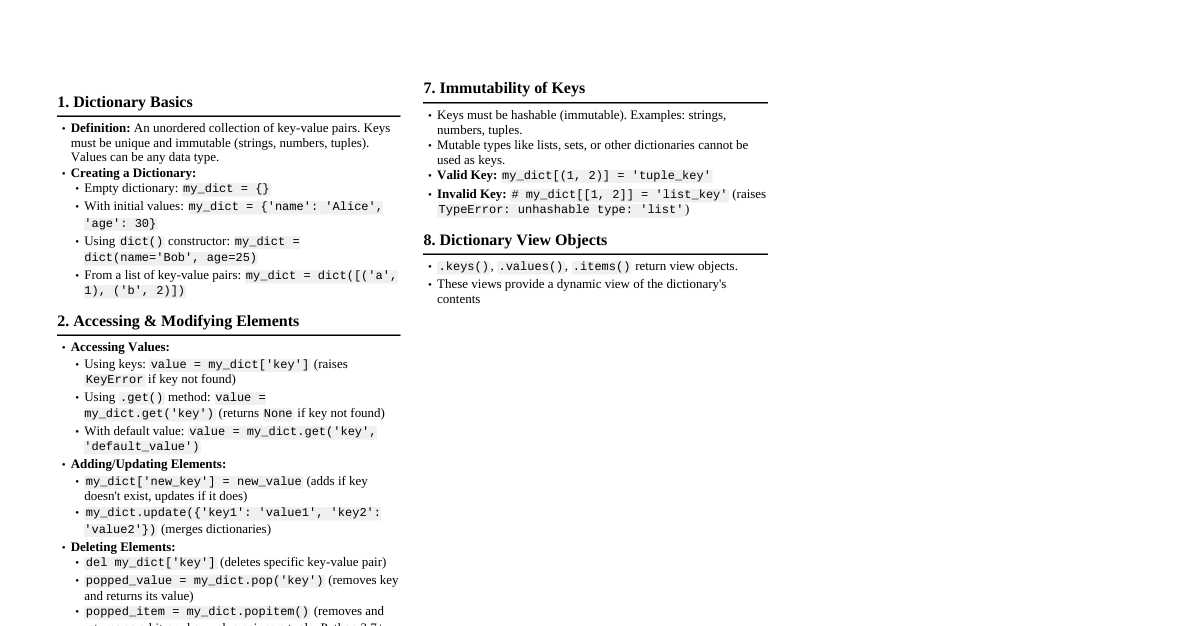
1. Python Basics & Environment Comments: Single-line: # This is a single-line comment. Multi-line (Docstrings): """This is a multi-line string, often used as a docstring for functions/classes.""" Variables and Assignment: No explicit type declaration. Type inferred at assignment: x = 10 (int), name = "Alice" (str), pi = 3.14 (float). Dynamic Typing: A variable's type can change: x = 5 , then x = "five" . Multiple Assignment: a, b, c = 1, 2, "hello" . Swapping Variables: a, b = b, a (without temp variable). Built-in Data Types: Numbers: int : Arbitrary precision integers (e.g., 10 , -5 ). float : Double-precision floating-point numbers (e.g., 3.14 , 1.0e-3 ). complex : Complex numbers (e.g., 1 + 2j ). Booleans: bool ( True , False ). Subclass of int ( True is 1, False is 0). Strings: str (immutable sequences of Unicode characters). Defined with '' , "" , or '''...''' , """...""" . Lists: list (mutable, ordered collections of items). [1, 2, "a"] . Tuples: tuple (immutable, ordered collections of items). (1, 2, "a") . Sets: set (mutable, unordered collections of unique items). {1, 2, 3} . Dictionaries: dict (mutable, unordered collections of key-value pairs). {'key': 'value'} . None: NoneType (singleton object representing absence of a value). Input/Output: Input: user_input = input("Prompt: ") (always returns a string). Output: print() function. Basic: print("Hello World") Multiple arguments: print("Name:", name, "Age:", age) (separated by space by default). sep and end parameters: print(a, b, sep='-', end='!\n') f-strings (Formatted String Literals, Python 3.6+): f"Name: {name}, Age: {age:.1f}" . .format() method: "Name: {}, Age: {}".format(name, age) . 2. Operators and Expressions Arithmetic Operators: + , - , * , / (true division, result is float), // (floor division, result is int), % (modulo), ** (exponentiation). Comparison Operators: == (equal), != (not equal), (less than), > (greater than), (less or equal), >= (greater or equal). Return True or False . Logical Operators: and : Logical AND. True if both operands are true. or : Logical OR. True if at least one operand is true. not : Logical NOT. Inverts the boolean value. Short-circuit evaluation applies. Assignment Operators: = , += , -= , *= , /= , //= , %= , **= . Identity Operators: is : Returns True if two variables point to the same object in memory. is not : Returns True if two variables point to different objects. Note: == compares values, is compares identities. For immutable types, CPython often interns small values (e.g., small integers, short strings) so a is b might be true when not expected. Membership Operators: in : Returns True if a value is found in a sequence (list, tuple, string, set, dict keys). not in : Returns True if a value is not found. Bitwise Operators: & (AND), | (OR), ^ (XOR), ~ (NOT), (left shift), >> (right shift). Operate on integer bits. Operator Precedence: Follows standard mathematical rules (e.g., ** > * / / > + / - ). Parentheses () override precedence. 3. Control Flow Conditional Statements (`if`/`elif`/`else`): if condition1: # Code block A elif condition2: # Code block B else: # Code block C Conditions evaluate to boolean True or False . Indentation (4 spaces, standard) defines code blocks. "Falsy" values: None , False , 0 , 0.0 , "" (empty string), [] (empty list), () (empty tuple), {} (empty dict), set() (empty set). All others are "truthy". Loops: for loop: Iterates over elements of an iterable. for item in iterable: # Do something with item else: # Optional: runs if loop completes without 'break' Example: for i in range(5): print(i) ( range(stop) , range(start, stop) , range(start, stop, step) ). Example: for index, value in enumerate(my_list): print(f"{index}: {value}") . while loop: Repeats as long as a condition is true. while condition: # Do something # Must eventually make condition False to avoid infinite loop else: # Optional: runs if loop completes without 'break' Loop Control Statements: break : Terminates the current loop entirely. continue : Skips the rest of the current iteration and proceeds to the next iteration of the loop. pass : A null operation; nothing happens. Used as a placeholder where a statement is syntactically required but you don't want to execute any code. 4. Functions Defining Functions: def function_name(parameter1, parameter2=default_value, *args, **kwargs): """Docstring: Explains what the function does, its arguments, and what it returns.""" # Function body # ... return result def keyword. Parameters are local to the function. return statement sends a value back to the caller. If omitted, returns None . Function Arguments: Positional Arguments: Passed in order: func(10, "hello") . Keyword Arguments: Passed with name=value , order doesn't matter for keyword args: func(name="Alice", age=30) . Default Arguments: Parameters with default values. Must be defined after non-default arguments: def greet(name="Guest"): ... . Arbitrary Positional Arguments ( *args ): Collects extra positional arguments into a tuple: def func(*args): print(args) . Arbitrary Keyword Arguments ( **kwargs ): Collects extra keyword arguments into a dictionary: def func(**kwargs): print(kwargs) . Scope Rules (LEGB): Determines the order in which Python searches for names (variables, functions, classes). L (Local): Inside the current function. E (Enclosing function locals): From outer to inner function scope. G (Global): At the top level of a module. B (Built-in): Names pre-defined in Python (e.g., print , len ). global keyword: Modifies a global variable from within a function. nonlocal keyword: Modifies a variable in an enclosing (non-global) scope. Lambda Functions (Anonymous Functions): Single-expression functions, defined using lambda . Syntax: lambda arguments: expression . Example: add = lambda x, y: x + y ; print(add(2, 3)) outputs 5 . Often used for short callbacks or functions passed to higher-order functions (e.g., map() , filter() , sorted() ). Higher-Order Functions: Functions that take other functions as arguments or return functions. map(function, iterable) : Applies function to all items in iterable . filter(function, iterable) : Constructs an iterator from elements of iterable for which function returns true. sorted(iterable, key=func, reverse=True) : Returns a new sorted list. 5. Data Structures in Detail 5.1. Strings (`str`) Immutable sequence of Unicode characters. Creation: 'hello' , "world" , '''multi-line''' , r"raw\nstring" (no escape sequences). Concatenation: "Hello" + " " + "World" . Repetition: "abc" * 3 results in "abcabcabc" . Indexing: s[0] (first char), s[-1] (last char). Slicing: s[start:end:step] ( end is exclusive). s[1:5] , s[:5] , s[1:] , s[::2] (every second char), s[::-1] (reverse string). Common Methods: len(s) : Length. s.upper() , s.lower() , s.capitalize() , s.title() . s.strip() , s.lstrip() , s.rstrip() : Remove whitespace (or specified chars). s.split(delimiter) : Returns a list of substrings. delimiter.join(iterable_of_strings) : Joins strings in iterable. s.find(substring) , s.index(substring) : Find substring ( index raises error if not found). s.replace(old, new) . s.startswith(prefix) , s.endswith(suffix) . s.isnumeric() , s.isalpha() , s.isalnum() , s.isspace() . 5.2. Lists (`list`) Mutable, ordered sequence of items (can be of different types). Creation: [] , [1, "two", 3.0] , list(iterable) . Indexing & Slicing: Same as strings. Common Methods: len(lst) . lst.append(item) : Adds item to the end. lst.extend(iterable) : Appends all items from iterable. lst.insert(index, item) : Inserts item at specific index. lst.remove(value) : Removes first occurrence of value. lst.pop(index=-1) : Removes and returns item at index (default last). lst.clear() : Removes all items. lst.index(value) : Returns index of first occurrence. lst.count(value) : Returns number of occurrences. lst.sort(key=func, reverse=True) : Sorts list in-place. lst.reverse() : Reverses list in-place. List Comprehensions: Concise way to create lists. Syntax: [expression for item in iterable if condition] Example: squares = [x**2 for x in range(10) if x % 2 == 0] 5.3. Tuples (`tuple`) Immutable, ordered sequence of items. Faster than lists for fixed data. Creation: () , (1, "two", 3.0) , tuple(iterable) . Single item tuple: (item,) (comma is crucial). Indexing & Slicing: Same as strings/lists. Common Methods: len(tpl) , tpl.count(value) , tpl.index(value) . Tuple Unpacking: Assigning tuple elements to variables: x, y = (10, 20) . 5.4. Sets (`set`) Mutable, unordered collection of unique, hashable items. Creation: {1, 2, 3} , set(iterable) . Cannot use {} for empty set (creates empty dict). Use set() for empty set. No indexing or slicing due to unordered nature. Common Methods: len(s) . s.add(item) . s.remove(item) : Raises KeyError if item not found. s.discard(item) : Removes item if present, no error if not found. s.pop() : Removes and returns an arbitrary item. s.clear() . Set Operations: Union: s1.union(s2) or s1 | s2 . Intersection: s1.intersection(s2) or s1 & s2 . Difference: s1.difference(s2) or s1 - s2 . Symmetric Difference: s1.symmetric_difference(s2) or s1 ^ s2 . Subset: s1.issubset(s2) or s1 . Superset: s1.issuperset(s2) or s1 >= s2 . Disjoint: s1.isdisjoint(s2) (no common elements). Frozenset: Immutable version of set. Can be used as dictionary keys or elements of another set. 5.5. Dictionaries (`dict`) Mutable, unordered (ordered since Python 3.7+ guarantee), collections of key-value pairs. Keys must be unique and hashable (immutable types like strings, numbers, tuples). Creation: {} , {'name': 'Alice', 'age': 30} , dict(key1=value1, key2=value2) , dict(zip(keys, values)) . Accessing Values: d[key] : Raises KeyError if key not found. d.get(key, default_value) : Returns default_value (or None ) if key not found. Adding/Modifying Items: d[key] = value . Removing Items: del d[key] : Removes key-value pair. d.pop(key, default_value) : Removes key and returns its value. d.popitem() : Removes and returns an arbitrary (last inserted in 3.7+) key-value pair as a tuple. d.clear() : Empties the dictionary. Common Methods: len(d) . d.keys() : View of all keys. d.values() : View of all values. d.items() : View of all (key, value) pairs. d.update(other_dict) : Merges other_dict into d . Dictionary Comprehensions: Syntax: {key_expr: value_expr for item in iterable if condition} Example: squares_dict = {x: x**2 for x in range(5) if x > 0} 6. Object-Oriented Programming (OOP) Classes and Objects: Class: A blueprint for creating objects (instances). Object: An instance of a class. Class Definition: class MyClass: class_attribute = "A shared value" # Class variable, shared by all instances def __init__(self, param1, param2): """Constructor: Initializes a new instance of the class.""" self.instance_attribute1 = param1 # Instance variable, unique to each instance self.instance_attribute2 = param2 def instance_method(self): """Method that operates on the instance (requires 'self').""" return f"Instance: {self.instance_attribute1}, Class: {MyClass.class_attribute}" @classmethod def class_method(cls, new_value): """Method bound to the class, not the instance (requires 'cls').""" cls.class_attribute = new_value return f"Class attribute updated to {cls.class_attribute}" @staticmethod def static_method(arg): """Method not bound to the class or instance. Behaves like a regular function.""" return f"Static method processed: {arg}" def __str__(self): """String representation for human readability (e.g., print()).""" return f"MyClass(param1={self.instance_attribute1})" def __repr__(self): """Official string representation for developers (e.g., debugging).""" return f"MyClass('{self.instance_attribute1}', '{self.instance_attribute2}')" self : A convention for the first parameter of instance methods, refers to the instance itself. cls : A convention for the first parameter of class methods, refers to the class itself. Constructor (`__init__`) : Special method called when an object is created. Inheritance: A class can inherit attributes and methods from another class. class Parent: def __init__(self, name): self.name = name def greet(self): return f"Hello, {self.name}" class Child(Parent): # Inherits from Parent def __init__(self, name, age): super().__init__(name) # Call parent's constructor self.age = age def greet(self): # Method overriding return f"Hi, I'm {self.name} and I'm {self.age} years old." super() : Used to call a method from the parent class. Encapsulation: Bundling data (attributes) and methods that operate on the data within a single unit (class). Python uses conventions for visibility: Public: variable (accessible from anywhere). Protected: _variable (convention, suggests internal use, but still accessible). Private: __variable (name mangling, Python renames it to _ClassName__variable , making it harder to access directly but not impossible). Polymorphism: The ability of different objects to respond to the same method call in their own way. Achieved through method overriding and inheritance. Abstraction: Hiding complex implementation details and showing only the essential features. Achieved using abstract base classes ( abc module). Dunder Methods (Magic Methods): Special methods with double underscores (e.g., __len__ , __add__ , __getitem__ ). Allow objects to interact with built-in functions and operators. __len__(self) : Called by len() . __add__(self, other) : Called by + operator. __getitem__(self, key) : Called for obj[key] . 7. Modules and Packages Module: A single Python file ( .py ) containing Python definitions and statements. Each module has its own namespace. Importing Modules: import module_name : Imports the module. Access via module_name.item . import module_name as mn : Imports with an alias. Access via mn.item . from module_name import item1, item2 : Imports specific items into current namespace. Access directly via item1 . from module_name import * : Imports all public items. Discouraged in production code due to potential name clashes. Packages: A way of organizing related modules into a directory hierarchy. A directory becomes a Python package if it contains an __init__.py file (can be empty, but required for Python 2, optional for Python 3.3+). Example structure: my_package/ __init__.py module_a.py subpackage_b/ __init__.py module_c.py Importing from package: import my_package.module_a , from my_package.subpackage_b import module_c . Standard Library: Python comes with a vast standard library. math : Mathematical functions (e.g., sqrt , sin , pi ). random : Random number generation (e.g., randint , choice ). os : Operating system interaction (e.g., file paths, environment variables). sys : System-specific parameters and functions (e.g., sys.argv , sys.exit ). datetime : Date and time manipulation. json : Working with JSON data. re : Regular expressions. collections : Specialized container datatypes (e.g., deque , Counter , defaultdict ). itertools : Functions creating iterators for efficient looping. Third-Party Packages (`pip`): pip install package_name : Installs a package. pip uninstall package_name : Uninstalls a package. pip list : Lists installed packages. pip freeze > requirements.txt : Saves current environment to a file. pip install -r requirements.txt : Installs packages from a file. 8. Error and Exception Handling Errors vs. Exceptions: Syntax Errors: Program cannot be parsed (e.g., missing colon, incorrect indentation). Exceptions: Errors detected during execution (e.g., division by zero, file not found). try-except-else-finally Block: try: # Code that might raise an exception result = 10 / 0 except ZeroDivisionError: # This block executes if a ZeroDivisionError occurs print("Cannot divide by zero!") except ValueError as e: # This block executes for a ValueError, 'e' holds the exception instance print(f"Invalid value: {e}") except Exception as e: # Generic exception handler for any other exceptions print(f"An unexpected error occurred: {e}") else: # This block executes ONLY if no exception occurred in the 'try' block print("Operation successful!") finally: # This block ALWAYS executes, regardless of whether an exception occurred or not print("Cleanup operations.") Can have multiple except blocks for different exception types. except Exception as e is a catch-all, generally placed last. Common Built-in Exceptions: TypeError : Operation applied to an object of inappropriate type. NameError : A local or global name is not found. IndexError : Sequence index is out of range. KeyError : Dictionary key not found. FileNotFoundError : File or directory not found. AttributeError : Attribute reference or assignment fails. ValueError : Built-in operation or function receives an argument that has the right type but an inappropriate value. Raising Exceptions: raise ExceptionType("Error message") . Used to signal that an error condition has occurred. Example: if x . Custom Exceptions: Define your own exception classes by inheriting from an existing exception (usually Exception ). class CustomError(Exception): def __init__(self, message="A custom error occurred"): self.message = message super().__init__(self.message) 9. File Input/Output (I/O) Opening Files: file_object = open(file_path, mode, encoding='utf-8') `file_path` : String, path to the file. `mode` : String specifying how the file will be used: 'r' : Read (default). File must exist. 'w' : Write. Creates new file or truncates existing one. 'a' : Append. Creates new file or appends to end of existing. 'x' : Exclusive creation. Fails if file exists. 'b' : Binary mode (e.g., 'rb' , 'wb' ). 't' : Text mode (default, e.g., 'rt' , 'wt' ). '+' : Update (read and write, e.g., 'r+' , 'w+' ). `encoding` : Specify character encoding (e.g., 'utf-8', 'latin-1'). Default is platform-dependent. Reading from Files: with open('my_file.txt', 'r') as f: content = f.read() # Read entire file as a single string lines = f.readlines() # Read all lines into a list of strings first_line = f.readline() # Read one line # Iterating line by line (memory efficient for large files) for line in f: print(line.strip()) # .strip() removes trailing newline Writing to Files: with open('output.txt', 'w') as f: f.write("Hello, Python!\n") f.write("This is a new line.\n") lines_to_write = ["Line 1\n", "Line 2\n"] f.writelines(lines_to_write) # Writes list of strings Closing Files: file_object.close() . Crucial to release resources. The with statement (context manager) is highly recommended as it automatically handles closing the file, even if errors occur. Working with Paths ( os.path , pathlib ): import os : os.path.join() , os.path.exists() , os.mkdir() , os.listdir() . import pathlib (modern, object-oriented): Path('dir') / 'file.txt' , Path.exists() , Path.mkdir() . 10. Advanced Topics 10.1. Iterators and Generators Iterable: An object capable of returning its members one at a time. Objects implementing __iter__() (which returns an iterator) are iterable. (e.g., lists, tuples, strings, dictionaries, sets). Iterator: An object that represents a stream of data. Objects implementing __iter__() and __next__() methods are iterators. iter(iterable) : Gets an iterator from an iterable. next(iterator) : Retrieves the next item from the iterator. Raises StopIteration when no more items. Generators: Functions that produce a sequence of results instead of a single value. They "yield" a value rather than "return" it. When a generator function is called, it returns a generator object (an iterator). Execution pauses at yield and resumes from there on the next call to next() . def count_up_to(max_val): count = 0 while count Generator Expressions: Similar to list comprehensions but use parentheses () and create a generator object (lazy evaluation). Example: squares_gen = (x**2 for x in range(10)) . More memory efficient for large sequences. 10.2. Decorators A decorator is a function that takes another function as an argument, adds some functionality, and returns the modified function. Syntactic sugar using @decorator_name . Useful for logging, timing, access control, memoization, etc. def timer(func): import time def wrapper(*args, **kwargs): start_time = time.time() result = func(*args, **kwargs) end_time = time.time() print(f"Function '{func.__name__}' ran in {end_time - start_time:.4f}s") return result return wrapper @timer # This is equivalent to: my_function = timer(my_function) def long_running_function(): sum(range(10000000)) long_running_function() Decorators can also take arguments. 10.3. Concurrency (Threading, Multiprocessing, Asyncio) CPU-bound vs. I/O-bound: CPU-bound: Tasks that spend most of their time doing computations (e.g., heavy math, data processing). I/O-bound: Tasks that spend most of their time waiting for external operations (e.g., network requests, disk I/O). Threading (`threading` module): Runs multiple threads within the same process. Threads share memory. Best for I/O-bound tasks due to Python's Global Interpreter Lock (GIL), which allows only one thread to execute Python bytecode at a time. Example: import threading import time def task(name): print(f"Thread {name}: Starting") time.sleep(1) # Simulate I/O operation print(f"Thread {name}: Finishing") thread1 = threading.Thread(target=task, args=("One",)) thread2 = threading.Thread(target=task, args=("Two",)) thread1.start() thread2.start() thread1.join() # Wait for thread1 to complete thread2.join() # Wait for thread2 to complete Multiprocessing (`multiprocessing` module): Runs multiple processes, each with its own Python interpreter and memory space. Bypasses the GIL. Best for CPU-bound tasks. More overhead than threading due to inter-process communication. Example: import multiprocessing import time def cpu_task(name): print(f"Process {name}: Starting CPU-bound work") result = sum(i*i for i in range(10**7)) print(f"Process {name}: Finished with {result}") process1 = multiprocessing.Process(target=cpu_task, args=("A",)) process2 = multiprocessing.Process(target=cpu_task, args=("B",)) process1.start() process2.start() process1.join() process2.join() Asyncio (`asyncio` module): Single-threaded, single-process concurrency using cooperative multitasking ( async / await ). Ideal for highly I/O-bound and high-concurrency applications where waiting is common. Requires explicit yielding of control ( await ) from one coroutine to another. Example: import asyncio async def fetch_url(url): print(f"Fetching {url}...") await asyncio.sleep(2) # Simulate network I/O print(f"Finished {url}") return f"Data from {url}" async def main(): urls = ["url1.com", "url2.com", "url3.com"] tasks = [fetch_url(url) for url in urls] results = await asyncio.gather(*tasks) # Run tasks concurrently print(results) asyncio.run(main()) 10.4. Regular Expressions (`re` module) Used for pattern matching within strings. Import: import re . Core Functions: re.match(pattern, string, flags=0) : Searches for pattern only at the beginning of the string. Returns a Match object or None . re.search(pattern, string, flags=0) : Searches for the first occurrence of pattern anywhere in the string. Returns a Match object or None . re.findall(pattern, string, flags=0) : Returns a list of all non-overlapping matches. re.finditer(pattern, string, flags=0) : Returns an iterator yielding Match objects for all non-overlapping matches. re.sub(pattern, replacement, string, count=0, flags=0) : Replaces occurrences of pattern with replacement . re.compile(pattern, flags=0) : Compiles a regex pattern into a regex object for efficiency if used multiple times. Match Object: match.group(0) : The entire match. match.group(1) : The first captured group. match.groups() : A tuple of all captured groups. match.start() , match.end() , match.span() . Common Regex Metacharacters and Sequences: . : Any character (except newline). ^ : Start of the string. $ : End of the string. * : Zero or more occurrences of the preceding element. (Greedy) + : One or more occurrences of the preceding element. (Greedy) ? : Zero or one occurrence of the preceding element. (Greedy) *? , +? , ?? : Non-greedy versions. {n} : Exactly n occurrences. {n,} : At least n occurrences. {n,m} : Between n and m occurrences. [] : Character set (e.g., [abc] , [a-z] , [0-9] ). [^ ] : Negated character set (matches any character NOT in the set). | : OR operator. () : Grouping and capturing. \ : Escape special characters (e.g., \. matches a literal dot). \d : Digit ( [0-9] ). \D : Non-digit. \w : Word character ( [a-zA-Z0-9_] ). \W : Non-word character. \s : Whitespace character (space, tab, newline). \S : Non-whitespace. \b : Word boundary. \B : Non-word boundary. Flags: re.IGNORECASE or re.I : Case-insensitive matching. re.MULTILINE or re.M : ^ and $ match start/end of lines. re.DOTALL or re.S : . matches all characters, including newline. 11. Best Practices & Development Tools PEP 8: The official style guide for Python code. Use 4 spaces for indentation. Line length limit (79 chars for code, 72 for docstrings). Blank lines for separation. Naming conventions ( snake_case for functions/variables, CamelCase for classes, UPPER_SNAKE_CASE for constants). Virtual Environments: Isolate project dependencies. venv (built-in): python -m venv .venv , activate with source .venv/bin/activate (Linux/macOS) or .venv\Scripts\activate (Windows PowerShell). conda (Anaconda/Miniconda): conda create -n myenv python=3.9 , activate with conda activate myenv . Testing: Ensure code correctness and prevent regressions. unittest : Built-in testing framework, xUnit-style. pytest : Popular third-party framework, simpler syntax, powerful features (fixtures, plugins). Test-Driven Development (TDD): Write tests before writing code. Linters and Formatters: Maintain code quality and consistency. Linters: Analyze code for potential errors, style violations, and bad practices (e.g., flake8 , pylint ). Formatters: Automatically reformat code to adhere to style guides (e.g., black , isort for imports). Documentation: Docstrings: Use for modules, classes, functions, and methods. Follow conventions (e.g., Google, NumPy, reStructuredText styles). Sphinx: Popular tool for generating comprehensive project documentation from reStructuredText or Markdown docstrings. Version Control: Git is essential for tracking changes and collaboration. git init , git add , git commit , git push , git pull . Integrated Development Environments (IDEs) & Editors: PyCharm: Full-featured IDE for Python. VS Code: Lightweight but powerful, excellent Python extensions. Jupyter Notebook/Lab: Interactive computing environment, great for data science.