C Programming Theory
Cheatsheet Content
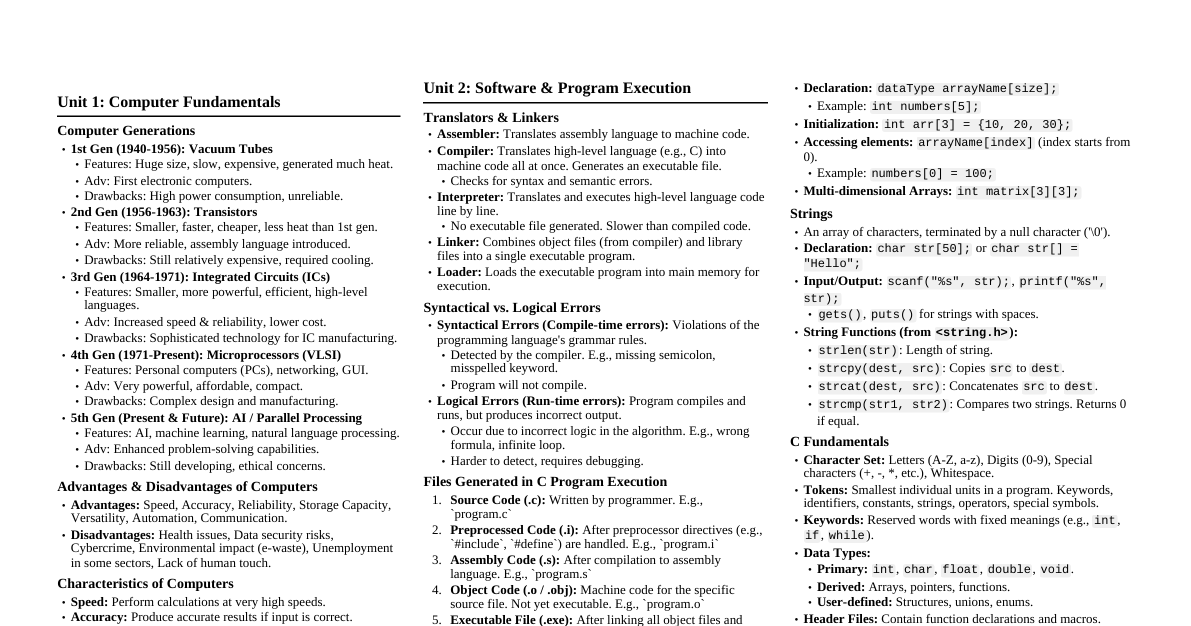
### Arrays An **array** is a collection of similar data items stored at contiguous memory locations. It's a way to store multiple values of the same type under a single variable name. Each item in an array is called an element, and each element can be accessed by its index. #### Types of Arrays: - **One-Dimensional Arrays:** The simplest form of an array, storing elements in a single row or column. * **Example:** `int numbers[5];` declares an array named `numbers` that can hold 5 integer values. - **Multi-Dimensional Arrays:** Arrays that can store data in more than one dimension, such as two-dimensional arrays (matrices) or three-dimensional arrays. * **Example (Two-Dimensional):** `int matrix[3][3];` declares a 3x3 matrix. ### Strings A **string** in C is an array of characters terminated by a null character (`\0`). Strings are used to store and manipulate text data. #### String Operations and Manipulation Functions: - **`strlen()`:** Calculates the length of a string (excluding the null terminator). - **`strcpy()`:** Copies one string to another. - **`strcat()`:** Concatenates (joins) two strings. - **`strcmp()`:** Compares two strings lexicographically. - **`strchr()`:** Finds the first occurrence of a character in a string. - **`strstr()`:** Finds the first occurrence of a substring in a string. ### Character Handling Functions These functions are declared in the ` ` header file and are used to test and manipulate characters. - **`isalpha()`:** Checks if a character is an alphabet (a-z or A-Z). - **`isdigit()`:** Checks if a character is a digit (0-9). - **`isalnum()`:** Checks if a character is alphanumeric (alphabet or digit). - **`isspace()`:** Checks if a character is a whitespace character (space, tab, newline, etc.). - **`isupper()`:** Checks if a character is an uppercase letter. - **`islower()`:** Checks if a character is a lowercase letter. - **`toupper()`:** Converts a lowercase letter to an uppercase letter. - **`tolower()`:** Converts an uppercase letter to a lowercase letter. ### Functions A **function** is a block of code that performs a specific task. Functions help in breaking down a large program into smaller, manageable, and reusable modules. #### Types of Functions: - **Library Functions:** Pre-defined functions available in C's standard library (e.g., `printf()`, `scanf()`, `sqrt()`). - **User-Defined Functions:** Functions created by the programmer to perform specific tasks. * **Example:** A function to calculate the sum of two numbers. ```c // Function to add two integers int add(int a, int b) { return a + b; } ``` ### Call by Value and Call by Address These are two ways to pass arguments to a function in C. - **Call by Value:** When arguments are passed by value, the function receives copies of the actual arguments. Changes made to the parameters inside the function do not affect the original arguments in the calling function. * **Example:** If you pass an integer `x` to a function, the function works on a copy of `x`. Modifying this copy won't change the original `x`. - **Call by Address (or Call by Reference):** When arguments are passed by address, the function receives the memory addresses (pointers) of the actual arguments. This allows the function to directly access and modify the original arguments in the calling function. * **Example:** If you pass the address of an integer `x` to a function, the function can use this address to change the value of `x` in the calling function. ### Pointers A **pointer** is a variable that stores the memory address of another variable. Pointers are fundamental in C for tasks like dynamic memory allocation, working with arrays and strings efficiently, and implementing data structures. - **Declaration:** `data_type *pointer_name;` (e.g., `int *ptr;`) - **Dereferencing:** Using the `*` operator to access the value at the address stored in the pointer. - **Address-of Operator:** Using the `&` operator to get the memory address of a variable. * **Example:** ```c int num = 10; int *ptr; // Declares a pointer to an integer ptr = # // Stores the address of 'num' in 'ptr' // Now, *ptr would give the value 10 ``` ### Dynamic Memory Allocation **Dynamic memory allocation** allows programs to allocate memory during runtime rather than at compile time. This is useful when the exact memory requirements are not known beforehand. #### Types of Dynamic Memory Allocation Functions: - **`malloc()` (Memory Allocation):** Allocates a block of memory of a specified size and returns a pointer to the beginning of the block. The allocated memory contains garbage values. - **`calloc()` (Contiguous Allocation):** Allocates multiple blocks of memory, each of the same size, and initializes all bytes to zero. It returns a pointer to the first block. - **`realloc()` (Re-allocation):** Changes the size of a previously allocated memory block. It can expand or shrink the memory. - **`free()`:** Deallocates the memory previously allocated by `malloc()`, `calloc()`, or `realloc()`, making it available for future use. * **Example:** ```c int *arr; arr = (int *) malloc(5 * sizeof(int)); // Allocates memory for 5 integers if (arr == NULL) { // Handle error } // Use arr free(arr); // Deallocates the memory ``` ### Structures A **structure** in C is a user-defined data type that allows you to combine different data types into a single unit. It's a way to create a record that can hold related variables of different types. - **Declaration:** Uses the `struct` keyword. * **Example:** ```c struct Student { int id; char name[50]; float percentage; }; ``` - **Accessing Members:** Members are accessed using the dot (`.`) operator with a structure variable, or the arrow (`->`) operator with a pointer to a structure. ### Unions A **union** in C is a special data type that allows different data types to be stored in the same memory location. All members of a union share the same memory space, but only one member can hold a value at any given time. The size of a union is determined by the size of its largest member. - **Declaration:** Uses the `union` keyword. * **Example:** ```c union Data { int i; float f; char str[20]; }; ``` - **Memory Efficiency:** Useful when you need to store different types of data in the same memory location at different times, thus saving memory. ### Difference between STRUCTURE and UNION | Feature | Structure | Union | | :------------- | :--------------------------------------------- | :--------------------------------------------- | | **Keyword** | `struct` | `union` | | **Memory** | Each member has its own separate memory location. | All members share the same memory location. | | **Size** | Sum of the sizes of all its members. | Size of its largest member. | | **Value** | All members can hold values simultaneously. | Only one member can hold a value at a time. | | **Use Case** | Grouping related data of different types. | Memory optimization where only one member's value is needed at a time. | ### File Operations and Modes **File handling** in C allows programs to interact with files stored on disk, enabling data persistence. #### Types of File Operations: - **Opening a file:** Using `fopen()` to establish a connection to a file. - **Reading from a file:** Using functions like `fscanf()`, `fgets()`, `getc()` to retrieve data. - **Writing to a file:** Using functions like `fprintf()`, `fputs()`, `putc()` to store data. - **Closing a file:** Using `fclose()` to terminate the connection and save changes. - **Seeking:** Using `fseek()` to move the file pointer to a specific location within the file. #### File Modes: - **`"r"` (read):** Opens a file for reading. File must exist. - **`"w"` (write):** Opens a file for writing. If the file exists, its contents are truncated (emptied). If it doesn't exist, a new one is created. - **`"a"` (append):** Opens a file for writing, appending data to the end of the file. If the file doesn't exist, a new one is created. - **`"r+"` (read and write):** Opens a file for both reading and writing. File must exist. - **`"w+"` (write and read):** Opens a file for both reading and writing. If the file exists, its contents are truncated. If it doesn't exist, a new one is created. - **`"a+"` (append and read):** Opens a file for both reading and appending. If the file doesn't exist, a new one is created.