Mobile Platforms & Application
Shared 5/21/2026•1 views
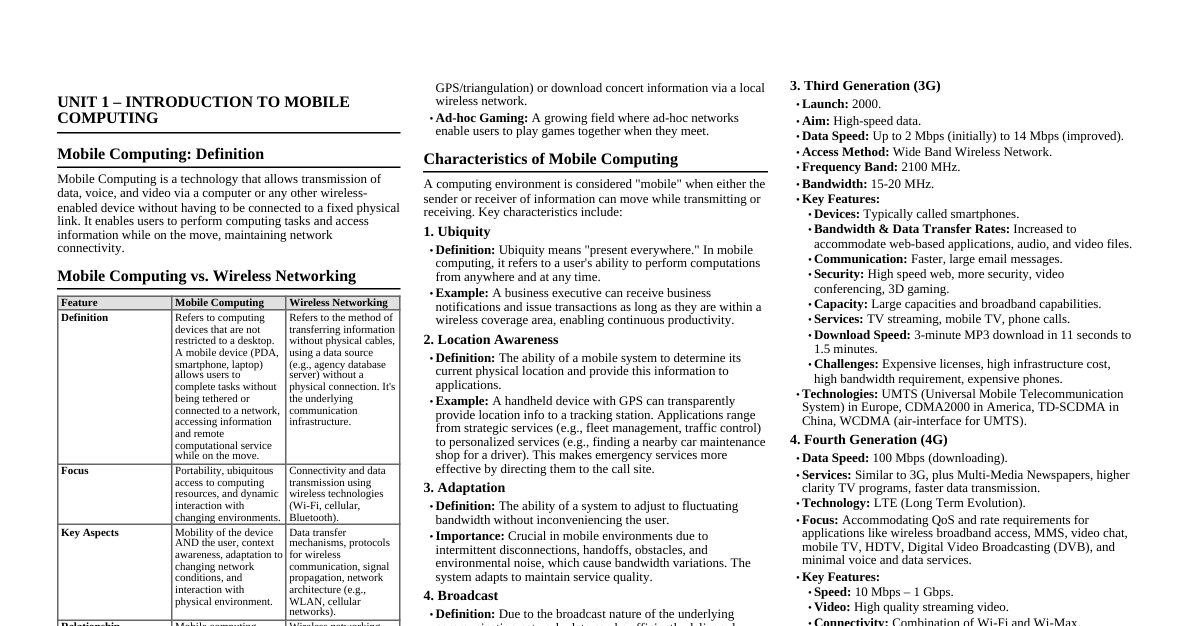
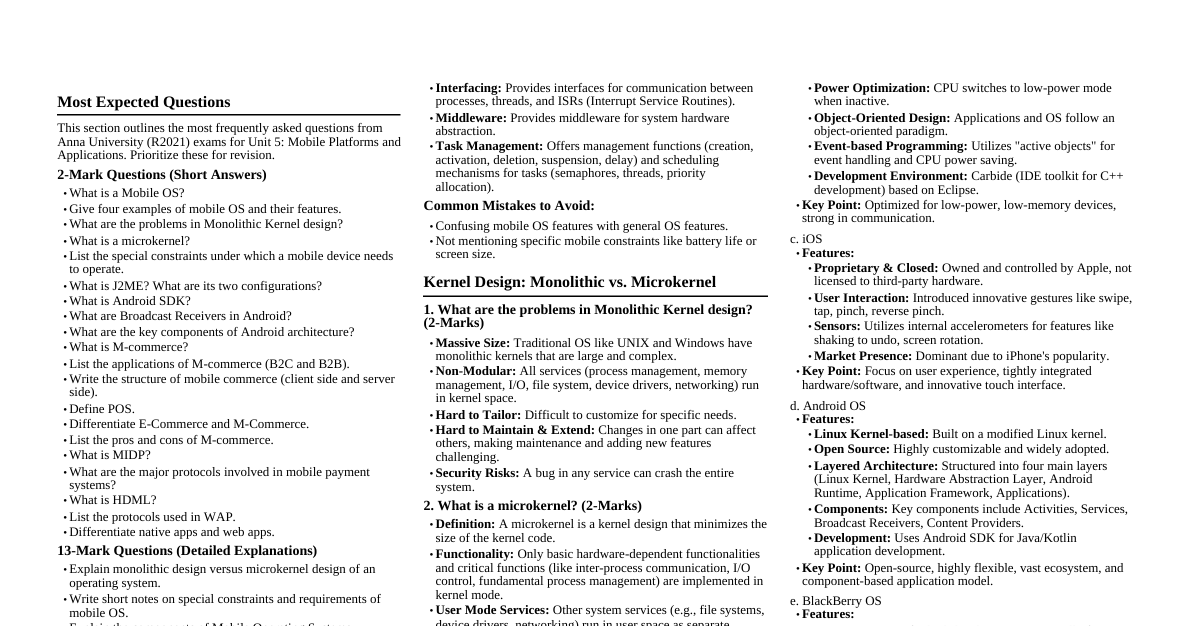
### UNIT 5 – MOBILE PLATFORMS AND APPLICATIONS This unit covers the foundational aspects of mobile computing, focusing on operating systems, development platforms, mobile commerce, and payment systems. It is designed for comprehensive exam preparation, emphasizing detailed explanations, comparisons, and practical applications. ### Mobile Device Operating Systems #### Definition and Purpose A Mobile Operating System (OS) is the software that manages the hardware and software resources of a mobile device (like smartphones, tablets, PDAs). Its primary purpose is to facilitate the efficient utilization of device resources by performing multiple tasks, managing the processor, memory, files, and attached devices (camera, speaker, keyboard, screen). #### Special Constraints and Requirements of Mobile OS Mobile devices operate under unique limitations that influence OS design: - **Limited Memory:** Less permanent and volatile storage compared to desktop systems. - **Limited Screen Size:** Restricts the amount of information that can be displayed simultaneously. - **Miniature Keyboard:** Makes typing and entering complex commands difficult. - **Limited Processing Power:** Processors are often application-resource-manager (ARM) based with restricted power. - **Limited Battery Power:** OS must be highly power-efficient to maximize battery life. - **Fluctuating Bandwidth:** Wireless network connectivity can be unstable and vary in speed. #### Requirements of Mobile OS A robust mobile OS must provide: - **Hardware Abstraction:** Enables applications to run without needing to know the low-level details of the mobile system hardware (e.g., display type, font size, memory addresses). - **Device Driver Abstraction:** Abstracts device-specific details from applications. - **Inter-Process Communication (IPC):** Provides interfaces for communication between processes, threads, and Interrupt Service Routines (ISRs) at application and middleware layers. - **Middleware:** Provides a layer of services for system hardware. - **Task Management:** Functions for creation, activation, deletion, suspension, and delay of tasks. - **Memory Management:** Efficient allocation and deallocation of memory resources. - **Process Management:** Enables running of processes and helps them obtain system resources. - **Scheduling:** Functions to schedule multiple tasks in the system. - **Synchronization:** Mechanisms (e.g., semaphores/tokens) to synchronize tasks and threads, managing their priority allocation. - **Real-time Execution:** Accomplishes real-time execution of application tasks and threads. ### Monolithic Kernel vs. Microkernel Design Understanding kernel design is crucial for comprehending OS architecture. #### Monolithic Kernel - **Definition:** A single, large process running entirely in a single address space. - **Characteristics:** - All basic OS services (process management, memory management, interrupt handling, I/O communication, file system, device drivers, networking) run in kernel space. - Entire services are loaded on boot-up and reside in memory. - Work is done using system calls. - Kernel services can invoke functions directly. - It is a single static binary file. - **Examples:** Unix, Linux. - **Disadvantages:** - **Massive & Non-modular:** Becomes very large and complex. - **Hard to Tailor:** Difficult to customize for specific needs. - **Maintenance & Extension:** Challenging to maintain and extend due to tight coupling. - **Single Point of Failure:** A bug in one service can crash the entire system. #### Microkernel - **Definition:** Reduces the kernel to only basic process communication and I/O control, allowing other system services to run in user space as normal processes. - **Characteristics:** - Only basic hardware-dependent functionalities and a few critical functionalities are implemented in kernel mode. - Other system services (called "servers") run in user space, separated in different address spaces. - Communication between services is done via message passing (Inter-Process Communication - IPC). - If one server fails, other servers can continue to work efficiently. - **Examples:** Mac OS X, Windows NT. - **Advantages:** - **Minimized Kernel Size:** Makes the kernel smaller and more manageable. - **Modularity:** Services are separated, improving system robustness. - **Easier to Port:** Simpler to adapt the OS to new hardware. - **Extension & Maintenance:** Easier to extend and maintain individual services without affecting the core kernel. - **Fault Isolation:** Failure in a user-space server does not crash the entire OS. #### Comparison Table: Monolithic vs. Microkernel | Feature | Monolithic Kernel | Microkernel | | :------------------ | :------------------------------------------------ | :-------------------------------------------------- | | **Structure** | Single, large process | Small core kernel + user-space servers | | **Address Space** | All services in kernel address space | Core kernel in kernel space, services in user space | | **Communication** | Direct function calls | Message passing (IPC) | | **Size** | Large | Small | | **Modularity** | Low | High | | **Robustness** | Low (single point of failure) | High (fault isolation) | | **Complexity** | High (for developers) | Lower (for core kernel) | | **Performance** | Generally faster (direct calls) | Slower (IPC overhead) | | **Examples** | Unix, Linux | Mac OS X, Windows NT | | **Maintainability** | Hard to maintain and extend | Easier to maintain and extend | ### Commercial Mobile Operating Systems #### Windows OS (Mobile) - **Key Features:** - **Graphics/Window/Event Manager (GWE):** Handles all input and output operations. - **Virtual Memory Management:** Provides efficient memory utilization. - **Security:** Supports a cryptographic library for secure operations. - **Application Development:** Similar to Win32 environment, leveraging existing developer knowledge. - **Multitasking:** Traditionally, background applications go into hibernation and activate only when in the foreground (not true multitasking). Newer versions aimed for true multitasking. #### Symbian OS - **Key Features:** - **Communication & Networking:** Supports TCP, UDP, PPP, DNS, FTP, WAP protocols. - **Personal Area Networking:** Supports Bluetooth, Infrared, and USB connectivity. - **Pre-emptive Multitasking & Memory Protection:** Ensures efficient resource sharing and system stability. - **Microkernel-based:** Based on a microkernel architecture for modularity and robustness. - **Low-Power Mode:** CPU switches to low-power mode when applications are not responding to events, optimizing battery life. - **Object-Oriented Design:** Applications and the OS itself follow an object-oriented paradigm. - **Event-based Programming:** Uses "active objects" programming idiom where the CPU is idle until an event occurs. - **Carbide IDE:** An Integrated Development Environment toolkit for C++ application development on Symbian OS, based on Eclipse, providing editor, compiler, emulator, libraries, and header files. #### iOS - **Key Features:** - **Closed and Proprietary:** Fully owned and controlled by Apple; not licensed for third-party hardware. - **User Interaction:** Introduced innovative gestures like `swipe`, `tap`, `pinch`, and `reverse pinch` with specific definitions. - **Accelerometers:** Used by applications for features like "shaking" to undo commands or rotating the device for display mode changes (portrait/landscape). - **Significant Market Presence:** Driven by the overwhelming popularity of the iPhone. #### BlackBerry OS - **Key Features:** - **High Security:** Known for robust security features. - **Secure Communication:** Secure send and receive email using proprietary encryption. - **Multitasking:** Supports multitasking. - **Closed Architecture:** Limited choice of devices (primarily from Research In Motion). - **Complex Development:** Application development is more complex and costly compared to other OS. #### Comparison of Mobile OS (Features) | OS Name | Key Features | | :-------------- | :---------------------------------------------------------------------------------------------------------------------------------------------------------------------------------------------------------------------------------------------------------------------------------------------------------------------- | | **Windows OS** | Graphics/windows/event manager for all I/O, virtual memory, cryptographic security, Win32-like dev environment, background apps hibernate (not true multitasking). | | **Palm OS** | Single tasking operating system. | | **Symbian OS** | Real-time multitasking, pre-emptive, 32-bit OS, microkernel-based, low-power mode, object-oriented, event-based (active objects), Carbide IDE for C++. | | **iOS** | Contextual OS, Apple's proprietary system for iPhone/iPad/iPod Touch, gesture-based interaction (swipe, tap, pinch), uses accelerometers for device rotation/undo. | | **Android OS** | Code structured into four layers, Linux kernel-based, open-source. | | **BlackBerry OS** | High level of security, secure email (proprietary encryption), multitasking, closed architecture, limited devices, complex & costly application development. | ### J2ME (Java 2 Micro Edition) #### Purpose J2ME is a Java platform designed to enable applications for resource-constrained devices such as mobile phones, pagers, and PDAs. Its goal is "write once, run anywhere" for these small devices. #### Parameters for J2ME Applicability To be applicable to specific devices, J2ME considers: 1. **Availability of Memory Space and Memory Type:** Devices have limited RAM and storage. 2. **Specification of Processor:** Processor speed and type. 3. **Network Connectivity:** The type and bandwidth of network access. #### J2ME Configurations J2ME defines configurations to group devices with similar capabilities: | Configuration | Description | Examples | | :------------------------------------------ | :------------------------------------------------------------------------------------------------------------------------------------------------------------------------------------------------------------------------------------------------------------------------------------------------------------ | :------------------------------------------------------ | | **CLDC (Connected Limited Device Configuration)** | - For handheld devices with limited resources. | Pagers, PDAs, Cellphones, Dedicated Terminals, Handheld Devices | | | - Low memory, battery-powered, low bandwidth, wireless network connection. | | | | - Uses a miniature version of Java Virtual Machine (JVM) called **Kernel Virtual Machine (KVM)**. | | | **CDC (Connected Device Configuration)** | - For plug-in devices, generally higher-end devices. | Digital Set-top Boxes, Home Appliances, Navigation Systems, Smart Phones | | | - Typically 32-bit processors with up to 2 GB memory. | | | | - May be wired (e.g., DTV cable). | | #### J2ME Profiles Profiles build on configurations to provide APIs for specific vertical markets or device types. - **MIDP (Mobile Information Device Profile):** Built on CLDC, specifically for wireless devices (mobile phones). Provides APIs for UI, networking, persistent storage. - **Foundation Profile:** Built on CDC, for non-GUI networked devices. - **Personal Basis Profile, Personal Profile, RMI Profiles:** Offers graphics, PersonalJava environment, and RMI support for CDC and Foundation Profile based devices. #### J2ME Capabilities J2ME programs offer capabilities essential for mobile application development: - Opening UDP connections between two devices. - Establishing HTTP connections with a server. - Making socket connections. - Bluetooth programming. - Barcode scanning. #### "Write Once, Run Anywhere" J2ME achieves this principle through: - **KVM (Kernel Virtual Machine):** A miniature JVM specifically designed for resource-constrained devices, allowing small Java programs to run on mobile devices. ### Software Development Kits (SDKs) #### Android SDK The Android SDK is a comprehensive set of development tools for building applications on the Android platform. - **Components:** - **Required Libraries:** APIs for accessing Android features. - **Debugger:** For identifying and fixing code errors. - **Emulator:** A virtual device to test applications without physical hardware. - **API Documentation:** Detailed information on all available APIs. - **Sample Source Code:** Example applications to learn from. - **Tutorials:** Guides for various development tasks. #### Procedure to Develop an Application using Android SDK (Step-by-Step) 1. **Launch Android Studio:** Open the IDE. 2. **Create New Project:** Select "Start a new Android Studio Project." 3. **Configure Project:** - Set "Application Name" to "Hello Android." - Set "Company Domain" to "example.com." - Note the "Project Location." - Click "Next." 4. **Target Android Devices:** - Check "Phone and Tablet." - For minimum SDK, choose "API 14: Android 4.0 (IceCreamSandwich)." - Click "Next." 5. **Add Activity:** - Select "Blank Activity." - Click "Next." 6. **Customize Activity:** - Set "Activity Name" to "MainActivity." - Set "Layout Name" to "activity_main." - Set "Title" to "MainActivity." - Set "Menu ResourceName" to "menu_main" (these are usually default values). - Click "Finish." 7. **Initial Setup:** Android Studio will set up the project. After "Indexing..." completes, a basic "hello-world" app is created by default. #### Android Software Stack and Application Components Android applications are built using four fundamental components: 1. **Activity** - **Definition:** Represents a single screen with a user interface. - **Purpose:** Performs actions on the screen, dictates the UI, and handles user interaction. - **Example:** An email app might have one activity for listing emails, another for composing, and another for reading. One activity is marked as the entry point when the app launches. - **Implementation:** Implemented as a subclass of the `Activity` class. - **Code Snippet:** ```java public class MainActivity extends Activity {} ``` 2. **Service** - **Definition:** A component that runs in the background to perform long-running operations without a UI. - **Purpose:** Handles background processing (e.g., playing music, fetching data from a network, performing computations). - **Example:** A music player service can play music in the background while the user uses other apps. - **Implementation:** Implemented as a subclass of the `Service` class. - **Code Snippet:** ```java public class MyService extends Service {} ``` 3. **Broadcast Receiver** - **Definition:** Components that simply respond to broadcast messages (intents) from other applications or from the system. - **Purpose:** Intercepts system-wide announcements (e.g., low battery, SMS received, data downloaded) and initiates appropriate actions. - **Implementation:** Implemented as a subclass of the `BroadcastReceiver` class. - **Code Snippet:** ```java public class MyReceiver extends BroadcastReceiver { public void onReceive(Context context, Intent intent) { // Handle the broadcast message here } } ``` 4. **Content Provider** - **Definition:** Components that supply data from one application to others on request. - **Purpose:** Manages access to a structured set of data, which can be stored in a file system, a SQLite database, or over the network. It allows secure data sharing between applications. - **Implementation:** Implemented as a subclass of the `ContentProvider` class and interacts with `ContentResolver` to handle requests. - **Code Snippet:** ```java public class MyContentProvider extends ContentProvider { // Must implement standard set of APIs to perform transactions } ``` #### Android Logging System - **Logcat:** The Android logging system provides a mechanism for collecting and viewing system debug output. - **Purpose:** Dumps logs of system messages, including stack traces for errors and custom messages written by the application using the `Log` class. #### Android APIs Important Android APIs include: - **Android Graphics:** For drawing and rendering UI elements. - **Android Media:** For playing and recording audio/video. - **Android OpenGL:** For 2D and 3D graphics rendering. - **Android Telephony:** For managing phone calls and SMS. - **Android Widget:** For standard UI components (buttons, text views, etc.). #### Android Broadcast Classes - **Normal Broadcasts (`Context.sendBroadcast`):** - **Characteristics:** Completely asynchronous. - **Order:** Receivers run in an undefined order, often at the same time. - **Efficiency:** More efficient but receivers cannot use result or abort APIs. - **Ordered Broadcasts (`Context.sendOrderedBroadcast`):** - **Characteristics:** Delivered to one receiver at a time. - **Order:** Each receiver executes in turn. - **Control:** A receiver can propagate a result to the next, or completely abort the broadcast, preventing it from reaching subsequent receivers. #### BlackBerry Dynamics SDK - **Purpose:** Provides tools for building secure, productivity-focused apps for BlackBerry platforms. - **Features:** Focuses on secure communications, inter-app data exchange, presence, push notifications, directory lookup, single sign-on authentication, and identity and access management. ### M-Commerce (Mobile Commerce) #### Definition M-Commerce refers to any activity related to the buying and selling of commodities, services, or information using mobile handheld devices. It also encompasses how payments can be made securely and rapidly via mobile. #### Structure of Mobile Commerce (4 Layers) 1. **Mobile Devices:** - **Role:** Users interact with the mobile commerce application through interfaces on their devices. - **Function:** Transmit requests via the internet to the mobile commerce application. 2. **Mobile Middleware:** - **Role:** Seamlessly and transparently maps internet content to mobile phones. - **Function:** Handles differences in OS markup languages, micro browsers, and protocols between internet content and mobile device capabilities. 3. **Network:** - **Role:** Wireless networks form the core of M-commerce. - **Function:** Deliver user requests to the closest Access Point (AP) or base station. 4. **Host Computers:** - **Role:** Powerful servers. - **Function:** Process and store all information required for mobile commerce applications (e.g., databases, business logic). #### Advantages of M-Commerce - **Customer Convenience:** Offers ease of access and use. - **Cost Saving:** Can reduce operational costs for businesses. - **New Business Opportunities:** Opens up new markets and revenue streams. - **Flexibility:** Enables anytime, anywhere shopping. - **Lightweight Devices:** Mobile devices are easy to carry. - **Personalization:** Mobile devices can be highly personalized, offering tailored experiences. - **Additional Convenience:** Enhances user experience through features like location-based services. #### Disadvantages of M-Commerce - **Limited Graphics/Processing Power:** Mobile devices often lack the rich graphics and processing capabilities of PCs. - **Small Screen Size:** Limits the complexity and amount of information displayed in applications. - **Network Restrictions:** Underlying wireless networks can impose severe limitations (e.g., bandwidth, latency). - **Security Issues:** Mobile transactions are susceptible to various security threats (e.g., data interception, malware). #### Applications of M-Commerce **Business to Consumer (B2C) Applications:** - Advertisement - Comparison Shopping - Information about Products - Mobile Ticketing - Loyalty and Payment Services - Interactive Advertisement - Catalogue Shopping **Business to Business (B2B) Applications:** - Ordering and Delivery Confirmation - Stock Tracking and Control - Supply Chain Management - Mobile Inventory Management ### Mobile Payment Systems #### Definition A mobile payment system is defined as the initiation, authorization, and confirmation of a financial transaction using a mobile device. #### Payment Schemes (Types) 1. **Bank Account Based:** - **Mechanism:** The customer's bank account is linked to their mobile phone number. - **Transaction:** When a customer makes a mobile payment, their bank account is debited, and the vendor's account is credited, often via Bluetooth or WLAN connectivity with a vendor machine. 2. **Credit Card Based:** - **Mechanism:** The customer's credit card number is linked to their mobile phone. - **Transaction:** During a mobile payment, the credit card is charged, and the merchant's account is credited. 3. **Micropayment Based:** - **Mechanism:** Intended for small purchases (e.g., items from vending machines). - **Transaction:** The mobile device communicates directly with the vending machine (e.g., via Bluetooth or WLAN) to negotiate and carry out the payment. #### Properties of Mobile Payment Systems - **Easy to Use:** Should be intuitive and straightforward for users. - **General Purpose:** Applicable to a wide range of transactions. - **Interoperability:** Should work across different devices, networks, and payment providers. - **Trust:** Users must trust the security and reliability of the system. - **Cost:** Transaction costs should be reasonable. - **Swiftness:** Payments should be processed quickly. - **Global Payments:** Should support international transactions. #### Payment Solutions - SMS Based - POS Based (Physical Point of Sale) - Barcode Based - NFC (Near Field Communication) - Mobile Wallet #### Major Protocols in Mobile Payment Systems - Mobile browser-based payments - In-app mobile payments - Mobile or wireless credit card readers - Contactless mobile payments or mobile wallets #### Comparison Table: E-Commerce vs. M-Commerce | Feature | E-Commerce (Electronic Commerce) | M-Commerce (Mobile Commerce) | | :------------------ | :------------------------------------------------------------- | :------------------------------------------------------------ | | **Device Used** | Primarily computers (desktops, laptops) | Mobile phones, tablets, handheld devices | | **Portability** | Not easily portable | Highly portable (easy to carry anywhere) | | **Access** | Typically via wired internet/Wi-Fi | Primarily via cellular networks (3G, 4G, 5G) and Wi-Fi | | **Device Constraints** | Fewer constraints on screen size, processing power, battery life | Significant constraints on screen size, processing, battery | | **User Interaction** | Keyboard, mouse, large display | Touch, gestures, small display, voice input | | **Location-Aware** | Less inherent location awareness | Highly location-aware (GPS, cellular triangulation) | | **Applications** | Online shopping, banking, digital services | Mobile shopping, mobile banking, mobile ticketing, location-based services | ### Additional Important Topics #### HDML (Handheld Device Markup Language) - **Definition:** A markup language consisting of "cards" bundled into a "deck." - **Advantage:** In mobile networks, downloading an entire deck associated with a web page reduces latency of access because multiple pages are fetched at once. #### WAP (Wireless Application Protocol) Protocols WAP is a technical standard for accessing information over a mobile wireless network. - **Application Layer:** WAE (Wireless Application Environment) - **Session Layer:** WSP (Wireless Session Protocol) - **Transaction Layer:** WTP (Wireless Transaction Protocol) - **Security Layer:** WTLS (Wireless Transport Layer Security) - **Transport Layer:** WDP (Wireless Datagram Protocol) - **Network Layer:** Bearer interfaces (e.g., GSM, CDMA) #### RFID (Radio-Frequency Identification) - **Definition:** A technology that uses radio waves to automatically identify objects. An RFID system consists of a tag, a reader, and an antenna. - **Applications:** - Inventory management - Supply chain tracking - Access control - Contactless payment systems (similar to NFC) - Asset tracking #### Native Apps vs. Web Apps | Feature | Native Apps | Web Apps | | :------------------- | :---------------------------------------------------------- | :------------------------------------------------------------ | | **Development** | Platform-specific (e.g., iOS, Android) | Browser-based (HTML, CSS, JavaScript) | | **Installation** | Downloaded from app stores | Accessed via web browser URL | | **Offline Access** | Can work offline | Requires active internet connection | | **Performance** | High performance, faster, more responsive | Performance dependent on browser and network | | **Device Features** | Full access to device hardware (camera, GPS, sensors, etc.) | Limited access to device hardware features | | **Security** | Generally higher security | Lower security (browser-based vulnerabilities) | | **Cost & Time** | Higher development cost and time | Lower development cost and time | | **Updates** | Requires user to update through app store | Updates automatically when website is refreshed | | **Examples** | WhatsApp, Instagram | Google Maps (web version), Wikipedia (mobile web) | ### Final Rapid Revision Section - **Mobile OS:** Manages mobile device resources under constraints like limited memory, small screen, low power, fluctuating bandwidth. - **Monolithic Kernel:** All OS services in kernel space, single process, direct calls, less modular (Linux). - **Microkernel:** Core kernel minimal, services in user space, message passing, highly modular (Mac OS X). - **Windows Mobile:** GWE for I/O, virtual memory, cryptographic library, limited multitasking. - **Symbian:** Microkernel, pre-emptive multitasking, event-based, low power, object-oriented. - **iOS:** Proprietary, gesture-based, accelerometer use, closed ecosystem. - **BlackBerry OS:** High security, proprietary encryption, complex development, closed. - **J2ME:** Java for tiny devices. **CLDC** for low-end (pagers, phones) using **KVM**. **CDC** for high-end (set-top boxes). **MIDP** is a key profile for CLDC. - **Android SDK:** Tools (libraries, debugger, emulator, docs) for Android app dev. - **Android Components:** **Activity** (UI screen), **Service** (background tasks), **Broadcast Receiver** (event listener), **Content Provider** (data sharing). - **M-Commerce:** Buying/selling via mobile. Layers: Device -> Middleware -> Network -> Host. - **M-Commerce Pros:** Convenience, cost saving, flexibility, personalization. **Cons:** Screen size, power, network, security. - **Mobile Payment Schemes:** Bank-account, Credit-card, Micropayment. - **WAP Protocols:** WAE, WSP, WTP, WTLS, WDP, Bearer. - **Native vs. Web Apps:** Native is platform-specific, offline, high performance/security. Web is browser-based, online, lower performance/security. ### Important Definitions to Memorize - **Mobile Operating System (Mobile OS):** System software managing mobile hardware and software resources, optimizing for device constraints. - **Monolithic Kernel:** A kernel where all OS services operate in a single address space, directly invoking functions. - **Microkernel:** A kernel with minimal core functionality, delegating most OS services to user-space processes (servers) communicating via message passing. - **J2ME (Java 2 Micro Edition):** A Java platform for developing applications on resource-constrained embedded and mobile devices. - **CLDC (Connected Limited Device Configuration):** A J2ME configuration for devices with minimal memory and processing power, using the KVM. - **MIDP (Mobile Information Device Profile):** A J2ME profile built on CLDC, providing APIs for mobile phone applications. - **Android SDK (Software Development Kit):** A collection of tools, libraries, and documentation for developing applications on the Android platform. - **Activity (Android):** A single screen in an Android application, providing a user interface for specific tasks. - **Service (Android):** An application component that performs long-running operations in the background without a user interface. - **Broadcast Receiver (Android):** A component that listens for and responds to system-wide or application-specific broadcast messages (intents). - **Content Provider (Android):** A component that manages access to a structured set of data, allowing secure data sharing between applications. - **M-Commerce (Mobile Commerce):** The buying and selling of goods and services using mobile devices. - **Mobile Payment System:** A system enabling financial transactions to be initiated, authorized, and confirmed using a mobile device. - **HDML (Handheld Device Markup Language):** A markup language where content is organized into "cards" within "decks" to optimize data transfer for mobile devices. - **WAP (Wireless Application Protocol):** A technical standard for accessing information over mobile wireless networks. - **Native App:** An application developed specifically for a particular mobile operating system and device hardware. - **Web App:** An application accessed via a web browser, designed to run on any device with internet access. ### Frequently Confused Concepts - **Monolithic vs. Microkernel:** Remember monolithic is "all-in-one" (faster but less robust), microkernel is "minimal core + external services" (slower IPC but more robust and modular). - **CLDC vs. CDC (J2ME):** CLDC is for "limited" devices (KVM, low memory), CDC is for "connected" or higher-end devices (more memory, full JVM). - **Activity vs. Service (Android):** Activity has a UI and interacts with the user; Service runs in the background without a UI. - **Broadcast Receiver vs. Content Provider (Android):** Broadcast Receiver reacts to events/messages; Content Provider manages and shares data. - **Native Apps vs. Web Apps:** Native apps are *installed*, use device hardware fully, work offline. Web apps are *accessed via browser*, need internet, limited hardware access. - **E-commerce vs. M-commerce:** E-commerce is broad, often desktop-centric. M-commerce is specifically *mobile*-centric, leveraging mobile features like location. - **Normal vs. Ordered Broadcasts (Android):** Normal broadcasts are asynchronous and unordered; Ordered broadcasts are synchronous and processed one by one, allowing for result propagation or abortion. ### Exam Q&A (2 Marks) **1. What is Mobile OS?** A Mobile OS is system software that manages the hardware and software resources of a mobile device, facilitating efficient utilization and multitasking, while accounting for device constraints. **2. List any four special constraints of mobile OS.** Limited memory, limited screen size, limited processing power, and limited battery power. **3. What are the problems in Monolithic Kernel design?** Monolithic kernel designs are massive, non-modular, hard to tailor, maintain, extend, and configure, and a failure in one component can crash the entire system. **4. What is a Microkernel?** A microkernel minimizes the kernel to only basic process communication and I/O control, allowing other system services to run as separate processes in user space. **5. Give four examples of mobile OS.** iOS, Android, Windows Phone, and Symbian OS. **6. What is J2ME?** J2ME (Java 2 Micro Edition) is a Java platform designed to develop applications for resource-constrained embedded and mobile devices. **7. What are the two configurations of J2ME?** Connected Limited Device Configuration (CLDC) and Connected Device Configuration (CDC). **8. Define MIDP.** The Mobile Information Device Profile (MIDP) is a key element of J2ME, providing a standard Java runtime environment for mobile devices like cell phones. **9. What is Android SDK?** The Android SDK is a set of development tools (libraries, debugger, emulator, documentation) used to develop applications for the Android platform. **10. What are the key components of Android architecture?** Activities, Services, Broadcast Receivers, and Content Providers. **11. What is an Android Activity?** An Android Activity represents a single screen with a user interface, dictating the UI and handling user interaction within an application. **12. What is an Android Service?** An Android Service is an application component that performs long-running operations in the background without a user interface. **13. What do you mean by Broadcast Receivers in Android?** Broadcast Receivers are Android components that simply respond to broadcast messages or intents from other applications or the system. **14. What is the use of Content Providers in Android?** Content Providers supply data from one application to others on request, managing access to structured data for secure sharing. **15. What is M-Commerce?** M-Commerce is the buying and selling of commodities, services, or information using mobile handheld devices, including making secure and rapid payments. **16. List out the applications of M-Commerce (B2C).** Advertisement, comparison shopping, mobile ticketing, loyalty and payment services, and interactive advertisement. **17. List out the applications of M-Commerce (B2B).** Ordering and delivery confirmation, stock tracking and control, supply chain management, and mobile inventory management. **18. What are the properties of mobile payment systems?** Easy to use, general purpose, interoperability, trust, cost, swiftness, and global payments. **19. Mention the major protocols involved in mobile payment systems.** Mobile browser-based payments, in-app mobile payments, mobile/wireless credit card readers, and contactless mobile payments/wallets. **20. What is HDML?** HDML (Handheld Device Markup Language) organizes content into "cards" within "decks," reducing latency by downloading multiple pages at once for mobile devices. **21. List out the protocols used in WAP.** WAE (Application), WSP (Session), WTP (Transaction), WTLS (Security), WDP (Transport), and Bearer interfaces (Network). **22. Differentiate native apps and web apps.** Native apps are platform-specific, installed, and can work offline, while web apps are browser-based, require internet, and are platform-independent. **23. Define POS (Point of Sale).** POS is the time and place where a retail transaction is completed, involving the calculation of amount owed, invoice generation, and payment processing. **24. What do you mean by "writing once run everywhere" in the context of J2ME?** It refers to J2ME's ability to run Java applications on various resource-constrained mobile devices using a miniature JVM like KVM, without requiring significant code changes. **25. What is Logcat in Android?** Logcat is the Android logging system that provides a mechanism for collecting and viewing system debug output, including application-specific messages and stack traces. **26. What are the advantages of BlackBerry OS?** High security, secure email with proprietary encryption, and multitasking capabilities. **27. What are the disadvantages of BlackBerry OS?** Closed architecture, limited device choice, and complex/costly application development. ### Exam Q&A (Part B / Long Answer) **1. Explain monolithic design versus microkernel design of an operating system.** (Refer to "Monolithic Kernel vs. Microkernel Design" section, including definition, characteristics, examples, advantages, disadvantages, and the comparison table.) **2. Write short notes on special constraints and requirements of mobile OS.** (Refer to "Mobile Device Operating Systems" section, covering "Special Constraints and Requirements of Mobile OS" and "Requirements of Mobile OS.") **3. Explain the components of Mobile Operating Systems. (May 16)** (This question broadly asks about the functionalities of an OS. Refer to "Requirements of Mobile OS" and can also touch upon kernel design briefly, as OS components are built on these principles.) **4. Write in detail about a survey of commercial mobile operating system / Explain various operating systems for mobile computing. (May 17)** (Refer to "Commercial Mobile Operating Systems" section, detailing Windows OS, Symbian OS, iOS, BlackBerry OS, and the comparison table. Include their key features.) **5. Explain in detail about WAP architecture.** (Refer to "Additional Important Topics - WAP (Wireless Application Protocol) Protocols" section, detailing each layer: WAE, WSP, WTP, WTLS, WDP, and Bearer interfaces.) **6. Write notes on J2ME configuration.** (Refer to "J2ME (Java 2 Micro Edition)" section, covering its purpose, parameters, and especially the "J2ME Configurations" and "J2ME Profiles" tables and explanations.) **7. Explain in detail about Android SDK. (Nov 17)** (Refer to "Software Development Kits (SDKs) - Android SDK" section, including its components and the step-by-step application development procedure.) **8. Briefly write how an application can be developed using the Android SDK.** (Refer to "Software Development Kits (SDKs) - Procedure to Develop an Application using Android SDK (Step-by-Step)" section.) **9. Write short notes on Android software stack and Android application components. (Nov 17)** (Refer to "Software Development Kits (SDKs) - Android Software Stack and Application Components" section, detailing Activity, Service, Broadcast Receiver, and Content Provider with code snippets.) **10. What do you understand by M-Commerce? Explain the following: i) Advantages and disadvantages of M-Commerce. ii) Applications of M-Commerce. (May 16)** (Refer to "M-Commerce (Mobile Commerce)" section, including definition, advantages, disadvantages, and both B2C and B2B applications.) **11. Explain the following: i) Structure of mobile Commerce / Write detailed notes on mobile commerce. (May 17) ii) Mobile Payment System scheme and security issues/Illustrate the process of mobile payment. Compare and contrast mobile payment schemes. (May 17)** (Refer to "M-Commerce (Mobile Commerce) - Structure of Mobile Commerce (4 Layers)" and "Mobile Payment Systems" sections. For mobile payment, detail the three schemes and their properties.) **12. Compare and contrast various mobile OS. (Nov 16)** (Refer to "Commercial Mobile Operating Systems - Comparison of Mobile OS (Features)" table and elaborate on the distinct aspects of each OS listed.) **13. What is RFID? Explain few applications in which RFID is useful. (Nov 16)** (Refer to "Additional Important Topics - RFID (Radio-Frequency Identification)" section, including definition and applications.) **14. i) Explain the structure of Android OS. (May 21) ii) Explain the lifecycle of an Android app development (May 21)** (i) For Android OS structure, refer to "Software Development Kits (SDKs) - Android Software Stack and Application Components" and mention the overall layered architecture (Linux kernel, Hardware Abstraction Layer, Android Runtime, Libraries, Application Framework, Applications). (ii) For lifecycle, the provided notes only cover *development procedure*, not *application lifecycle* (e.g., Activity lifecycle methods like onCreate, onStart, onResume). If the question is strictly based on the provided PDF, then the "Procedure to Develop an Application using Android SDK" is the closest answer. If general knowledge is expected, the Activity Lifecycle would be needed. Based on the PDF, stick to the development procedure as the lifecycle of *development*. **15. i) Explain the structure of iOS. (May 21) ii) Explain the lifecycle of an iOS app development. (May 21)** (i) For iOS structure, refer to "Commercial Mobile Operating Systems - iOS" and elaborate on its proprietary nature, gesture-based interaction, and accelerometer use. A full "structure" diagram is not in the PDF but its key features are given. (ii) Similar to Android, the PDF provides *features* of iOS and *development procedure* for Android. It does not explicitly detail the "lifecycle of an iOS app development." Based on the PDF, you can infer that development involves using SDKs and following certain steps, but a detailed lifecycle is not provided. If forced to answer from the PDF, describe iOS features and its closed development model.