Python Fundamentals
Shared 5/8/2026•1 views
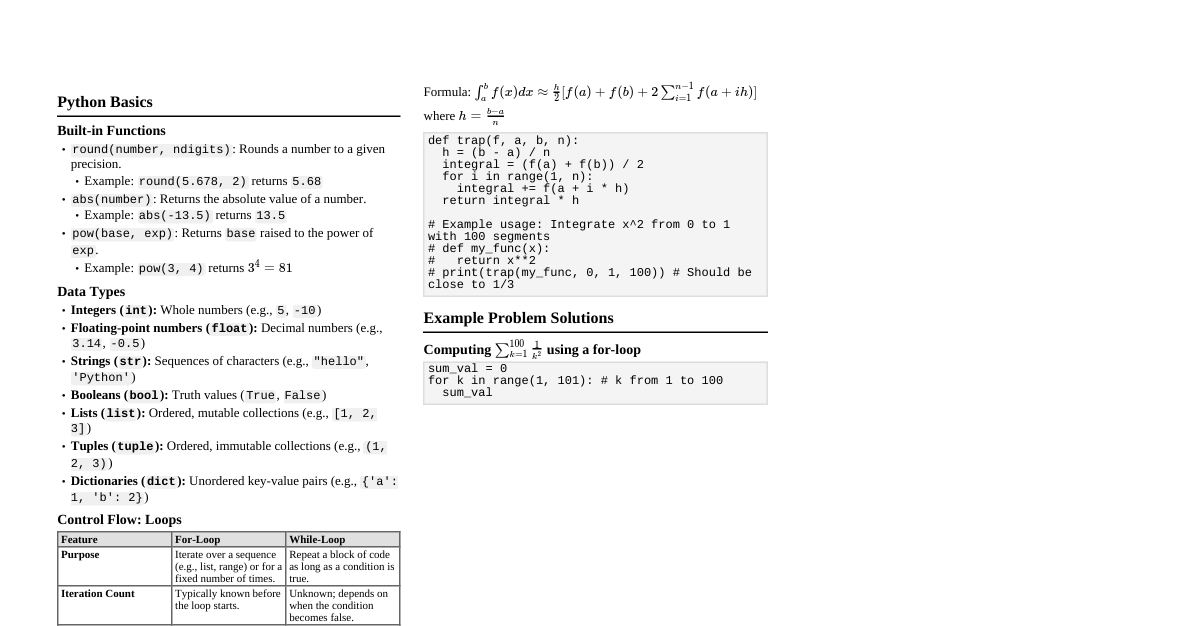
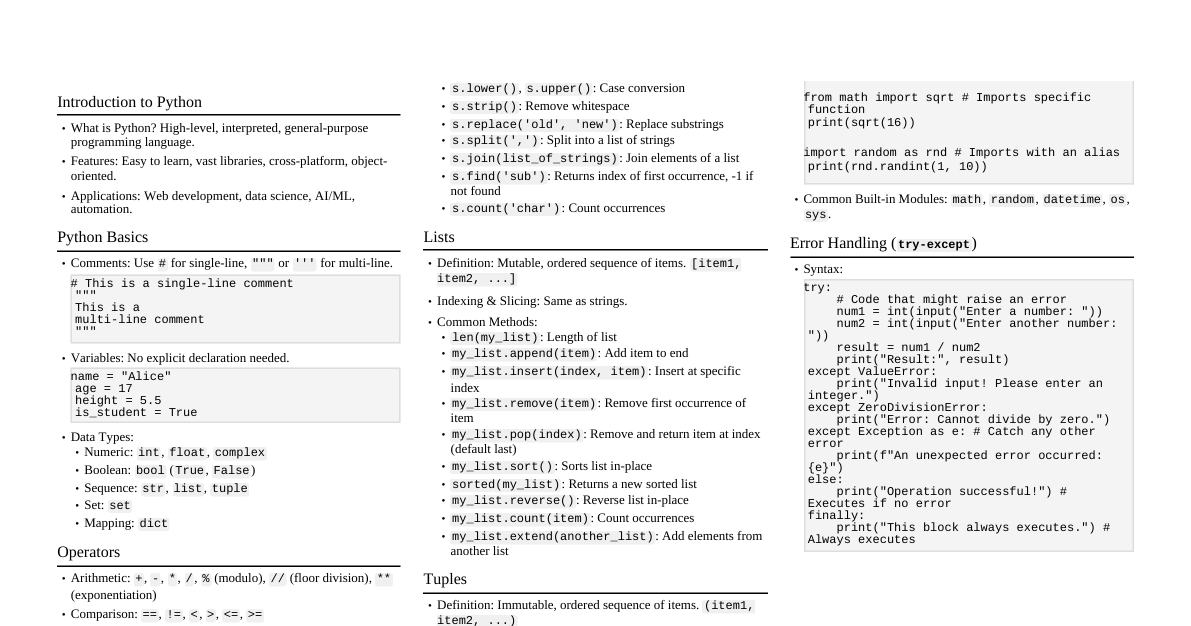
Python Data Types & Dynamic Typing #### Fundamental Data Types Python's core data types include: - **Numeric:** `int`, `float`, `complex` - **Boolean:** `bool` (True/False) - **Sequence:** `str`, `list`, `tuple`, `range` - **Mapping:** `dict` - **Set Types:** `set`, `frozenset` - **None Type:** `NoneType` (`None`) #### Dynamic Typing Python is dynamically typed; variable types are determined at runtime. You don't declare types explicitly. - **Variable Creation:** When you assign a value, Python creates an object and links the variable name to it. - **Memory Management:** Python uses reference counting and garbage collection to manage memory. Objects are deallocated when no longer referenced. - `id()`: Returns the unique identity of an object (its memory address). - `type()`: Returns the type of an object. ```python x = 10 # x is an int y = "hello" # y is a str print(type(x), id(x)) print(type(y), id(y)) x = "world" # x now refers to a str object print(type(x), id(x)) ``` Operators in Python Operators perform operations on variables and values. #### Categories & Examples - **Arithmetic:** `+`, `-`, `*`, `/`, `%` (modulo), `**` (exponent), `//` (floor division) ```python a, b = 10, 3 print(f"{a}+{b}={a+b}, {a}//{b}={a//b}") # Output: 10+3=13, 10//3=3 ``` - **Relational (Comparison):** `==`, `!=`, `>`, ` =`, ` 5, 10 == 5) # Output: True False ``` - **Logical:** `and`, `or`, `not` ```python x, y = True, False print(x and y, x or y, not y) # Output: False True True ``` - **Bitwise:** `&` (AND), `|` (OR), `^` (XOR), `~` (NOT), ` >` (right shift) ```python print(5 & 3) # Output: 1 (binary 101 & 011 = 001) ``` - **Assignment:** `=`, `+=`, `-=`, `*=`, `/=`, `%=`, `**=`, `//=`, `&=`, `|=`, `^=`, ` >=` ```python c = 5; c += 2; print(c) # Output: 7 ``` - **Identity:** `is`, `is not` (check if two variables refer to the *same* object in memory) ```python list1 = [1, 2]; list2 = [1, 2]; list3 = list1 print(list1 is list2, list1 is list3) # Output: False True ``` - **Membership:** `in`, `not in` (check if a value is present in a sequence) ```python print('a' in 'apple', 'z' not in 'apple') # Output: True True ``` #### Operator Overloading Python allows operators to have different meanings based on the data types involved. - The `+` operator: - Numeric types: Performs addition (e.g., `1 + 2 = 3`). - String types: Performs concatenation (e.g., `"hello" + "world" = "helloworld"`). - List/Tuple types: Performs concatenation. This is achieved by implementing special methods (e.g., `__add__`) in classes. Control Flow: Conditionals & Loops #### Conditional Statements - **`if` statement:** Executes a block if condition is `True`. ```python # if score = 85 if score >= 70: print("Pass") ``` - **`if-else` statement:** Executes one block if `True`, another if `False`. ```python # if-else age = 17 if age >= 18: print("Adult") else: print("Minor") ``` - **`if-elif-else` statement:** Checks multiple conditions sequentially. ```python # if-elif-else (Grade Calculator) grade = 75 if grade >= 90: print("A") elif grade >= 80: print("B") elif grade >= 70: print("C") else: print("F") ``` - **Nested `if`:** `if` statements inside other `if` statements. #### Looping Statements - **`for` loop:** Iterates over a sequence (list, tuple, string, range, dictionary). ```python # Iterate over range for i in range(3): # 0, 1, 2 print(f"Num: {i}") # Iterate over list fruits = ["apple", "banana"] for fruit in fruits: print(fruit) # Iterate over string for char in "Python": print(char, end=" ") # Output: P y t h o n # Iterate over dictionary (keys) d = {"a": 1, "b": 2} for key in d: print(key, d[key]) ``` - **`while` loop:** Repeats a block as long as a condition is `True`. ```python # while loop count = 0 while count Functions in Python Functions are reusable blocks of code. #### Definition & Calling - **Definition:** Use `def` keyword. - **Calling:** Use function name followed by parentheses `()`. ```python def greet(name): """This function greets the given name.""" return f"Hello, {name}!" message = greet("Alice") print(message) # Output: Hello, Alice! ``` #### Parameters - **Positional Arguments:** Passed in order. - **Default Arguments:** Have default values if not provided. - **Keyword Arguments:** Passed by name, order doesn't matter. - `*args` (Arbitrary Positional Arguments): Collects extra positional arguments into a tuple. - `**kwargs` (Arbitrary Keyword Arguments): Collects extra keyword arguments into a dictionary. ```python def display_info(name, age=30, *hobbies, **details): print(f"Name: {name}, Age: {age}") print(f"Hobbies: {hobbies}") for key, value in details.items(): print(f"{key}: {value}") display_info("Bob", 25, "reading", "coding", city="NY", job="Engineer") # Output: # Name: Bob, Age: 25 # Hobbies: ('reading', 'coding') # city: NY # job: Engineer ``` #### Scope of Variables - **Local Scope:** Variables defined inside a function are local to that function. - **Global Scope:** Variables defined outside any function are global. - `global` keyword: Used inside a function to modify a global variable. ```python global_var = 10 def my_func(): local_var = 5 print(global_var) # Access global global global_var # Declare intent to modify global global_var = 20 my_func() print(global_var) # Output: 20 ``` Strings, Lists, Tuples & Dictionaries #### Strings (`str`) - **Definition:** Immutable sequence of characters. - **Indexing:** `s[0]` (first char), `s[-1]` (last char). - **Slicing:** `s[start:end:step]` (e.g., `s[1:4]` gives chars from index 1 up to but not including 4). - **Immutability:** Cannot change individual characters (e.g., `s[0] = 'H'` is an error). - **Methods:** - `format()`: Formats strings. - `join()`: Joins elements of an iterable with the string as a separator. - `split()`: Splits string into a list by a delimiter. - `strip()`: Removes leading/trailing whitespace. - `replace()`: Replaces occurrences of a substring. - `find()`: Returns lowest index of substring (or -1). - `count()`: Returns number of occurrences of a substring. ```python text = " hello world " print(text.strip().upper().replace("WORLD", "PYTHON")) # Output: HELLO PYTHON ``` #### Lists (`list`) - **Definition:** Mutable ordered sequence of items (can be mixed types). - **Creation:** `my_list = [1, 'a', 3.14]` - **Indexing/Slicing:** Same as strings. - **Mutability:** Elements can be changed (`my_list[0] = 5`). - **Nested Lists:** Lists can contain other lists. - **Methods:** `append()`, `insert()`, `remove()`, `pop()`, `sort()`, `reverse()`, `extend()`. - **List Comprehension:** Concise way to create lists. ```python squares = [x**2 for x in range(5) if x % 2 == 0] # Output: [0, 4, 16] ``` #### Tuples (`tuple`) - **Definition:** Immutable ordered sequence of items. - **Creation:** `my_tuple = (1, 'a', 3.14)` or `1, 2, 3` - **Indexing/Slicing:** Same as strings/lists. - **Immutability:** Cannot change elements after creation. - **Use Case:** For fixed collections of items, often faster than lists, can be used as dictionary keys. #### Dictionaries (`dict`) - **Definition:** Mutable unordered collection of key-value pairs. Keys must be unique and immutable. - **Creation:** `my_dict = {"name": "Alice", "age": 30}` - **Accessing:** `my_dict["name"]` or `my_dict.get("name")`. - **Mutability:** Values can be changed, new pairs added, existing deleted. - **Methods:** `keys()`, `values()`, `items()`, `update()`, `pop()`, `clear()`. - **Dictionary Comprehension:** Concise way to create dictionaries. ```python squares_dict = {x: x**2 for x in range(3)} # Output: {0: 0, 1: 1, 2: 4} ``` #### Comparison of Complex Data Types | Feature | String | List | Tuple | Dictionary | |---------------|-----------|-----------|-----------|----------------| | **Mutability**| Immutable | Mutable | Immutable | Mutable | | **Order** | Ordered | Ordered | Ordered | Python 3.7+ Ordered (Insertion order) | | **Indexed** | Yes | Yes | Yes | By Key | | **Use Case** | Text data | Collection of items (can change) | Fixed collection of items | Key-value mappings | File Handling in Python #### Opening Modes - `r`: Read (default) - `w`: Write (creates new file or truncates existing) - `a`: Append (creates new file or appends to existing) - `x`: Exclusive creation (fails if file exists) - `b`: Binary mode - `t`: Text mode (default) Combine modes, e.g., `rb` for read binary, `w+` for read/write. #### Reading Functions - `read(size)`: Reads `size` bytes/chars, or entire file if `size` omitted. - `readline()`: Reads a single line. - `readlines()`: Reads all lines into a list of strings. #### Writing Functions - `write(string)`: Writes a string to the file. - `writelines(list_of_strings)`: Writes a list of strings to the file. #### File Pointer (`seek`, `tell`) - `tell()`: Returns current position of the file pointer (offset from beginning). - `seek(offset, whence)`: Changes the file pointer position. - `whence=0` (default): from beginning. - `whence=1`: from current position. - `whence=2`: from end. #### Error Handling (`try-except-finally`, `with`) - **`try-except-finally`:** ```python try: f = open("myfile.txt", "r") content = f.read() print(content) except FileNotFoundError: print("File not found!") finally: if 'f' in locals() and not f.closed: # Ensure f is defined and open f.close() ``` - **`with` statement (Context Manager):** Ensures file is automatically closed, even if errors occur. **Recommended.** ```python try: with open("myfile.txt", "r") as f: content = f.read() print(content) except FileNotFoundError: print("File not found!") ``` Data Science Libraries & GUI (NumPy, Pandas, Matplotlib, Tkinter) #### NumPy (Numerical Python) - **`ndarray`:** N-dimensional array object, core of NumPy. Efficient storage and operations on large datasets. - **Array Creation:** - `np.array([1, 2, 3])` - `np.zeros((2, 3))` - `np.ones((2, 2))` - `np.arange(0, 10, 2)` - `np.linspace(0, 1, 5)` - **Indexing/Slicing:** Similar to Python lists, but for multiple dimensions. - **Broadcasting:** Enables operations on arrays of different shapes. - **Mathematical Operations:** Element-wise operations, linear algebra, Fourier transforms, etc. ```python import numpy as np arr = np.array([[1, 2], [3, 4]]) print(arr * 2) # Element-wise multiplication print(arr.sum(axis=0)) # Sum columns ``` #### Pandas - **`Series`:** 1-dimensional labeled array. - **`DataFrame`:** 2-dimensional labeled data structure with columns of potentially different types (like a spreadsheet or SQL table). - **Data Loading:** `pd.read_csv('data.csv')`, `pd.read_excel('data.xlsx')`. - **Data Cleaning:** `dropna()`, `fillna()`. - **Filtering:** `df[df['column'] > value]`. - **Grouping:** `df.groupby('column').mean()`. - **Sorting:** `df.sort_values(by='column')`. - **Aggregation:** `sum()`, `mean()`, `max()`, `min()`. ```python import pandas as pd data = {'Name': ['Alice', 'Bob'], 'Age': [25, 30]} df = pd.DataFrame(data) print(df[df['Age'] > 25]) ``` #### Matplotlib - **Plotting Library:** For creating static, interactive, and animated visualizations. - **Types of Plots:** - `plt.plot()`: Line plots - `plt.bar()`: Bar charts - `plt.pie()`: Pie charts - `plt.scatter()`: Scatter plots - `plt.hist()`: Histograms ```python import matplotlib.pyplot as plt x = [1, 2, 3]; y = [2, 4, 1] plt.plot(x, y) plt.xlabel("X-axis"); plt.ylabel("Y-axis") plt.title("Simple Line Plot") plt.show() ``` #### Tkinter (GUI Programming) - **Standard Python Interface:** To the Tk GUI toolkit. - **Widgets:** - `Label`: Displays text or images. - `Button`: A clickable button. - `Entry`: Single-line text input. - `Text`: Multi-line text input/display. - `Listbox`: Displays a list of options. - `Radiobutton`, `Checkbutton`: Selection widgets. - `Canvas`: For drawing shapes, images. - `Frame`: Container for other widgets. - `Menu`: Drop-down menus. - **Event-Driven Programming:** GUI applications respond to user actions (events). ```python import tkinter as tk def on_button_click(): label.config(text="Hello, Tkinter!") root = tk.Tk() root.title("My GUI") label = tk.Label(root, text="Welcome") label.pack() button = tk.Button(root, text="Click Me", command=on_button_click) button.pack() root.mainloop() ```